
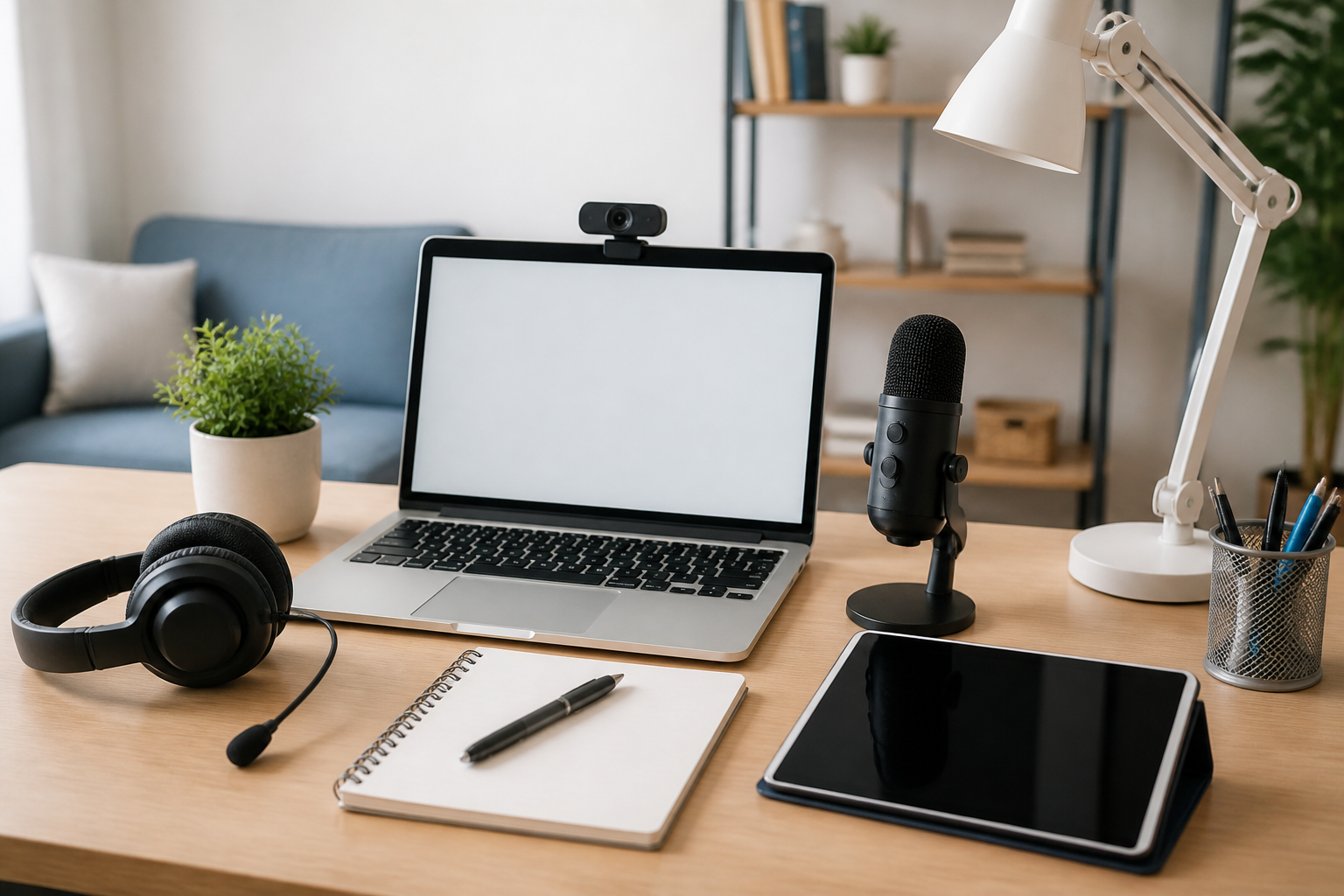
Online classes and remote learning can be convenient, but a good setup often makes the difference between staying focused and constantly fighting distractions. The right accessories can improve comfort, reduce stress, support better audio and video, and help you stay organized throughout the school day. You do not need an expensive home office to study effectively. In many cases, a few well-chosen accessories can make a small desk, kitchen table, or bedroom corner feel much more workable.
This guide covers the best accessories for online classes and remote learning, with a focus on practical buying considerations rather than hype. The goal is to help students, parents, and remote learners choose items that match their space, device, and daily routine. Some accessories are essential for live video classes, while others are helpful for note-taking, comfort, or staying productive during long study sessions.
Why accessories matter for remote learning
Remote learning depends on more than a laptop and internet connection. Students often need to listen carefully, speak clearly, take notes, type assignments, and sit for longer periods than they may be used to. A few accessories can make these tasks easier and help create a more reliable learning environment.
For example, a quality headset can make class discussions clearer. A laptop stand can improve posture and screen height. A desk lamp can help with visibility during evening classes. A keyboard and mouse can make long typing sessions more comfortable. Even simple organizational tools can reduce the chance of missed deadlines, lost notes, or cluttered workspaces.
The best accessories are not always the most expensive. They are the ones that fit your needs, your device, and the type of classes you take.
Audio accessories for clearer online classes
Good audio is one of the most important parts of remote learning. If you cannot hear instructions clearly, or if classmates cannot understand you during discussions, learning becomes frustrating quickly. Audio accessories can help both sides of the conversation.
Headphones or headsets
Headphones are among the most useful accessories for online classes because they can reduce background noise and make speech easier to follow. A headset with a built-in microphone can be especially helpful for live classes, group work, and presentations.
When comparing options, consider comfort first. Students may wear headphones for long periods, so lightweight construction, soft ear cushions, and an adjustable headband can matter more than flashy features. Wired models are often simple and dependable, while wireless models offer more movement freedom. If choosing wireless, think about battery life and whether the device supports your laptop, tablet, or phone.
Another useful feature is a microphone that captures speech clearly without picking up too much room noise. This can help when speaking in class from a shared or noisy space.
External microphone
An external microphone can be a smart upgrade for learners who present often, record assignments, or participate in frequent discussions. It may produce clearer voice pickup than a built-in laptop microphone, especially if the laptop sits far from the face.
Before buying, check compatibility with your device and the type of classes you attend. Some microphones are simple plug-and-play options, while others may include controls for mute, gain, or monitoring. A microphone can be especially useful in a quiet study area, but it is not always necessary for every student.
Video accessories for a more professional setup
Video quality is not the most important part of learning, but it does affect how you appear in class and how clearly others can see you. Small improvements can make your setup look cleaner and more intentional without requiring major spending.
Webcam
Many laptops include built-in cameras, but an external webcam can sometimes offer better framing, sharper image quality, or more flexible positioning. This can be useful for presentations, office hours, interviews, and classes where participation on camera is expected.
When choosing a webcam, pay attention to image quality, low-light performance, autofocus behavior, and mounting options. A webcam should be easy to position at eye level, because a camera angle from too low can be distracting. If you share your space with others, a webcam with a privacy cover may also be appealing.
Lighting
Good lighting is one of the simplest ways to improve video calls. A basic desk lamp or ring light can help you appear more visible on camera, especially in rooms with weak natural light. The main idea is to avoid sitting directly in front of a bright window or in a dim corner where your face is hard to see.
If you are buying a light for online classes, look for adjustable brightness and a color temperature that feels comfortable for both studying and video calls. The best option depends on the room. Some learners only need a small lamp with a flexible neck, while others may benefit from a larger light source for regular presentations.
Comfort accessories for longer study sessions
Comfort is often overlooked until long study sessions become painful or distracting. The right accessories can help support a healthier workstation and make it easier to focus on class material instead of physical discomfort.
Laptop stand
A laptop stand raises the screen closer to eye level, which can help create a more comfortable viewing angle. It is especially useful for students who spend long periods reading, typing, or joining video calls. A stand may also free up desk space and improve airflow around the laptop.
When shopping for a stand, consider height adjustability, stability, portability, and whether it works with your laptop size. Some stands are designed for a fixed desk setup, while others fold flat for use in different rooms or on the go.
External keyboard and mouse
If you use a laptop for many hours, an external keyboard and mouse can improve comfort and make typing easier. They allow you to position the screen separately from the input devices, which can support a more ergonomic setup. This is especially helpful for writing papers, filling out assignments, and moving between multiple tabs during class.
For keyboards, think about layout, key feel, connectivity, and size. A compact keyboard may suit a small desk, while a full-size keyboard may be better for students who type frequently. For a mouse, look for a shape that fits comfortably in your hand and moves smoothly on your desk surface.
Wrist rest or desk pad
A wrist rest or desk pad may seem minor, but it can make a workspace feel more comfortable during long sessions. A desk pad can also protect the desktop and provide a smoother surface for a mouse. This is a good option for learners who want a simple upgrade without changing their full setup.
Organization accessories that support focus
Remote learning often involves notes, handouts, class schedules, digital assignments, and multiple logins. Organization accessories help reduce clutter and make it easier to find what you need when class starts.
Notebook and planner
Some learners do better with physical notes, while others prefer digital tools. A notebook and planner can be useful for tracking assignments, due dates, exams, and class reminders in one place. This is especially helpful if you have several classes or a changing schedule.
When choosing a planner, look for a layout that matches the way you work. Some people prefer daily pages, while others want a weekly overview. A notebook with enough space for class notes, to-do lists, and quick reminders can help keep information organized.
Desk organizer
A desk organizer can keep pens, charging cables, sticky notes, headphones, and small supplies from piling up. This is useful for learners who work in shared spaces or use the same surface for school and family activities. Keeping essentials visible and easy to reach can save time and reduce distraction.
Choose an organizer based on the items you actually use. If you only need a place for a pen and a charger, a small tray may be enough. If you manage several classes at once, a larger organizer may be more practical.
Cable management accessories
Charging cables and device cords can quickly create clutter. Cable clips, ties, or sleeves can make a study area feel cleaner and less distracting. Better cable organization can also make it easier to unplug devices and move them when needed.
This category is especially useful for students working from a desk with a laptop, tablet, lamp, microphone, and charging accessories all at once.
Tech essentials for staying powered and connected
Reliable devices are critical for online learning, but accessories that support power and connectivity can prevent common disruptions. A dead battery or weak connection can interfere with attendance, participation, and assignment submission.
Charging cable and adapter
It is worth having dependable charging accessories available in your study area, backpack, or school bag. A spare cable can be useful if your primary one gets misplaced or if you move between rooms frequently. Make sure any cable or adapter is compatible with your device and rated for the type of charging it requires.
For students who study in several locations, having one charging setup at the desk and one portable option can reduce stress and keep classes running smoothly.
Portable power bank
A power bank can be helpful for learners who switch between spaces, attend classes away from home, or use devices throughout the day. It is not a replacement for a proper charger, but it can provide backup power when needed.
Before buying, check capacity, output compatibility, and whether the power bank is designed for phones, tablets, or other portable devices. It is also useful to consider size and weight if you plan to carry it in a bag.
Wi-Fi support accessories
Sometimes the issue is not the device but the connection. Depending on the home setup, a Wi-Fi extender or mesh system may improve signal in a study room far from the router. If your classes involve frequent video calls or live streaming, more stable connectivity can be valuable.
These products are not necessary for everyone, but they can be worth considering if your learning space regularly suffers from weak internet coverage. It is also smart to ask whether your school recommends specific browser or device requirements before spending money on network accessories.
Storage accessories for assignments and backups
File organization matters in remote learning because assignments, lecture materials, and projects are often digital. Storage accessories help protect work and make it easier to transfer files between devices.
External drive or flash drive
An external drive or flash drive can be useful for storing class files, backing up documents, or moving work between a home computer and school device. Even if you use cloud storage, a physical backup can add convenience and peace of mind.
Look for a storage option that matches your file size needs and the devices you use. Students working on media projects, large presentations, or multiple subjects may need more capacity than those using storage only for documents.
Tablet stand or device holder
If you attend classes on a tablet or use a phone for part of your learning, a stand can make viewing easier and reduce the need to hold the device for long periods. This is especially useful for reading, attending live sessions, or keeping a second screen visible during note-taking.
A stable holder can improve comfort at a desk, counter, or bedside table. Look for adjustability and a secure grip if you move the device often.
How to choose the best accessories for your learning style
The best accessories depend on how you learn, what device you use, and what problems you want to solve. A student who attends multiple live classes each day may prioritize headphones and a webcam. Someone who writes long essays may care more about a keyboard, mouse, and laptop stand. A student using a shared family table may value compact, portable accessories that can be packed away quickly.
Before buying anything, consider these practical questions:
- What is the biggest issue in your current setup: comfort, sound, video, organization, or power?
- Do you need accessories that stay in one place, or do you move between rooms?
- Does the accessory work with your laptop, tablet, or phone?
- Will it fit your desk space and storage area?
- Is it easy to use every day, or will it become another item you ignore?
A simple setup that you use consistently is usually better than a complicated one that looks impressive but is inconvenient.
Common buying mistakes to avoid
One of the most common mistakes is buying accessories based on appearance instead of function. A bright desk item may look appealing, but it should also solve a real problem. Another mistake is choosing products without checking compatibility. This is especially important for headphones, microphones, charging cables, and webcams.
It is also easy to overlook desk space. A large lamp, bulky stand, or oversized keyboard may not work well in a small study area. Portability matters too if the learning space changes during the day. Finally, avoid buying several accessories at once before identifying which ones are truly necessary. Starting with the most useful items can save money and reduce clutter.
Practical setup tips for online learners
You do not need a full home office to improve your study routine. Small changes can create a better learning experience.
- Keep the most-used items within arm’s reach.
- Place your screen at a height that feels comfortable for long sessions.
- Use headphones when background noise is distracting.
- Keep one notebook or planner dedicated to school tasks.
- Charge devices in the same place every day so you start class prepared.
- Test your audio and camera before an important meeting or presentation.
If space is limited, focus on multi-purpose accessories. For example, a desk pad can help with mouse movement and surface protection, while a laptop stand and external keyboard can work together to improve comfort.
Frequently asked questions
What are the most important accessories for online classes?
The most important accessories usually include headphones or a headset, a charger, a notebook or planner, and a comfortable way to position your laptop or tablet. Some students may also benefit from a webcam, desk lamp, or external keyboard.
Do I need a webcam for remote learning?
Not always. Many laptops already have a built-in camera that is sufficient for regular classes. An external webcam is more useful if you attend presentations, interviews, or classes where a clearer image helps.
Are headphones better than speakers for online classes?
Headphones are often better in shared or noisy spaces because they can make speech easier to hear and reduce distractions. Speakers may be fine if you study in a quiet room and do not need privacy.
What accessories help with posture during long classes?
A laptop stand, external keyboard, mouse, and comfortable chair setup can all help create a better working position. A screen closer to eye level may reduce the need to hunch forward, though the right setup depends on your desk and body comfort.
How can I improve a small study space without spending too much?
Start with low-cost, high-impact items such as a headset, desk organizer, cable ties, and a simple lamp. Then add items like a stand or external input devices if you find they solve a real problem in your routine.
Conclusion
The best accessories for online classes and remote learning are the ones that make your study space more comfortable, organized, and reliable. You do not need every item on the market. Instead, choose accessories that support the parts of learning that matter most to you, whether that is clearer audio, better lighting, easier typing, stronger organization, or a more comfortable desk setup.
By focusing on practical features, compatibility, and everyday usefulness, you can build a remote learning setup that feels less distracting and more manageable. A few thoughtful accessories can go a long way toward making classes smoother and study time more productive.


