Introduction
Video meetings and online calls are now part of everyday work, study, interviewing, client communication, and remote collaboration. While most laptops and phones can handle the basics, the quality of a call often depends on the accessories around the device. A clearer camera, better microphone, improved lighting, and more comfortable audio setup can make conversations easier to follow and more professional to others on the call.
The best accessories for video meetings and online calls are not necessarily the most expensive ones. In many cases, small improvements produce the biggest difference. A simple ring light can make a dim room look more polished. A headset can reduce echo and background noise. A laptop stand can improve posture and create a better camera angle. Choosing the right accessories depends on how often you attend calls, where you take them, and whether your main priority is clearer video, better audio, or a cleaner overall setup.
This guide explains the most useful accessories, what features matter most, and how to choose gear that fits your needs without overspending. It also covers common buying mistakes and practical tips to help you create a reliable meeting setup at home, at work, or on the move.
Why accessories matter for video meetings
Most people notice audio and video problems quickly during a call. If others cannot hear you clearly, if your image is dim or blurry, or if your setup makes you look down at the camera, the meeting becomes less effective. Accessories help solve those issues by improving the parts of the setup that built-in laptop or phone hardware often handles only at a basic level.
The right accessories can help you:
- Improve clarity: A better microphone or headset can make speech easier to understand.
- Look more polished: Proper lighting and camera positioning can improve your appearance on screen.
- Reduce distractions: Noise reduction accessories and simple cable management can help your setup feel calmer.
- Stay comfortable: Stands, external keyboards, and better audio gear can reduce strain during long sessions.
- Work more consistently: Reliable accessories are especially useful for frequent meetings, interviews, teaching, and client calls.
If you attend calls only occasionally, a few basic upgrades may be enough. If you spend many hours each week in meetings, a more complete setup can improve both comfort and performance.
Best accessories for video meetings and online calls
1. External webcam
An external webcam is one of the most useful upgrades for people who want a sharper, more flexible video image than a built-in laptop camera provides. Many laptop cameras are placed low on the screen and may produce a narrow field of view or soft image quality. A separate webcam often gives you better framing, more control over placement, and, in many cases, improved low-light performance.
When choosing a webcam, look for a model that fits your typical call environment. A wider angle can be helpful if you want to show more of your space, while a more focused view may be better for a clean, professional frame. Auto-focus and automatic exposure can also matter if your room lighting changes throughout the day.
May suit: remote workers, content creators, teachers, interviewees, and anyone who wants a more camera-friendly setup than a built-in webcam allows.
2. USB microphone or headset microphone
Audio quality is often more important than video quality in online calls. If people can hear you clearly, the meeting is easier to follow even if your camera is not perfect. A USB microphone can provide clearer voice pickup than a laptop mic, especially in rooms with echo or background noise. A headset microphone can offer similar benefits with added convenience and often better consistency in noisy environments.
When comparing microphones, think about where you work. If your space is quiet and you want a desktop setup, a USB microphone can be a strong choice. If you move around, share a desk, or work near other people, a headset may be more practical. Some people also prefer a microphone with a mute button or easy gain control for quick adjustments during calls.
May suit: frequent presenters, people in open-plan homes, students, interview candidates, and anyone who wants to reduce audio frustration.
3. Over-ear or on-ear headset
A headset can be one of the most practical accessories for video meetings and online calls because it combines listening and speaking in one device. It can help reduce echo, keep your voice consistent, and improve concentration by blocking some outside noise. For long sessions, comfort matters just as much as audio quality, so padding, fit, and weight are important considerations.
There are two main styles to consider. Over-ear headsets generally offer better isolation and may feel more comfortable for extended use. On-ear headsets can be lighter and less bulky, though they may not block as much surrounding noise. If you take calls in different locations, wireless models can add flexibility, but wired options are often simpler and do not require charging.
May suit: people who attend frequent meetings, work in busy homes, take calls while multitasking, or need dependable speech clarity.
4. Ring light or desk light
Good lighting can make a dramatic difference in how you appear on screen. A ring light or adjustable desk light can brighten your face, reduce shadows, and make your image look more balanced. This is especially helpful if you work near a window with changing daylight or in a room with dim overhead lighting.
When comparing lighting accessories, focus on adjustability. Brightness control allows you to soften strong light or raise it in darker rooms. Color temperature adjustment can help you match the light to your room and create a more natural look. Placement also matters; a light placed too close or too high can create an unflattering effect.
May suit: remote workers, job seekers, teachers, consultants, and anyone who wants a cleaner, more presentable on-camera appearance.
5. Laptop stand or monitor riser
A laptop stand can improve posture and camera angle at the same time. Raising the screen helps you avoid looking down into the webcam, which often creates a less flattering angle and can make eye contact feel less natural. It also encourages a more comfortable seating position when paired with an external keyboard and mouse.
Look for a stand that is stable, height-adjustable, and compatible with your device size. If you use your laptop as part of a desk setup, ventilation may also matter, so a design that allows airflow can be useful. A monitor riser can serve a similar purpose if you work with a separate monitor or want a cleaner desk layout.
May suit: anyone who spends long periods in meetings and wants better ergonomics and a more professional on-camera angle.
6. External keyboard and mouse
Once your laptop is raised to a better height, an external keyboard and mouse become especially useful. They let you keep your hands in a natural position while your screen sits at a comfortable eye level. This can make long meeting days feel less awkward and can also help with note-taking, multitasking, and switching between call tools more smoothly.
People often overlook these accessories when shopping for meeting gear, but they can significantly improve comfort if you attend many calls from a desk. For mobile use, compact wireless versions may be easier to pack and reconnect. For a more stationary desk, a full-size keyboard may be better if you type a lot between meetings.
May suit: remote employees, home office users, and people building a simple but ergonomic work-from-home setup.
7. Noise-canceling or noise-isolating accessories
Background noise can be distracting in online calls, especially when several people are speaking or when your environment changes during the day. While advanced noise reduction is sometimes built into meeting software, physical accessories can still help. A headset with noise-isolating earcups, a microphone with directional pickup, or even basic desk setup improvements can reduce distractions.
It is helpful to separate two ideas: active noise canceling for listening and noise reduction for microphone pickup. A headset with active noise canceling may improve your ability to focus, while a microphone designed to capture your voice from close range can help others hear you better. Neither replaces a quiet environment, but both can make a noticeable difference.
May suit: people in shared spaces, apartment dwellers, and users who take calls in environments with fan noise, traffic, or household activity.
8. Portable backdrop or privacy screen
A clean background can make your video presence look more organized and less distracting. If your room is shared, cluttered, or frequently changing, a portable backdrop or privacy screen may help create a consistent visual setting. This can be especially useful for interviews, client calls, teaching, or any meeting where you want the focus to stay on you.
Before buying, think about size, portability, and how it will be stored when not in use. Some users prefer a simple neutral background, while others may only need a small panel that removes visual clutter from one corner of the room. A backdrop does not need to be elaborate to be effective.
May suit: people with shared living spaces, frequent callers, and anyone who wants a cleaner on-camera environment without rearranging a room.
9. Cable management accessories
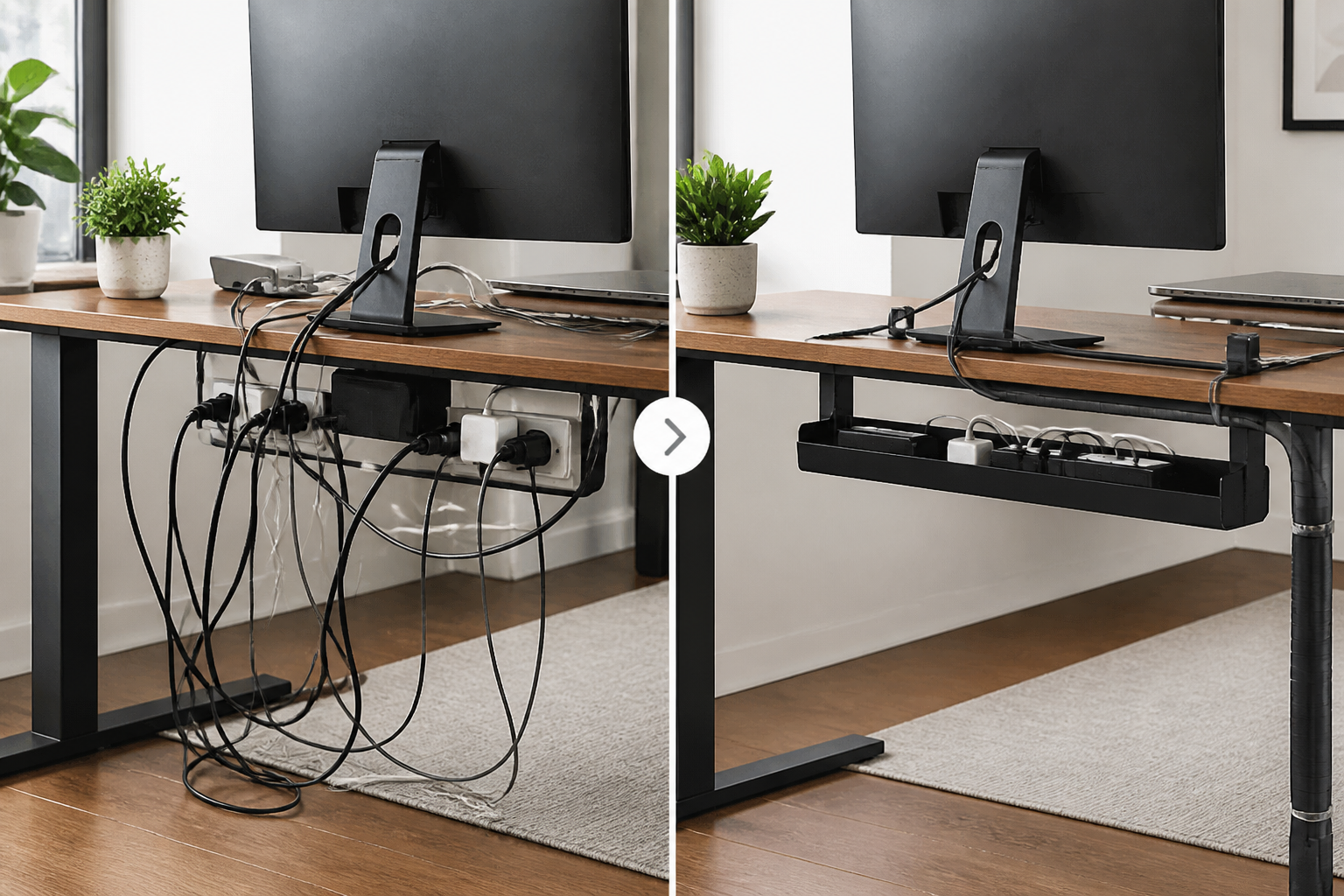
Small accessories such as cable clips, ties, sleeves, and adhesive mounts can make a surprisingly large difference in a meeting setup. They keep wires from tangling, reduce desk clutter, and make it easier to plug in or disconnect devices quickly. This matters most when you use a webcam, microphone, laptop stand, and charging cables at the same time.
A neat desk is not only more attractive on camera, but it is also easier to use. You are less likely to unplug the wrong device or knock something loose during a call. Cable management is not usually the first item people think of, but it can improve the overall experience of a setup that is used daily.
May suit: desk-based users who want a cleaner work area and a more organized meeting station.
10. Portable charger or power bank
For online calls on the go, battery life becomes a practical concern. A portable charger can help keep your phone, tablet, or even some laptop setups powered during long meetings, travel days, or remote work sessions away from a desk. If you frequently join calls from multiple locations, backup power can prevent interruptions at inconvenient moments.
Check device compatibility carefully, especially for laptops, since charging needs can vary widely. For phones and tablets, capacity and output speed are the most important factors. For laptops, make sure the power bank or charging accessory is intended for your specific device type.
May suit: travelers, field workers, students moving between locations, and anyone who takes calls away from a permanent workspace.
How to choose the right accessories
Start with your biggest problem
The best accessory is usually the one that fixes your most noticeable issue. If people say they cannot hear you well, audio should come first. If your room is dark or unevenly lit, lighting may be the most effective upgrade. If your camera angle is poor, a stand might help more than a new microphone. Choosing in order of need helps prevent unnecessary spending.
Match the accessory to your meeting style
Different users need different setups. Someone who gives presentations every day may benefit from a webcam, microphone, and light. Someone who joins casual team meetings from a small apartment may need only a headset and a laptop stand. A student attending occasional classes from a dorm room may prioritize portability and simplicity over a full desk setup.
Prioritize comfort for long sessions
If you take calls for several hours a day, comfort becomes a major factor. Look for accessories that reduce strain rather than add it. A headset should not pinch. A stand should be stable. A keyboard should feel natural to use. Even lighting matters here, since harsh brightness can become tiring over time. Comfort is not a luxury in a daily meeting setup; it is part of long-term usability.
Think about compatibility
Before buying any accessory, check how it connects to your device. Some accessories use USB-A, others USB-C, and some require software or app support. Wireless accessories may depend on Bluetooth or a USB receiver. Compatibility should also include your operating system, meeting platform, and available desk space. A simple, compatible accessory is often better than a more advanced one that is inconvenient to use.
Consider portability
If you move between home, office, and travel locations, smaller and lighter accessories may be more practical than a full permanent setup. Foldable stands, compact headsets, clip-on lights, and wireless microphones can be easier to pack. If your calls almost always happen in one place, you may prefer sturdier desktop accessories that stay in place and offer more stability.
Common buying mistakes to avoid
- Buying video gear before fixing audio: Clear speech often matters more than a slightly better image.
- Choosing accessories that are uncomfortable for long use: A good meeting setup should feel easy throughout the day.
- Ignoring room lighting and background: Even a good webcam can look poor in a dark or cluttered space.
- Forgetting about compatibility: Check ports, operating system support, and connectivity before purchasing.
- Overcomplicating the setup: Too many devices can create extra cables, extra charging, and more points of failure.
- Not matching the accessory to the space: A large desk microphone may not suit a shared table, and a bulky headset may not suit travel.
Practical setup tips for better online calls
Even with the right accessories, small setup habits can improve your call quality. Place your camera at eye level or slightly above it if possible. Sit far enough back that your face and shoulders are comfortably framed. Use soft, even lighting from the front rather than strong light from behind. Keep your microphone close enough to capture your voice clearly, but not so close that it feels intrusive.
Test your setup before important calls. A brief audio check can reveal issues such as echo, low volume, or background noise. If you use a headset or external microphone, make sure your meeting software is set to the correct input device. If you switch between devices often, keeping a simple checklist can save time and reduce stress.
For shared spaces, consider accessories that pack away quickly. A compact stand, foldable headset, and small desk light can be easier to manage than a large, permanent studio-style arrangement. The goal is not to create a perfect broadcast studio. The goal is to make communication clear, comfortable, and dependable.
Frequently asked questions
What is the most important accessory for video meetings?
For many people, the most important accessory is a good microphone or headset because audio clarity strongly affects how easy it is to follow a conversation. If your room is poorly lit, however, lighting may be the first item to improve. The best starting point depends on the biggest weakness in your current setup.
Do I need a webcam if my laptop already has a camera?
Not always. A built-in camera may be enough for occasional calls. An external webcam is more useful if you want better framing, stronger image quality, or more flexible placement. It becomes more valuable for frequent meetings, interviews, or professional use.
Are headsets better than speakers for online calls?
Headsets are often better for calls because they help reduce echo and keep your voice pickup more controlled. Speakers can be fine in a quiet, private room, but they may allow more background noise into the conversation.
What lighting works best for video calls?
Soft, even front lighting usually works best. A ring light or adjustable desk light can be useful if your room is dim or inconsistent. Try to avoid strong light from behind you, since that can make your face look dark on camera.
How can I improve my setup on a small budget?
Start with the most visible or audible problem. A basic headset, a simple clip-on light, and a laptop stand can sometimes deliver more practical value than a full equipment upgrade. Also, rearranging your desk and improving background clutter can cost little or nothing.
Conclusion
The best accessories for video meetings and online calls are the ones that improve clarity, comfort, and consistency in your specific environment. For many users, that means focusing first on audio, then lighting, then camera placement and desk ergonomics. A good headset or microphone can make conversations clearer. A well-placed light can make you look more polished. A laptop stand or external keyboard can make long sessions easier on your body.
You do not need a studio-like setup to look and sound professional. A few carefully chosen accessories can transform a basic call experience into one that feels more reliable and more comfortable. By thinking about your meeting habits, room conditions, and compatibility needs, you can build a setup that supports better communication every day.