
Introduction
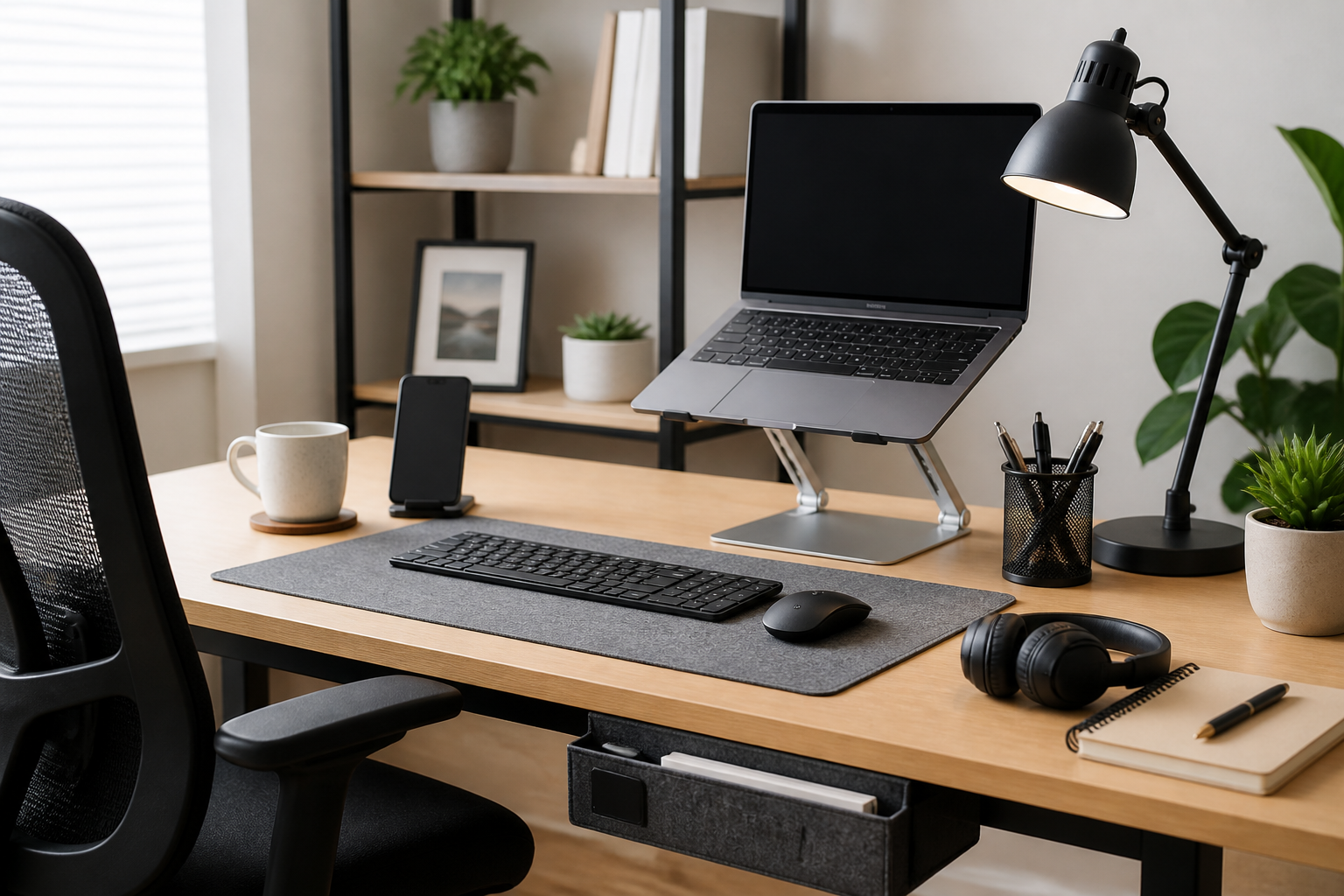
A good home office does not have to be expensive. In many cases, the biggest improvement comes from small, affordable accessories that make your workspace more comfortable, organized, and efficient. If you already have a desk, chair, laptop, or monitor, budget-friendly add-ons can help you work better without committing to a full office makeover.
The challenge is not finding accessories. It is choosing the right ones. Some items look useful but do very little in day-to-day use. Others are inexpensive yet make a noticeable difference in comfort, focus, and organization. This guide explains the best budget accessories for a home office setup, what each type of accessory does, who it is best for, and how to avoid buying things you do not actually need.
The goal is simple: help you build a practical workspace with smart, low-cost upgrades that support real work. Whether you are setting up a corner of a bedroom, a spare room, or a shared family space, these accessory categories can help you create a cleaner and more functional environment.
What makes a budget home office accessory worth buying?
Before choosing specific items, it helps to define what “worth buying” means in a home office. The best budget accessories are not always the cheapest possible options. They are the ones that solve a real problem, fit your space, and hold up well enough for regular use.
Look for practical value, not novelty
A budget accessory should make your workspace easier to use. For example, a cable organizer that reduces clutter or a monitor stand that improves screen height has a clear purpose. Decorative items may make a room feel nicer, but they are less important if your main goal is comfort and productivity.
Prioritize daily comfort and workflow
The accessories you use every day usually deserve more attention than items you use occasionally. A wrist rest, desk lamp, or mouse pad may seem small, but if it improves posture, visibility, or mouse control, it can influence how comfortable your workday feels.
Choose items that fit your existing setup
An accessory is only useful if it matches your desk size, equipment, and habits. A large desk organizer may be helpful on a spacious table but awkward on a compact workspace. The best budget purchases are the ones that fit your setup without creating new clutter.
Best budget accessories for a home office setup
Below are some of the most useful accessory categories for building a home office on a modest budget. You do not need all of them. The smartest approach is to pick the ones that solve your biggest problems first.
1. Desk lamp with adjustable brightness
Lighting is one of the most overlooked parts of a home office. A basic desk lamp can improve visibility during evening work, cloudy days, or low-light rooms. Adjustable brightness is especially helpful because it lets you adapt the light to reading, typing, video calls, or general tasks.
When comparing lamps, consider where the light falls. A lamp should reduce shadows on your work area without causing glare on your screen. Some budget lamps offer simple touch controls, flexible necks, or different color temperatures, but even a straightforward model can be a good upgrade if your workspace feels dim.
This accessory may suit remote workers, students, and anyone using a room that does not have ideal natural light. It is especially useful for shared spaces where you cannot control the main room lighting.
2. Mouse pad with wrist support
If you use a mouse for long periods, a mouse pad can improve comfort and precision. A larger pad can give you more room to move, while a padded wrist rest may reduce strain during normal use. Budget versions are widely available and often provide enough support for everyday office work.
Look for a surface that allows smooth movement and a base that stays in place on your desk. A mouse pad does not need to be complicated. The main goal is consistent control and a stable workspace.
This is a smart purchase for laptop users, graphic design beginners, spreadsheet-heavy workflows, and anyone whose desk surface is rough or uneven.
3. Monitor stand or laptop riser
Raising your screen to a more comfortable height can make a big difference in how your neck and upper body feel during the day. A monitor stand or laptop riser helps position the display more naturally and can free up space underneath for notebooks, storage trays, or a keyboard.
Budget options include simple stands, stackable risers, and compact platform designs. Some are fixed-height, while others offer a bit of adjustability. The key is to choose a stable product that fits the weight of your device.
This accessory is especially useful for people who work on laptops for long periods, as well as anyone whose monitor sits too low on a desk. If you switch between sitting and standing, a riser can also support a more flexible layout.
4. Cable management tools
Loose cables can make a desk feel messy and harder to use. Affordable cable management tools such as clips, sleeves, ties, and adhesive holders can help route cords more cleanly. Even a small amount of organization can make your office appear calmer and easier to maintain.
Think about the cables you use most often: laptop charging cables, monitor cords, keyboard wires, headset chargers, and power strips. A simple cable clip or Velcro tie may be enough for one setup, while a more complete bundle may work better if your desk has multiple devices.
This category is ideal for people who want a tidier desk without buying large storage furniture. It is also helpful in shared spaces where visible cables can become a daily annoyance.
5. Desk organizer or drawer tray
Office supplies tend to scatter quickly. Pens, sticky notes, paper clips, adapters, and charging accessories can easily take over a desk if they do not have a place to live. A budget desk organizer or drawer tray helps keep small items grouped and easy to find.
Choose a layout that matches your habits. If you use many small items during the day, compartments can be helpful. If you prefer a minimal desk, a compact tray may be enough. The best organizer is the one that supports your real workflow instead of encouraging you to collect more clutter.
This accessory suits people who keep a lot of small tools within reach, especially if their desk does not have many built-in storage options.
6. Notebook stand or document holder
For people who alternate between screens and paper notes, a notebook stand or simple document holder can reduce desk clutter and make reference materials easier to read. This is a practical budget accessory for students, administrators, data-entry users, and anyone who needs quick access to printed pages or handwritten notes.
Some document holders are designed to sit beside a monitor, while others are more flexible and can hold notebooks, planners, or reference sheets. If your work involves reading from paper often, having it at a better angle can reduce constant head turning and keep your desk more organized.
7. Comfortable keyboard accessory
Budget keyboard accessories can include wrist rests, silicone covers, or a separate compact keyboard if you use a laptop most of the time. The right choice depends on your setup and what feels uncomfortable now. A wrist rest may help if your wrists rest on a hard desk edge. A separate keyboard may help if you want a more natural typing position with a raised screen.
When choosing an accessory in this category, focus on comfort and typing feel rather than appearance alone. The product should fit your work style and not force you into an awkward position.
This type of accessory is useful for writers, office workers, students, and anyone typing for long periods.
8. Headset stand or simple headphone hook
If you use headphones or a headset for calls, a stand or hook can keep them accessible and reduce desk clutter. Budget versions are usually simple, but that is often enough. A stand can also help protect headphones from getting buried under papers or cables.
Choose a design that fits your desk size and placement preferences. Under-desk hooks can save space, while tabletop stands are easier to move. This is a small upgrade, but for people who take frequent calls, it can make the workspace feel more orderly.
9. Small desk fan or personal comfort accessory
Comfort affects concentration. In a warm room, a small desk fan can make long work sessions more manageable. Other budget comfort accessories may include a footrest, seat cushion, or simple lap desk depending on your setup and where you work.
These items are not essential for everyone, but they can be valuable if your workspace feels uncomfortable for practical reasons. The best choice depends on whether your main issue is heat, posture, or seating position.
How to choose budget accessories without wasting money
Low cost does not always mean good value. A thoughtful purchase usually lasts longer and solves the problem more effectively than a cheap item bought in a rush.
Start with your biggest pain points
Before buying anything, notice what bothers you most about your workspace. Is it clutter, poor lighting, screen height, cable mess, or uncomfortable typing? Solve the most annoying issue first. That approach gives you the biggest improvement for the least money.
Match the accessory to the space
A small apartment office and a dedicated room have different needs. Compact accessories are often better for tight spaces, while larger desks can support multi-item organizers or wider monitor stands. Measure your available space if needed, especially for risers, lamp bases, and storage accessories.
Check stability and build quality
Budget accessories should still feel reliable. A monitor stand should not wobble. A desk lamp should stay where you place it. A cable clip should hold cords securely enough for your daily routine. Even when buying affordably, look for basic durability and sensible design.
Prefer multi-use items when possible
Accessories that serve more than one purpose can stretch your budget further. For example, a monitor stand that adds storage space is more useful than one that only raises a screen. A desk organizer that also holds charging cables may help you cut down on separate purchases.
Avoid overbuying all at once
It can be tempting to buy an entire set of matching accessories, but not every item will be useful. Start with one or two necessities, use them for a while, and then add more only if there is still a clear need. This keeps your desk from becoming crowded with items that look good but do not improve work.
Common mistakes when buying budget office accessories
Many people overspend on accessories they do not need or choose products that create new problems. These mistakes are easy to avoid if you know what to look for.
Choosing style over function
A tidy-looking desk is nice, but the accessory should still be practical. A decorative tray that cannot hold your items, or a stylish lamp with poor positioning, may not help much in everyday use.
Buying storage before solving comfort
If your chair, screen height, or lighting is uncomfortable, buying more storage will not fix the main issue. Start with the basics that affect how you feel while working, then add organizers and decorative touches later.
Ignoring compatibility
Some accessories only work well with certain devices or setups. A laptop riser should suit your device size. A monitor stand should fit the weight of your monitor. A drawer organizer should match the dimensions of your drawer. Checking compatibility helps avoid returns and frustration.
Letting cheap clutter pile up
Small accessories are useful only if they stay organized. Buying too many budget items can make a desk busier instead of more efficient. Keep a simple rule: every item should have a clear job.
Who benefits most from budget home office accessories?
Budget accessories are not only for people setting up a temporary workspace. They can help many types of users make their daily routine smoother.
- Remote workers: Often need a more comfortable and organized setup without investing in full furniture replacements.
- Students: Usually benefit from inexpensive items that improve study focus and keep notes organized.
- Freelancers: May need flexible accessories that support long work sessions and changing tasks.
- Hybrid workers: Often want accessories that are easy to move, store, or adjust.
- Small-space users: Need compact, efficient products that improve function without taking up much room.
Practical tips to get more value from budget accessories
A few simple habits can help you get more from affordable office upgrades.
- Buy in stages: Add one accessory at a time so you can tell what actually helps.
- Keep the desk surface clear: Even useful accessories work better when the workspace is not overcrowded.
- Use vertical space: Risers, hooks, and wall-adjacent storage can free up room on the desk.
- Focus on daily use: Items you touch every day usually deserve priority over occasional extras.
- Review your setup after a week: If an accessory is not being used, it may not deserve a spot on your desk.
Frequently Asked Questions
What are the most useful budget accessories for a home office?
The most useful budget accessories are usually the ones that improve comfort and organization first. Common examples include a desk lamp, monitor stand, cable management tools, mouse pad, and desk organizer. The best choice depends on what problem your setup has right now.
Should I buy accessories before upgrading furniture?
Not always. If your desk or chair is severely uncomfortable, furniture may matter more. But if your main issues are clutter, lighting, or screen height, budget accessories can offer a practical improvement without a large purchase.
How do I avoid cluttering my desk with too many accessories?
Choose items with a clear purpose and avoid duplicates. Keep only the accessories you use regularly on the desk. Store or remove anything that does not help your daily work.
Are expensive accessories always better?
No. Higher-priced products sometimes offer better materials or more features, but many affordable accessories work well for basic office needs. The key is to match the product to your situation rather than assuming the highest price means the best result.
What should I prioritize first in a new home office?
Start with lighting, screen height, and basic organization. These areas often have the biggest effect on comfort and usability. After that, consider accessories that improve your specific workflow, such as cable management or document storage.
Conclusion
Building a productive home office does not require expensive gear. The best budget accessories for a home office setup are the ones that solve everyday problems in a simple, reliable way. A better lamp, a cleaner cable arrangement, a monitor riser, or a more organized desk can improve your workspace more than a long list of decorative extras.
The smartest buying approach is to focus on your real needs, choose accessories that fit your space, and avoid buying items just because they are cheap. When each purchase has a clear purpose, even a modest budget can create a workspace that feels more comfortable, organized, and ready for work.
If you want the most value, start small, prioritize function, and build your setup one practical accessory at a time.


