
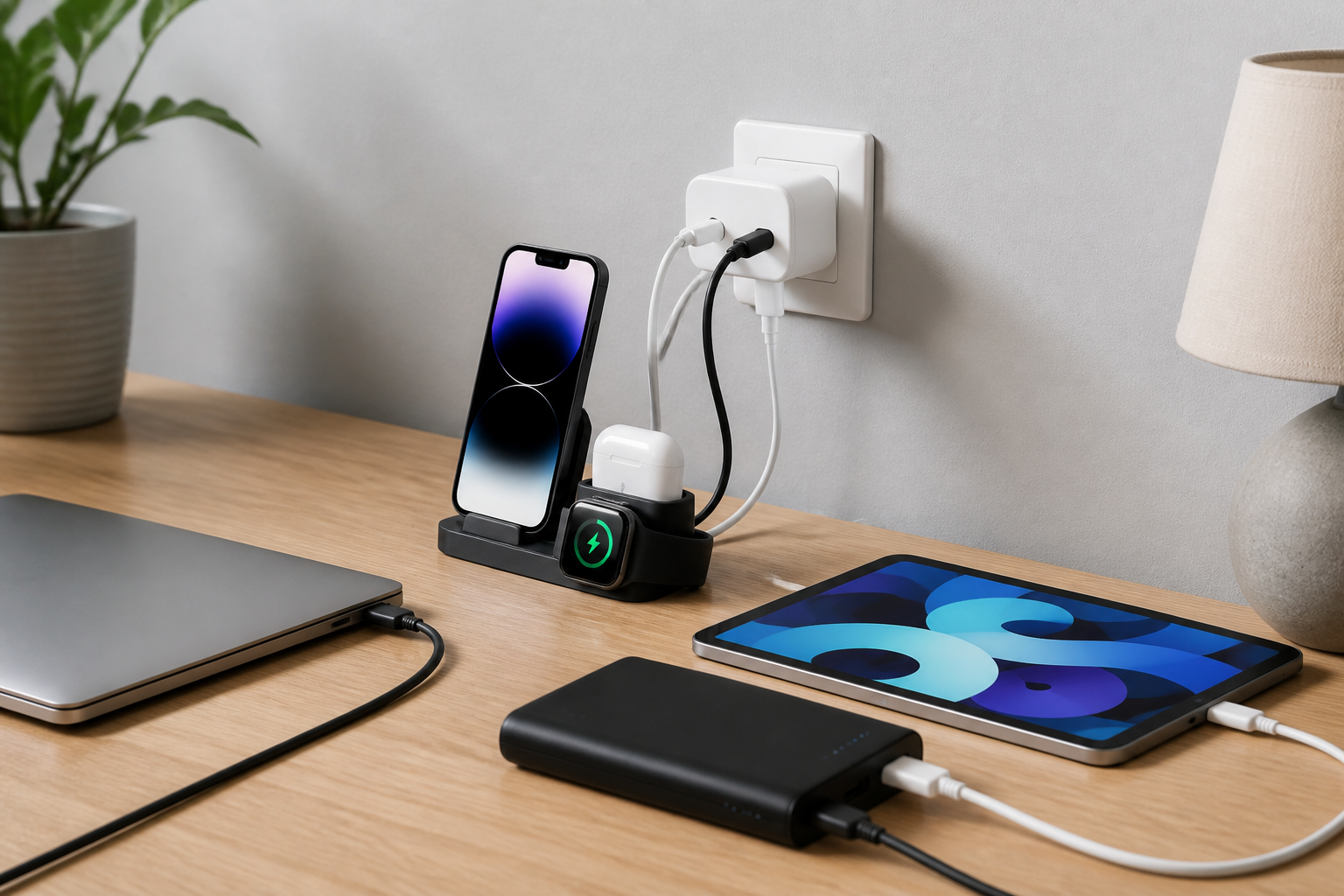
Most homes today have more devices than available outlets can comfortably handle. Phones, tablets, earbuds, smartwatches, e-readers, handheld gaming devices, and even rechargeable accessories all need power, often at the same time. That can quickly turn a bedside table, kitchen counter, or entryway into a tangle of cables and adapters.
The best charging accessories for multiple devices at home do more than add ports. They help organize your space, reduce clutter, make charging more convenient, and give each device the right amount of power. A good setup can also make it easier for everyone in the household to know where devices belong and how to keep them charged.
This buying guide explains the most useful charging accessories for shared home use, the features that matter most, and common mistakes to avoid. Whether you want a simple two-device solution or a more complete family charging station, the right choices can make everyday charging much easier.
What makes a good home charging setup
A strong charging setup balances convenience, compatibility, and organization. Before choosing accessories, it helps to think about how your household actually uses power. A couple with two phones may need something very different from a family that charges phones, tablets, watches, headphones, and portable speakers every day.
The best setup usually has three parts: a power source, charging cables or wireless pads, and some way to keep everything tidy. In many homes, that means one or more multi-port wall chargers, a charging station or dock, a few well-matched cables, and possibly surge protection or cable management tools.
The goal is not simply to add more outlets. It is to create a practical system that matches the number and type of devices in your home, while keeping the area neat and easy to use.
Best charging accessories for multiple devices at home
There is no single accessory that suits every household. Instead, the best answer is often a combination of products. The following categories are the most useful to consider when building a home charging setup.
Multi-port wall chargers
Multi-port wall chargers are one of the simplest ways to charge several devices from a single outlet. They are especially useful near beds, desks, and living-room seating areas where people tend to charge phones and smaller electronics.
These chargers come in different port combinations, often including USB-C and USB-A. USB-C is increasingly important because many newer phones, tablets, earbuds cases, and accessories use it. A charger with several USB-C ports may be the most future-friendly option if your household has newer devices.
When comparing multi-port wall chargers, pay attention to:
- Total output: This affects how well the charger can support multiple devices at once.
- Port mix: A combination of USB-C and USB-A can be useful for mixed-device homes.
- Power distribution: Some chargers split power intelligently, while others reduce speed more sharply when several devices are connected.
- Plug style: Compact plugs are better for crowded outlets and power strips.
These chargers are a good fit for households that want a clean, flexible solution without adding a separate dock or stand.
Desktop charging stations and docks
Charging stations and docks are ideal when you want one dedicated location for the family’s devices. Many include slots or shelves for phones and tablets, plus built-in cable routing so the setup looks neat and is easy to maintain.
Some stations are designed for a mix of devices, while others are tailored to phones and tablets only. If you use a charging station in a shared area like a kitchen counter, hallway table, or office corner, a structured dock can help keep devices from disappearing into different rooms.
Useful features to look for include:
- Adjustable slots: Helpful for thicker phone cases or larger tablets.
- Built-in cable management: Keeps cords from tangling or sliding out of place.
- Weighted base or stable design: Helps the station stay steady when devices are removed or added.
- Open layout: Makes it easier to charge different sizes of devices.
Charging stations are especially useful for families with regular routines, because they create a clear home for devices when they are not being used.
Wireless charging pads and stands
Wireless charging accessories can reduce cable clutter, especially for phones and earbuds that support wireless charging. A wireless pad works well on a bedside table or desk, while a stand can keep a phone visible and easy to check while it charges.
Wireless charging is convenient, but it is usually best for one or two devices rather than a whole-house charging strategy. It works well as part of a larger setup, especially for the devices people use most often.
When choosing a wireless charger, consider:
- Device compatibility: Not every device supports wireless charging.
- Charging position: Stands can be easier for checking notifications, while pads are lower-profile.
- Case compatibility: Some thick cases can interfere with wireless charging.
- Heat and placement: Good placement on a flat surface matters for dependable charging.
Wireless accessories are best for convenience and everyday use, not necessarily for replacing all cables in a home.
Charging cables in the right lengths and types
Even the best charger will not be convenient if the cables are wrong for the space. Many households benefit from keeping a few reliable cables in different lengths. Short cables work well for desks and nightstands, while longer cables are more practical for couches, reading chairs, and rooms where outlets are farther away.
It also helps to match cable types to the devices in your home. A mixed-device household may need USB-C to USB-C, USB-A to USB-C, and possibly Lightning cables for older Apple devices. Choosing the right cable types prevents frustration and reduces the need to borrow cables from other rooms.
Practical cable considerations include:
- Length: Choose based on how far the device will sit from the outlet.
- Durability: Reinforced connectors and sturdy outer materials may help cables last longer in daily home use.
- Flexibility: Softer cables may be easier to manage in tight spaces.
- Compatibility: Make sure the cable matches both the device and the charger.
A small cable drawer or labeled cable organizer can make a noticeable difference in a busy household.
Power strips with USB ports
Power strips with built-in USB ports can be useful when you need to charge multiple devices in one place while also powering lamps, speakers, or other small electronics. They are often a practical choice for home offices, media areas, or family charging corners.
The main advantage is convenience: one strip can support both traditional plugs and USB charging. That said, not all USB ports on power strips offer the same charging speed, so it is worth checking the output if you plan to charge several devices at once.
Look for a power strip with:
- Enough outlets for your needs: Avoid overloading a strip with more devices than it can reasonably support.
- USB ports with useful output: Especially important if you plan to charge phones or tablets regularly.
- Spacing between outlets: Wider spacing can help when using larger adapters.
- Surge protection features: Often considered useful for home electronics setups, depending on the type of equipment being connected.
These are especially helpful in shared spaces where both charging and everyday appliance power are needed.
Features that matter most when shopping
When comparing charging accessories, the number of ports is only one part of the picture. A product with many ports may still be frustrating if it is slow, bulky, or poorly suited to your devices. The following features usually deserve close attention.
Power output and charging speed
Different devices need different amounts of power. Phones may charge well on modest output, while tablets or larger devices often benefit from stronger charging support. If several devices are plugged in at once, the total power output becomes even more important.
For home use, it is useful to think about both single-device and multi-device charging. A charger that looks powerful on paper may slow down noticeably when all ports are in use. Reading the output information carefully can help you avoid disappointment.
Number and type of ports
Port variety matters in a mixed-device home. USB-C ports are increasingly important, but many households still own older accessories that rely on USB-A. If your family uses a blend of newer and older devices, a charger with both port types can be more practical than one with only a single format.
Also consider whether you need charging for tablets, watches, or earbuds. Some accessories require specific adapters or dedicated spots, while others can charge through standard USB connections.
Size, shape, and placement
A charging accessory should fit naturally into the room where it will live. A bedside charging pad should be compact and quiet to use. A family charging station may need a larger footprint but offer better organization. A power strip behind a desk should have enough cord length and outlet spacing to be practical.
Think about where the accessory will sit, how visible it will be, and whether it will block other items nearby. The best choice is often the one that fits the room without creating new clutter.
Build quality and everyday convenience
Home charging accessories are handled daily, which means small design details matter. Stable bases, snug cable connections, and easy-to-read layouts can all improve the experience. Accessories that are too light may shift around. Products with awkwardly placed ports may be harder to use on a crowded surface.
Look for straightforward, user-friendly designs that make charging simple for everyone in the home, not just the person who set everything up.
How to choose the right setup for your household
The best charging accessories for multiple devices at home depend on the number of users, the kinds of devices, and where charging needs to happen. A single household member who owns a phone and earbuds may need only a multi-port wall charger and a short cable. A family with several phones and tablets may need a dedicated charging station in a common area.
Here are a few common household setups and the accessories that often suit them:
- Bedroom setup: A wireless stand or small multi-port charger for overnight charging.
- Kitchen or entryway setup: A charging station or dock that keeps devices organized in one visible location.
- Home office setup: A power strip with USB ports, plus a compact wall charger for daily work devices.
- Family shared area: A larger docking station with several cables and enough space for phones and tablets.
Try to match the accessory to the habit. If devices are often dropped on a counter and forgotten, a dock or station may be better than loose cables. If the setup changes often, a flexible multi-port charger may be easier to adapt.
Common buying mistakes to avoid
Many people end up replacing charging accessories because the original purchase did not match their needs. Avoiding a few common mistakes can save time and reduce clutter.
- Choosing port count over actual usefulness: More ports are not always better if the charger cannot power devices well.
- Ignoring cable needs: A charger without the right cable types is only half a solution.
- Buying for one device instead of the household: Shared spaces often need a more flexible setup.
- Forgetting room layout: A charger may work technically but be awkward in the space where you plan to use it.
- Overlooking organization: A good setup should reduce clutter, not just add another pile of cords.
Thinking through the whole charging environment usually leads to a better long-term purchase.
Practical tips for a cleaner home charging area
A few simple habits can make home charging feel much easier:
- Assign one charging location: This helps everyone know where devices belong.
- Label cables if needed: Useful in households with multiple similar devices.
- Use shorter cables where possible: They can reduce mess on desks and bedside tables.
- Keep backup cables in a drawer: Helpful when a main cable is misplaced or reserved for another room.
- Group devices by charging need: Daily-use devices can stay in the main station, while occasional devices can be charged elsewhere.
If your setup still feels messy, it may help to remove one cable at a time and see which accessories are truly necessary.
Who each type of charging accessory may suit
Different accessories suit different households, and that is often the simplest way to shop.
- Multi-port wall chargers: Good for people who want a compact, flexible option for phones and small devices.
- Charging stations and docks: Best for families or shared households that want a dedicated device home.
- Wireless pads and stands: Useful for convenience charging of compatible phones and earbuds.
- Power strips with USB ports: Helpful in work areas or entertainment spaces where both plug-in and USB charging are needed.
- Extra cables: Essential for making any charging setup actually work in daily life.
In many homes, the best answer is a combination of two or more of these items rather than a single all-purpose device.
Frequently asked questions
What is the best charging accessory for a family with multiple devices?
For many families, a charging station or multi-port wall charger is the most practical starting point. The better choice depends on whether you want a dedicated charging area or a more flexible way to power devices around the home.
Are wireless chargers good for multiple devices?
Wireless chargers are convenient, but they are usually best for a smaller number of compatible devices. They work well as part of a larger setup, especially for phones and earbuds, but they may not replace cables for every device in the home.
Do I need a charger with USB-C ports?
USB-C is increasingly important for modern devices, so it is usually a smart feature to look for. If your home still uses older accessories, a charger with both USB-C and USB-A ports may be the most practical choice.
Is a charging station better than a power strip?
They solve different problems. A charging station is better for keeping phones and tablets organized in one place. A power strip is better when you need to power a mix of chargers, lamps, and other small electronics.
How many charging accessories does a home actually need?
That depends on the size of the household and how devices are used. Some homes may only need one central station and a couple of extra cables, while others benefit from separate charging solutions in bedrooms, offices, and shared spaces.
Conclusion
The best charging accessories for multiple devices at home are the ones that match your daily routines, your device mix, and the space where charging happens. For some households, that means a compact multi-port wall charger and a few reliable cables. For others, it means a full charging station, a wireless pad for convenience, and a power strip with USB ports in a shared room.
Before buying, think about how many devices need power, which connectors you actually use, and whether you want to reduce clutter or create a single charging hub. A thoughtful setup can make everyday charging easier, cleaner, and far less stressful.
In the end, the best home charging solution is not the one with the most features. It is the one that fits your space, supports your devices, and makes your routine simpler.


