
Introduction
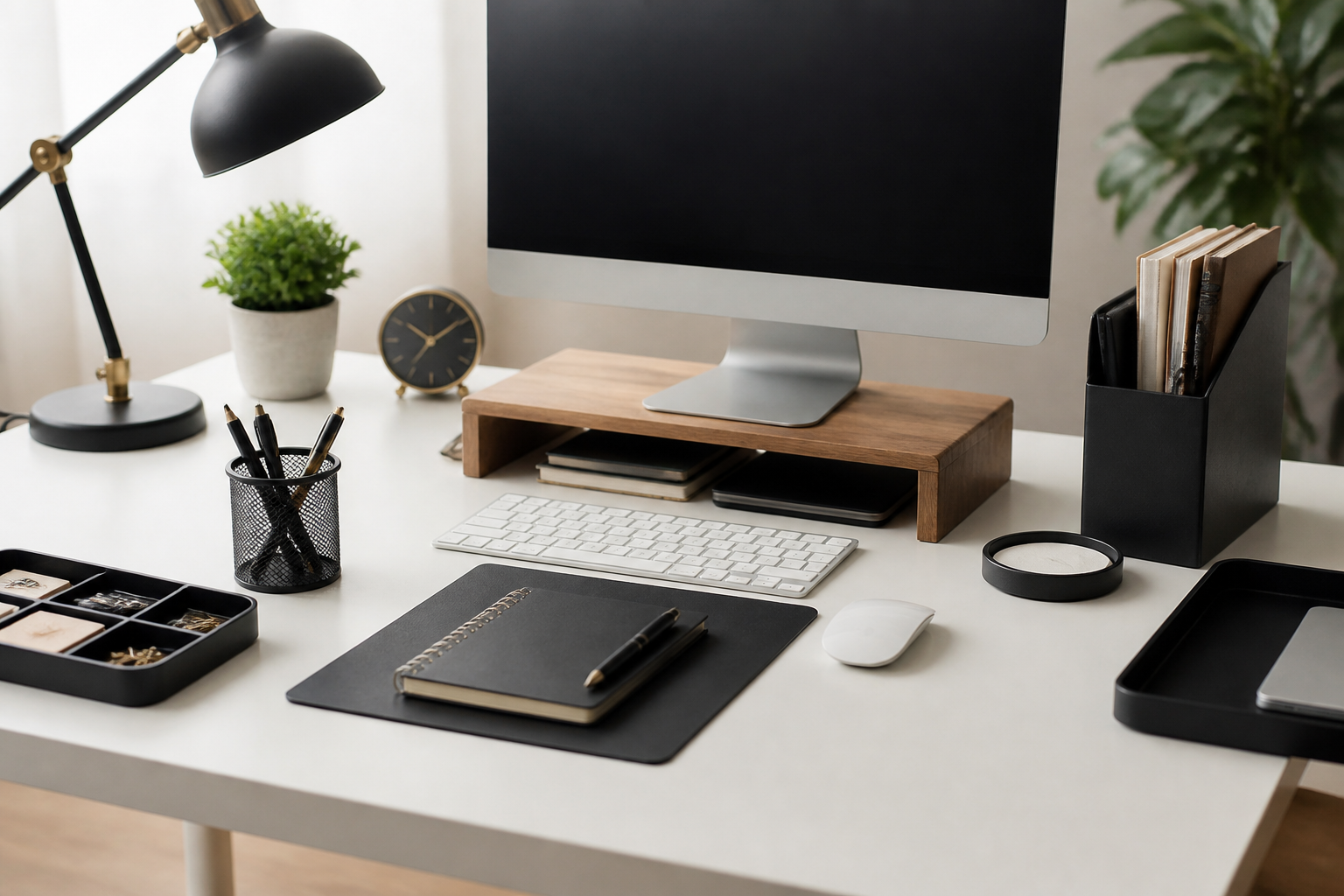
A productive workspace is rarely built from a single purchase. More often, it comes together through a set of small, practical desk accessories that reduce clutter, improve comfort, and make daily tasks easier to manage. The best desk accessories for a productive workspace are not necessarily the most expensive or the most stylish. They are the tools that help you work with less friction, keep essential items within reach, and support the kind of setup that fits your habits.
If your desk often feels busy, uncomfortable, or distracting, a few thoughtful additions can make a meaningful difference. The right accessories can help you organize supplies, improve posture, manage cables, reduce visual clutter, and create clearer boundaries between tasks. At the same time, it is easy to buy too many items or choose accessories that look appealing but do not solve a real problem.
This guide focuses on how to choose useful desk accessories based on function, workspace size, and daily workflow. Instead of trying to cover every possible gadget, it highlights the categories most likely to support productivity in a realistic way. Whether you work from home, split time between office and remote setups, or simply want to improve a study desk, the goal is to help you make smarter decisions.
What Makes a Desk Accessory Useful
The most helpful desk accessories share a few common qualities. They save time, reduce distraction, and fit naturally into the way you work. A useful accessory should make an everyday task easier, not add another item to manage.
When comparing options, it helps to think in terms of function first and appearance second. A clean, coordinated desk can be appealing, but if a product does not actually improve your workflow, it may not be worth the space it occupies. The best choices usually support one of three goals: better organization, better comfort, or better focus.
Function over novelty
Some desk items are designed more to look clever than to solve a practical problem. Before buying, consider whether the accessory addresses something you experience regularly. For example, if your pens are always scattered, a pen organizer may help. If your neck or wrists feel strained during long sessions, ergonomic accessories may matter more than decorative items.
Space efficiency
Desk space is limited for many people, so compact or multi-purpose accessories are often the most valuable. Products that combine storage, routing, or support functions can be especially useful in small work areas. The goal is to make the desk feel more usable, not more crowded.
Ease of use
Accessories should be intuitive. If a product takes too much effort to clean, move, or rearrange, it may not stay part of your routine. Look for items that are easy to access and simple to maintain so they support productivity consistently rather than only on paper.
Best Desk Accessories for Organization
Organization is one of the most common reasons people upgrade their workspace. A cluttered desk can make it harder to find what you need, and repeated searching interrupts your concentration. The most effective organizational accessories create clear places for frequently used items.
Desk organizers and trays
Desk organizers are useful for keeping pens, sticky notes, paper clips, scissors, and other small items grouped in one place. A tray or organizer works best when it reflects your actual habits. If you use only a few tools regularly, a simple design may be enough. If you handle more stationery or documents, a larger organizer with separate compartments can be more effective.
When choosing this kind of accessory, consider how often you reach for each item. Frequently used items should be easy to see and grab. Less-used supplies can go in drawers or storage bins instead of taking up visible desk space.
Drawer organizers
Drawer organizers can be a good choice for people who prefer a cleaner desktop. They help keep smaller items sorted so you do not have to dig through a cluttered drawer. Adjustable compartments are often useful because they can be adapted to different types of supplies.
These are especially helpful if you share a workspace or use your desk for multiple purposes. A well-organized drawer can hold work tools, charging cables, notepads, and personal items without turning into a catch-all space.
File holders and document stands
Paper can quickly create visual clutter, especially if you still handle printed notes, forms, or reference materials. File holders, document sorters, and upright stands can help keep papers visible without spreading them across the desk. They are also useful for creating simple categories such as “to review,” “in progress,” and “completed.”
For people who work with active paperwork, a document holder can keep reference sheets at a comfortable viewing angle and reduce the need to stack papers flat on the work surface.
Accessories That Support Comfort
Comfort matters because discomfort often leads to distraction. If you shift position frequently, feel wrist tension, or constantly adjust your setup, even a well-organized desk can still be hard to use. Comfort-focused accessories are especially worth considering if you spend long hours at your desk.
Keyboard and mouse supports
Wrist rests and padded supports can help make typing and mouse use feel less tiring for some users. The main goal is to encourage a more neutral hand position and reduce contact stress during extended work sessions. Fit is important here. A support that is too high or too firm may feel awkward rather than helpful.
If you type heavily throughout the day, look for accessories that match the height of your keyboard and the size of your setup. A small mismatch can limit the benefit.
Monitor stands and risers
Monitor stands can improve desk organization and viewing comfort at the same time. By raising a screen to a more suitable height, they may help free up space underneath for notebooks, docking stations, or storage trays. They are also useful for creating a more open workspace with better sightlines.
When selecting a stand, check the weight capacity and dimensions so it fits your display securely. If you use a laptop as your primary device, a riser may be a practical way to elevate the screen while pairing it with an external keyboard and mouse.
Footrests and chair-related accessories
Although not technically placed on the desk, some workspace accessories contribute directly to desk comfort. A footrest can support a more stable seated position for some users, especially when the chair height and desk height do not align perfectly. Similar logic applies to simple posture-support accessories that improve how you sit during work.
These items are most useful when your current setup has a clear mismatch. They are not universal purchases, but they can improve comfort when chosen for a specific need.
Accessories That Improve Focus
Focus is often affected by noise, visual clutter, and constant interruptions. The right desk accessories can make the workspace feel calmer and easier to use, which may help you stay on task.
Desk pads and large mats
A desk pad can organize the visual layout of a desk while also protecting the surface. It creates a defined work area for your keyboard, mouse, and notebooks, which can make the workspace feel more structured. Some people also find that a single large mat reduces the sense of scattered items across the desk.
Choose a material that suits your use patterns. Some desk pads prioritize a smooth mouse surface, while others emphasize a softer feel or a more polished appearance. In all cases, easy cleaning is a plus.
Headphone stands and holders
If you use headphones regularly, a stand or hook can keep them accessible without taking up much room. This is a simple accessory, but it can prevent a common source of clutter. It also helps keep the headset from being placed on papers, keyboards, or other equipment.
For people who alternate between focused work and meetings, a dedicated holder can make transitions smoother.
Desk lamps
A good desk lamp is one of the most practical focus-oriented accessories you can buy. Task lighting helps you see documents clearly, reduces reliance on poor ambient lighting, and can make the desk feel more intentional. The best choice depends on your room lighting and the type of work you do.
Look for adjustability, stable placement, and a light output that feels appropriate for long sessions. If you read or write by hand often, a flexible lamp is especially helpful because it can direct light exactly where needed.
Cable Management Essentials
Cables are one of the fastest ways a desk can start to feel disorganized. Even a simple setup can look messy if chargers, display cords, and accessory wires are left loose. Cable management accessories are among the most practical items for any productive workspace because they create both visual and functional order.
Cable clips and sleeves
Cable clips help route individual cords so they do not fall behind the desk or tangle with one another. Cable sleeves group multiple cords together for a cleaner look. These tools are especially useful if you frequently unplug and reconnect devices or if your desk sits near a wall with limited access.
When choosing cable management tools, think about how often you change your setup. If your workspace is flexible, use solutions that are easy to remove and adjust.
Under-desk trays and organizers
Under-desk cable trays can keep power strips and excess cord length off the floor and out of sight. This can improve cleanliness and make vacuuming or cleaning easier. They are a good option for desks that support multiple devices or a mix of chargers, monitors, and desktop equipment.
Before buying, check how the tray attaches to the desk and whether it leaves enough room for leg movement. A good cable solution should reduce clutter without getting in the way.
Small Accessories That Make a Big Difference
Some of the most useful desk accessories are not dramatic upgrades. They are small, inexpensive items that solve everyday annoyances. These can be especially valuable if you want to improve your workspace gradually rather than replacing larger items all at once.
Sticky note holders and memo tools
If you rely on quick reminders, a structured place for notes can help keep them visible without becoming chaotic. Memo holders, note cubes, or small desktop note systems can prevent important reminders from getting lost under other papers.
This category is most useful for people who track short tasks, phone calls, or deadlines throughout the day.
Pen cups and writing tool storage
A simple pen cup remains one of the easiest ways to keep writing tools accessible. It may seem basic, but it can prevent pens and pencils from spreading across the desk. If you use several different tools, look for a holder with enough separation to keep them easy to sort.
Charging docks and device stands
Phones, tablets, and wireless earbuds often need a dedicated home on the desk. A charging dock or stand can keep devices visible and orderly while they recharge. These accessories are particularly helpful if you depend on your phone for calls, messages, or work-related authentication throughout the day.
Choose a design that fits the devices you use most often. A stand that is too narrow, too bulky, or poorly angled may be less convenient than simply placing the device on the desk.
How to Choose the Right Desk Accessories
With so many options available, the best approach is to choose accessories based on actual needs rather than a fully styled look. The right combination depends on your space, routine, and workload.
Start with the biggest pain points
Ask what slows you down most. Is it clutter, discomfort, poor lighting, loose cables, or lack of storage? Start with the problem that affects you most often. That approach usually delivers better results than buying a random collection of popular items.
Measure your space
Desk accessories should fit the dimensions of your work area. Before buying larger items such as monitor stands, lamp bases, or organizer trays, measure your available surface and check how much room remains for your main tools. Even well-made accessories can be frustrating if they crowd the desk.
Match accessories to your workflow
Different users need different setups. A designer may prioritize monitor height and cable routing, while a student may need document stands, desk lighting, and note storage. Someone with a minimal laptop setup may prefer a few compact accessories, while someone with multiple devices may need more structured organization.
Think about maintenance
Accessories that collect dust, fingerprints, or cable clutter may look good at first but become annoying later. Choose materials and designs that are easy to clean and simple to adjust. A productive workspace should be easy to maintain, not just attractive on day one.
Common Buying Mistakes
Many people make the same mistakes when shopping for desk accessories. Avoiding these can save money and prevent your desk from becoming more cluttered than before.
- Buying for appearance alone: Attractive accessories can be appealing, but function should come first.
- Adding too many items at once: A crowded desk can be harder to use than a sparse one.
- Ignoring measurements: Large accessories may fit poorly or block movement if you do not check dimensions.
- Choosing accessories that do not match your routine: If you never use paper, a large file organizer may not be useful.
- Overlooking maintenance: Some materials show dust or wear quickly and need regular cleaning.
- Expecting one accessory to fix everything: Productivity usually improves through a combination of better organization, comfort, and habits.
Who Different Desk Accessories May Suit
Not every desk setup needs the same accessories. The most useful purchases depend on how and where you work.
- Remote workers: May benefit from monitor risers, cable management, desk lamps, and organized charging zones.
- Students: Often need document holders, pen storage, desk lamps, and compact organizers for notes and supplies.
- Creative professionals: May prefer open desk space, large mats, stable lighting, and storage that keeps tools accessible without crowding the surface.
- Hybrid workers: Usually benefit from flexible, portable accessories that can adapt between locations.
- Minimalist setups: Often work best with a few high-value items such as a monitor stand, desk mat, and cable clips.
Practical Tips for a More Productive Desk
Accessories work best when they support simple routines. A few practical habits can help you get more value from your setup.
- Keep only daily-use items on the desk: Store rarely used supplies elsewhere.
- Group accessories by task: Place writing tools, charging tools, and paper tools in separate zones.
- Reassess your setup regularly: Your needs may change as projects and equipment change.
- Leave a little open space: Some empty surface area makes a desk feel easier to use.
- Prioritize easy access: The items you use most should be the simplest to reach.
These habits help ensure that accessories remain useful instead of becoming part of the clutter problem.
Frequently Asked Questions
What are the most important desk accessories for productivity?
The most important accessories usually depend on the problem you want to solve. For many people, the most useful items are a desk organizer, a good lamp, cable management tools, and a monitor stand or riser. If your main issue is clutter, storage may matter most. If your issue is comfort, ergonomic accessories may be more valuable.
Should I buy desk accessories all at once or gradually?
Gradually is often the better approach. Start with the accessory that solves your biggest problem, then add others only if they address a real need. This helps you avoid overbuying and makes it easier to see what actually improves your workspace.
Do I need expensive desk accessories to be productive?
No. Many productive workspaces rely on simple, affordable items chosen carefully. Good organization and thoughtful placement often matter more than premium materials or decorative designs. Focus on usefulness, fit, and durability rather than price alone.
How do I know if an accessory will fit my desk?
Measure your available desk space before buying and compare it to the product dimensions. Pay attention not only to width and depth, but also to height, clearance, and how the item affects legroom or equipment placement.
What if I already have too many accessories?
If your desk feels crowded, remove anything that does not serve a clear purpose. Keep the items you use most often and store or remove the rest. A simpler workspace is often easier to maintain and may feel more productive.
Conclusion
The best desk accessories for a productive workspace are the ones that solve real problems in a simple, reliable way. A well-chosen organizer can reduce clutter, a monitor riser can improve comfort and free up space, a lamp can make focused work easier, and cable management tools can make the entire desk feel more orderly. Small items can matter just as much as larger ones when they are matched to your routine.
Instead of aiming for a perfect-looking desk, aim for a workspace that supports your daily tasks with less effort. Start with the biggest pain point, choose accessories that fit your space, and build gradually. With a thoughtful approach, even a few practical additions can make your desk more comfortable, more organized, and more productive over time.


