
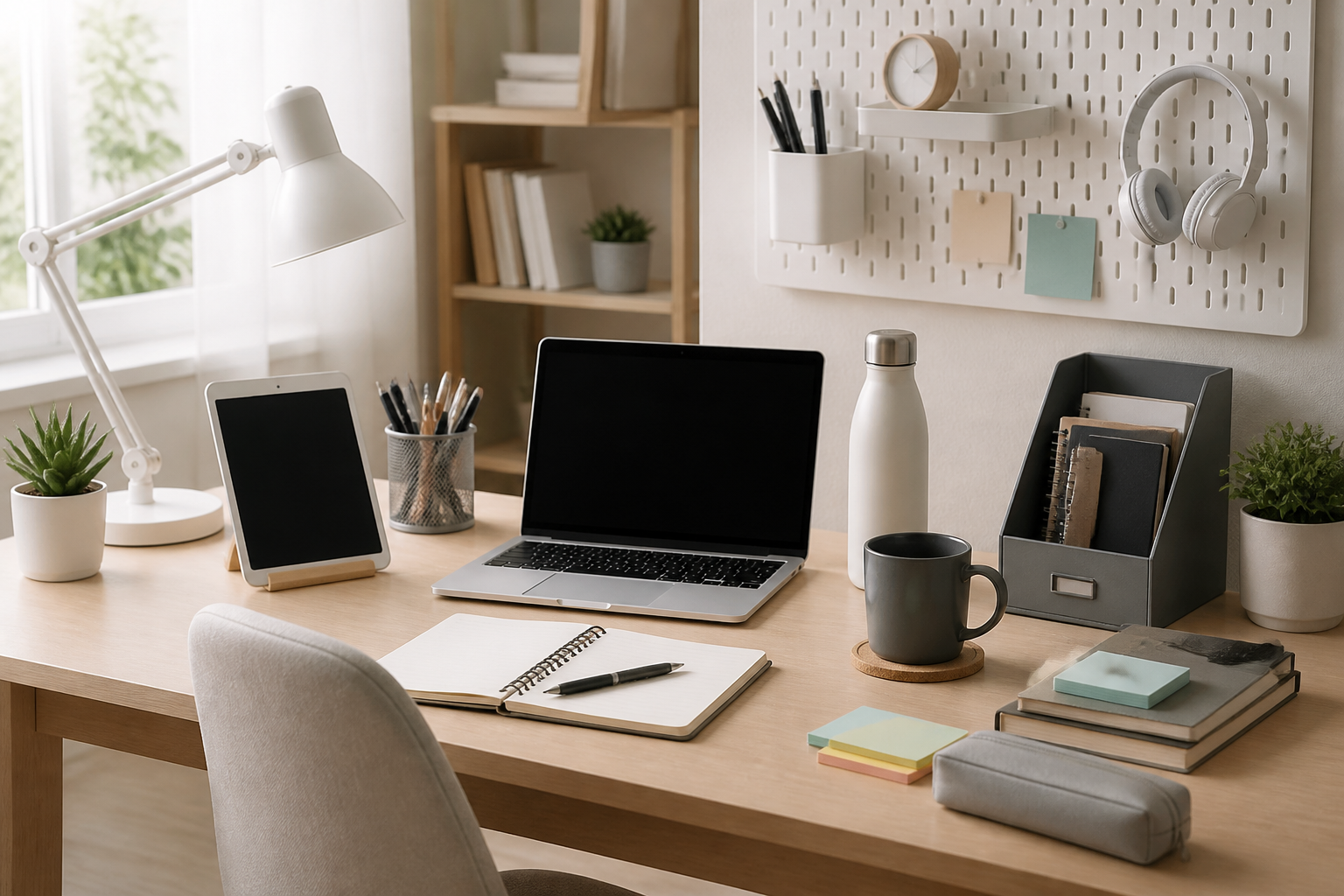
A good student desk setup is not about collecting the most accessories. It is about creating a space that helps you study comfortably, stay organized, and switch between homework, online classes, reading, and creative work without constant friction. The best desk setup essentials for students are usually simple, practical, and suited to the room you actually have rather than an idealized office you may never build.
If you are setting up a desk for the first time, upgrading a shared room, or trying to make a small space work better, it helps to focus on the basics first. A sturdy desk, supportive chair, good lighting, storage, and a few organization tools can make a bigger difference than decorative items or expensive extras. This guide walks through the most useful desk setup essentials for students, what to look for when choosing them, and how to avoid common buying mistakes.
What a Student Desk Setup Should Do
A student desk setup should support three main goals: comfort, focus, and flexibility. Comfort matters because students often spend long periods reading, writing, typing, or attending classes. Focus matters because a cluttered or poorly lit workspace can make it harder to stay on task. Flexibility matters because many students use the same desk for studying, hobbies, video calls, and sometimes even meals or quick planning sessions.
The right setup depends on your habits and space. A dorm room desk may need to be compact and multifunctional. A home study nook may prioritize storage and separate zones for school supplies and electronics. A shared bedroom desk may need a cleaner visual layout so it feels usable even when the room is busy. Before buying anything, think about what you do most at the desk and what keeps interrupting you.
The Core Desk Setup Essentials for Students
1. A Desk That Fits Your Space and Study Habits
The desk is the foundation of the setup, so start here. A good student desk should be stable, appropriately sized, and comfortable to use for your typical tasks. A larger work surface is helpful if you use textbooks, notebooks, a laptop, and stationery at the same time. A smaller desk can still work well if your room is tight, as long as it has enough surface area for your main study tools.
When comparing desks, consider the following:
- Surface size: Enough room for your laptop or monitor, a notebook, and a lamp without feeling crowded.
- Stability: A desk that does not wobble is more comfortable for typing and writing.
- Storage: Drawers, shelves, or space for bins can help reduce clutter.
- Material and finish: Easy-to-clean surfaces are often more practical for daily student use.
- Shape: Straight desks work well in small spaces, while corner desks can offer more usable surface area in the right room.
If you already have a desk, you may not need to replace it. Sometimes adding organizers, a better chair, or improved lighting gives you most of the benefit without the cost of a new piece of furniture.
2. A Supportive Chair
The chair is one of the most important parts of any study setup. Students often underestimate how much time they spend sitting, and an uncomfortable chair can make it harder to stay engaged. You do not need a high-end office chair to improve your desk setup, but you do want a seat that supports good posture and feels appropriate for your body size and desk height.
Look for a chair with:
- Proper seat height: Your feet should rest comfortably on the floor or on a footrest if needed.
- Back support: A supportive backrest can help you sit more comfortably during long sessions.
- Comfortable padding: Useful if you study for extended periods.
- Durable construction: Important for daily use.
- Adjustability: Helpful if multiple people use the same desk or if your desk height is fixed.
For students in small rooms, a compact chair that can tuck under the desk may be more practical than a large swivel chair. If you already have a decent chair, you can improve it with a cushion or lumbar support accessory, provided it suits your seating position.
3. Good Lighting
Lighting is one of the most overlooked desk setup essentials for students. Poor lighting can make reading and writing less comfortable, and it can make a workspace feel less inviting. A desk lamp is often the simplest improvement, especially if your room light is weak, uneven, or creates glare on books and screens.
When choosing a desk lamp, think about:
- Brightness control: Dimming or multiple settings can be helpful at different times of day.
- Direction of light: Adjustable arms or heads let you focus light where you need it.
- Color temperature: Some students prefer warmer light for a softer feel, while others like brighter neutral light for studying.
- Space efficiency: Clamp lamps or slim bases can save room on a small desk.
- Eye comfort: A lamp that reduces harsh shadows is often easier to work under.
Place the lamp so it lights your work area without shining directly into your eyes or reflecting off your screen. If you study mostly in the evening, lighting becomes even more important because it can help keep your setup functional when natural light is gone.
4. Smart Storage and Organization
A cluttered desk can make it harder to concentrate. Students often need to manage pens, notebooks, chargers, stationery, sticky notes, and subject-specific materials. The goal is not to hide everything, but to give each item a place so the desk stays usable.
Useful storage options include:
- Desk organizers: Good for pens, scissors, highlighters, and small supplies.
- Drawer inserts: Help divide loose items into categories.
- File folders or magazine holders: Useful for handouts, worksheets, and notebooks.
- Small bins: Helpful for grouping chargers, cables, or extra supplies.
- Wall or vertical storage: Can free up desk space in tight rooms.
Students who switch subjects often may benefit from a “daily use” tray or caddy for the most-used items, plus separate storage for rarely used materials. If your desk is very small, vertical storage can be especially useful because it keeps the surface clear without requiring extra floor space.
5. A Reliable Laptop or Monitor Setup
Many students do much of their work on a laptop, but the way the device is positioned can affect comfort and efficiency. If you spend long periods at the desk, a laptop stand or monitor riser can help raise the screen to a more natural viewing height. That can make the setup feel more organized and can free up room underneath the screen for books or notes.
Consider the following when choosing a laptop or monitor setup:
- Screen height: The screen should be easy to view without constantly looking down.
- Desk space: A compact stand may be better for small desks.
- Accessory compatibility: Make sure the setup leaves room for typing comfortably.
- Port access: Some stands make it harder to reach cables or ports.
For students who use external keyboards or mice, this kind of setup can create a more organized workstation. If you mostly move around with your laptop, a full monitor setup may not be necessary. The best choice is the one that matches your routine.
6. An External Keyboard and Mouse When Needed
An external keyboard and mouse are not required for every student, but they can make a desk setup more comfortable for long typing sessions or more organized when paired with a raised laptop or monitor. They are especially useful if you write essays often, take notes during class, or use a laptop for several hours at a time.
When shopping for these accessories, consider:
- Size: Compact options work well in small desks.
- Key feel: Preference varies, so choose a layout and response that suits you.
- Wireless or wired: Wireless can reduce cable clutter, while wired is often simple and direct.
- Mouse shape: A comfortable grip matters if you use it for long periods.
If your desk is tiny, this pair may be more of a later upgrade than an immediate necessity. Still, it is worth keeping in mind if you plan to use the desk for major writing projects or exam preparation.
7. Cable Management Tools
Cables can quickly make a student desk look and feel messy. Chargers, headphones, lamps, monitors, and other accessories can all compete for space. Basic cable management can improve the look of the desk and make it easier to clean.
Helpful cable tools include:
- Cable clips: Keep cords routed along the desk edge.
- Velcro ties or reusable straps: Useful for bundling excess cable length.
- Cable sleeves: Help group multiple cords together.
- Under-desk trays or hooks: Keep power strips and cables off the surface.
Good cable management is especially useful if you use more than one device or frequently plug and unplug equipment. It also helps create a calmer visual environment, which many students find more pleasant for studying.
8. A Comfortable Footrest or Posture Support Option
Depending on your height, desk design, and chair setup, you may benefit from a footrest or other small posture support accessory. This is not essential for everyone, but it can help make a fixed desk and chair combination feel more comfortable.
When evaluating posture-related accessories, focus on practicality rather than claims. A footrest should fit the space, stay in place, and feel easy to use. Some students may also prefer a cushion, seat pad, or small lumbar support add-on if the chair is otherwise suitable.
As with all desk setup essentials, the goal is not perfection. It is to reduce obvious discomfort so you can focus on studying.
Useful Add-Ons That Can Improve a Student Desk Setup
Once the basics are in place, a few extra items can make the desk more efficient. These are not required, but they can be valuable depending on your routine.
- Notebook stand or book stand: Useful for reading while keeping hands free.
- Headphones or earphones holder: Helps reduce clutter and keeps important accessories within reach.
- Desk mat: Can protect the surface and create a smoother writing or mouse area.
- Whiteboard, corkboard, or memo board: Helpful for schedules, reminders, and deadlines.
- Small trash bin: Keeps paper scraps and packaging from piling up.
- Water bottle or cup holder: Only if it fits safely and does not crowd your workspace.
These additions are most useful when they solve a real problem. If your desk already feels complete, you do not need to add more just for the sake of it.
How to Choose the Right Essentials for Your Situation
For Small Dorm Rooms
In a dorm room, space is usually the biggest constraint. Prioritize compact furniture, vertical storage, and items that serve more than one purpose. A small desk with a lamp, one organizer, and a cable solution may be enough to begin with. If possible, choose items that can be moved, folded, or repurposed easily.
For Shared Bedrooms
If the desk shares space with sleeping or leisure areas, choose essentials that help the area look tidy and feel distinct. Storage bins, a clean lamp, and coordinated cable management can make the space easier to use without taking up extra room. A chair that tucks away neatly is also helpful.
For Remote Learning and Long Study Sessions
Students who attend classes online or spend long hours writing papers should prioritize ergonomics and lighting. A supportive chair, a screen at a comfortable height, and a good lamp may matter more than decorative items. Consider the items you use for the longest stretches and upgrade those first.
For Creative or Mixed-Use Study Spaces
If your desk is also used for drawing, crafting, or planning, you may need more open surface area and flexible storage. In this case, look for organizers that can be moved quickly and a desk layout that leaves room for both digital and manual work.
Common Buying Mistakes Students Should Avoid
Many students waste money by buying accessories before understanding how they actually study. One common mistake is choosing a desk that looks good online but does not leave enough room for books, devices, and writing space. Another is buying a chair that feels stylish but is uncomfortable after 30 minutes.
Other common mistakes include:
- Ignoring measurements: Always check desk width, depth, and chair height before buying.
- Buying too many accessories at once: Start with essentials and add only what you need.
- Forgetting cable space: A neat desk still needs room for chargers and power connections.
- Choosing style over function: Aesthetic choices are fine, but daily use should come first.
- Overcrowding a small desk: Too many items can make even a nice workspace feel stressful.
A simple setup that works every day is usually better than a crowded setup that looks impressive once.
How to Build a Better Setup on a Budget
You do not need to buy everything at once. A smart budget approach is to identify what is causing the most friction. If your current issue is poor lighting, start with a lamp. If clutter is the problem, begin with storage. If you feel physically uncomfortable, prioritize the chair or screen position.
A budget-friendly student desk setup often improves fastest when you focus on the following order:
- Safety and stability first: A solid desk and usable chair.
- Comfort next: Lighting and seating adjustments.
- Organization after that: Trays, bins, and cable tools.
- Extras last: Decorative or convenience items.
When possible, choose durable basics rather than replacing inexpensive items repeatedly. It is often more practical to buy fewer pieces that last through multiple semesters than to keep reworking a setup that never quite fits.
Frequently Asked Questions
What are the most important desk setup essentials for students?
The most important essentials are usually a stable desk, a supportive chair, good lighting, and basic storage. After that, accessories like cable management tools, a laptop stand, and desk organizers can improve comfort and usability.
Do students need an expensive desk setup?
No. A helpful student desk setup does not need to be expensive. The key is choosing items that fit your space, support your study habits, and help you stay organized. Simple, well-chosen basics often work better than costly extras.
Is a standing desk necessary for students?
Not usually. A standing desk can be useful for some people, but it is not a must-have for most students. A standard desk with a comfortable chair and good ergonomics is enough for many study routines.
How do I make a small desk work for studying?
Use vertical storage, keep only daily essentials on the surface, and choose compact accessories. A lamp with a slim base, a small organizer, and good cable management can make a small desk feel much more usable.
What should I buy first for a student desk setup?
Start with the item that solves the biggest problem. For many students, that means a chair, desk lamp, or storage solution. If your desk already works well, improve comfort and organization before buying decorative extras.
Conclusion
The best desk setup essentials for students are the ones that make everyday studying easier. A good desk, a supportive chair, reliable lighting, and practical storage form the foundation of a space that helps you focus. From there, items like cable management tools, a laptop stand, and small organization accessories can fine-tune the setup to fit your routine.
Before buying anything, think about your space, your study habits, and the problems you want to solve. That approach helps you build a desk setup that is realistic, comfortable, and useful throughout the school year. Whether you are furnishing a dorm room, upgrading a bedroom corner, or creating a dedicated study area at home, starting with the essentials is the smartest way to build a workspace that actually supports learning.


