
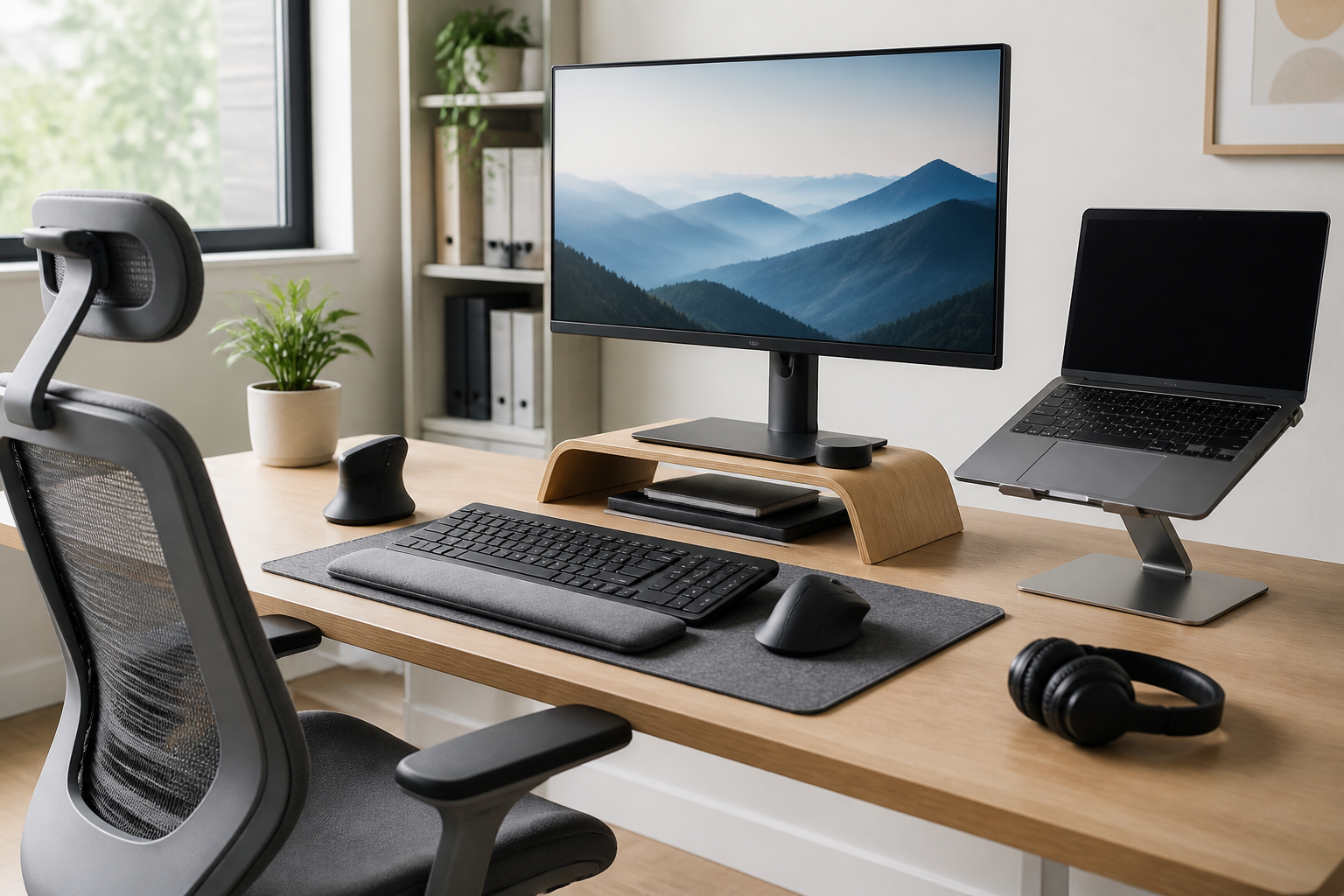
Introduction
A comfortable desk setup is about more than having a good chair or a large monitor. Small adjustments in posture, reach, height, and support can make a big difference in how your workspace feels during long hours at a desk. That is why ergonomic accessories matter. They help you create a setup that better matches your body, your work style, and the amount of time you spend sitting or alternating between sitting and standing.
This guide covers the best ergonomic accessories for a comfortable desk setup and explains what each item does, who it may suit, and what to look for before buying. Whether you work from home, spend most of your day at a computer, or want to improve a shared office workstation, the right accessories can help you build a more practical and comfortable arrangement without replacing your entire desk.
The goal is not to make your setup look technical or complicated. The goal is to help you choose accessories that reduce awkward reaching, support more natural positioning, and make everyday tasks feel easier. A few smart upgrades often do more than one expensive purchase.
Why ergonomic accessories matter
Ergonomic accessories are designed to support a more efficient and comfortable workflow. They do this by helping you position your body and equipment in a way that reduces unnecessary strain. In a desk setup, the most common problem is not one single item, but the way several items interact: a monitor that sits too low, a keyboard that is too high, a chair with limited support, or a mouse that forces the wrist into a strained position.
Even when a desk itself is fine, accessories can improve comfort by filling the gaps between standard furniture and your personal needs. People vary in height, arm length, seating preference, and work habits, so a one-size-fits-all workspace is rarely ideal. Good ergonomic accessories give you more adjustability and more control.
For many buyers, the most useful approach is to focus on the parts of the setup you use most often. Start with the items that affect your posture all day: seat support, screen height, keyboard and mouse position, and foot placement. Then add smaller comfort upgrades if needed.
1. Ergonomic chair accessories
A chair is often the center of a desk setup, but even a decent chair may not offer enough support for every person. Ergonomic chair accessories can help improve fit, comfort, and posture without buying a completely new seat.
Lumbar support cushions
Lumbar cushions support the lower back and can help fill the gap between your spine and the chair back. They are especially useful if your current chair has weak built-in lumbar support or if the backrest shape does not match your body well.
When choosing one, look for:
- Shape: Contoured cushions often stay in place better than flat pads.
- Firmness: Too soft may compress quickly; too firm may feel intrusive.
- Strap adjustability: Secure straps help keep the cushion positioned correctly.
- Breathability: Mesh or ventilated covers may feel more comfortable over long sessions.
Lumbar cushions may suit people who sit for long periods, move between different chairs, or need a simple way to fine-tune back support.
Seat cushions
Seat cushions are often chosen to improve comfort on hard chairs or to help distribute pressure more evenly. They can also slightly alter sitting height, which may be useful if your desk is a little high or your feet do not rest well on the floor.
Important features include density, shape, and size. A cushion that is too thick can change posture in a way that makes your desk height less suitable, so it helps to check measurements before buying. Memory foam and gel-style cushions are common options, though the right choice depends on personal preference and how long you sit at a time.
Seat cushions may suit users who want more comfort, less pressure, or a small height adjustment without changing the chair itself.
2. Adjustable office chairs and chair upgrades
If you are choosing a new chair, adjustability is more important than style alone. A chair that matches your body and allows simple changes can make it easier to maintain a comfortable position through the day.
What to look for in an ergonomic chair
- Seat height adjustment: Helps your feet rest comfortably and supports better desk alignment.
- Backrest recline: Lets you shift position instead of staying fixed in one posture.
- Armrest adjustability: Useful if you need support without raising your shoulders.
- Seat depth: Important for leg comfort and proper back support.
- Stable base and smooth casters: Help with mobility and everyday use.
Not every chair needs every feature, but more adjustability usually means more flexibility. If a full chair replacement is not practical, armrest pads or chair cushions can provide modest improvements.
Ergonomic chairs may suit people setting up a primary work chair, especially if the desk is used for many hours a day. They are less about luxury and more about consistency and support.
3. Keyboard accessories for a better typing position
Typing comfort often depends on how your hands, wrists, and shoulders line up with the keyboard. The goal is to keep the keyboard within easy reach and avoid awkward angles.
Ergonomic keyboards
An ergonomic keyboard is shaped to reduce strain and support a more natural hand position. Different styles exist, including split keyboards, curved layouts, and compact designs. No single style works for everyone, so it helps to think about your typing habits before choosing one.
Consider these features:
- Layout: Split or tented designs may suit users who want a more neutral wrist angle.
- Key spacing: Compact boards can save desk space, but some users prefer a fuller layout.
- Low profile: A lower typing height may feel more comfortable for some setups.
- Connection type: Wired or wireless options both work; choose based on desk organization and convenience.
Ergonomic keyboards may suit people who type frequently, switch between writing and communication tasks, or want a setup that feels less cramped.
Wrist rests
Wrist rests are often misunderstood. They are not meant to support your wrists while typing continuously in every situation. Instead, they can provide a resting surface during pauses and help align the hands near the keyboard and mouse area.
Useful features include:
- Proper height: The rest should match the keyboard height rather than force the wrists upward.
- Comfortable material: Foam, gel, or soft fabric covers are common.
- Stable base: A rest that slides around can be frustrating.
Wrist rests may suit users who want a softer contact point and a tidier typing area, especially on compact desks.
4. Mouse supports and pointing-device upgrades
A mouse is used constantly in many desk jobs, so a poor fit can make a setup feel tiring. Ergonomic mouse accessories aim to reduce strain by improving hand position and control.
Ergonomic mice
Ergonomic mice come in many forms, including vertical mice, contoured mice, and trackball devices. Each design changes the way your hand interacts with the pointer, which may help users who feel discomfort with standard flat mice.
When comparing mouse options, consider:
- Grip style: Palm, claw, and fingertip users may prefer different shapes.
- Button placement: Easy access matters if you use shortcuts often.
- Size: A mouse should fit your hand without forcing a stretched grip.
- Tracking behavior: Smooth movement and reliable tracking are important for daily work.
Vertical mice may suit users looking for a more upright hand position. Trackball mice may suit smaller desks or people who prefer minimal arm movement. The best choice depends on comfort, task type, and how much time you spend pointing and clicking.
Mouse pads with wrist support
A mouse pad with wrist support can help create a softer resting area and keep the mouse zone more comfortable. It is not a universal solution, but it may be helpful if your desk surface is hard or the mouse sits lower than the keyboard.
Choose one that provides support without creating too much elevation. Too much padding can change your wrist angle in an unhelpful way. Smooth glide surfaces and a stable base are useful if you move the mouse frequently.
5. Monitor stands, risers, and arms
Screen height is one of the most important parts of a comfortable desk setup. If a monitor is too low, people often look down for long periods. If it is too high, the neck may feel strained. Monitor accessories help you place the screen at a more suitable viewing level.
Monitor stands and risers
A monitor stand or riser raises the screen to a better height and may also free up space underneath for notebooks, accessories, or small storage items. This is a simple upgrade for desks where the monitor sits directly on the surface.
Look for:
- Height: Enough to bring the top portion of the screen closer to eye level.
- Stability: The stand should support the monitor securely.
- Desk footprint: Compact designs can help in smaller workspaces.
- Extra storage: Shelving or space underneath can improve organization.
Monitor risers may suit laptop users, desktop users, or anyone trying to reduce neck bending during daily work.
Monitor arms
Monitor arms provide more adjustment than fixed risers. They can let you change height, tilt, swivel, and sometimes depth, which is especially helpful if you share a workstation or use multiple screen positions during the day.
Important considerations include:
- Weight compatibility: The arm should support your monitor size and weight.
- Desk compatibility: Check clamping or mounting requirements.
- Range of motion: Make sure it can reach your preferred viewing position.
- Cable management: Built-in routing can keep the desk tidy.
Monitor arms may suit users who want the most flexibility, especially when combining a monitor with a laptop stand or a sit-stand desk.
6. Laptop stands and docking accessories
Laptop users often need extra help because the screen and keyboard are attached in one position. A laptop stand can lift the screen to a better height, but it is usually best combined with an external keyboard and mouse for longer work sessions.
Laptop stands
A good stand should hold the laptop securely and place the screen in a more comfortable viewing position. Adjustable models are useful if you use your laptop at different desk heights or switch between sitting and standing.
Look for a stand that is stable, easy to adjust, and compatible with your laptop size. Ventilation may also matter if the laptop runs warm during use.
Docking accessories and hubs
While docking accessories are not ergonomic in the traditional sense, they can support a cleaner and more flexible setup. A simple dock or hub can reduce cable clutter and make it easier to connect an external keyboard, mouse, and monitor. That can help you keep your workspace organized and avoid repeatedly unplugging devices.
These accessories may suit remote workers, hybrid workers, and people who use a laptop as their main computer.
7. Footrests and leg support accessories
A footrest can be useful when a chair is too high, a desk is too tall, or your feet do not rest comfortably on the floor. Proper foot support can help improve sitting position and reduce the feeling of dangling legs.
When choosing a footrest, consider:
- Height adjustability: Helps match your chair and desk combination.
- Surface texture: A textured surface may help keep feet in place.
- Angle options: Some users prefer a rocking motion or tilt.
- Size: There should be enough room for both feet to rest naturally.
Footrests may suit shorter users, people using non-adjustable desks, or anyone who needs a better floor contact point during seated work.
8. Desk mats, cable management, and small comfort upgrades
Not every ergonomic improvement is a large device. Smaller accessories can make a workspace feel calmer, easier to use, and less cluttered.
Desk mats
A desk mat can create a more comfortable surface for forearms and wrists while also defining the keyboard and mouse area. It may improve the feel of a hard desk and help items stay organized.
Choose a mat that is large enough for your mouse movement and keyboard placement. Easy-clean materials are helpful in everyday use.
Cable management tools
Loose cables may not seem like an ergonomic issue, but clutter can interfere with how you position your devices and move around the desk. Cable clips, sleeves, and under-desk trays can help keep cords out of the way.
Cleaner cable routing can also make it easier to adjust monitor arms, docks, or laptop stands without creating a tangled mess.
How to choose the right ergonomic accessories
The best ergonomic accessories for a comfortable desk setup are the ones that match your body, your work habits, and your available space. Before buying, think about what feels uncomfortable in your current setup. Is the neck sore from a low screen? Are your shoulders raised because the keyboard is too high? Do your feet lack support? Start with the problem instead of the product.
Here are a few practical buying considerations:
- Adjustability: More adjustability usually means better fit, especially if multiple people use the desk.
- Compatibility: Make sure stands, arms, and chairs work with your desk size and equipment.
- Space: Compact accessories can be better for small desks.
- Material and build quality: Stable, durable items tend to work better over time.
- Ease of use: If an accessory is difficult to adjust, you may stop using it properly.
- Personal preference: Comfort is subjective, so choose products that suit your routine.
A helpful strategy is to make one change at a time. That makes it easier to tell whether a new accessory is actually improving your setup. It also prevents overcomplicating the desk with items you do not need.
Common buying mistakes to avoid
One common mistake is buying accessories based only on appearance. A stylish item may still be the wrong height, size, or shape for your workstation. Another mistake is assuming one ergonomic product will solve every issue. Comfort often depends on the full setup, not a single purchase.
Other mistakes include:
- Ignoring measurements: Desk height, monitor size, and chair dimensions all matter.
- Choosing the wrong support level: Too much or too little firmness can reduce comfort.
- Overlooking compatibility: Monitor arms, keyboard trays, and chairs may have installation limits.
- Buying too many items at once: It becomes harder to know what helped and what did not.
- Forgetting everyday workflow: Accessories should make tasks easier, not more complicated.
Practical setup tips for better comfort
Accessories work best when they are arranged thoughtfully. A monitor should be easy to view without excessive neck bending. A keyboard and mouse should be close enough to use without reaching. Feet should rest comfortably, either on the floor or on a footrest. The chair should support your body without forcing you into one rigid position.
Try these practical habits:
- Keep frequently used items within easy reach.
- Set screen height before fine-tuning the chair.
- Use armrests only if they help you relax your shoulders.
- Adjust the setup for the tasks you do most often.
- Recheck comfort after major changes like a new monitor or chair.
It can also help to alternate positions through the day when possible. Ergonomic accessories support comfort, but they work best as part of a flexible routine.
Frequently Asked Questions
What are the most important ergonomic accessories for a desk setup?
The most important items are usually the ones that affect posture the most: a comfortable chair, proper monitor height, a suitable keyboard, a mouse that fits well, and foot support if needed. These accessories influence how you sit and reach throughout the day.
Do I need a full ergonomic setup to feel comfortable?
Not necessarily. Many people improve comfort by changing one or two key items first. A monitor riser, a better mouse, or a seat cushion may already make a noticeable difference depending on the problem you are trying to solve.
Is an ergonomic keyboard worth it?
It may be worth considering if you type a lot or feel discomfort with a standard keyboard. However, ergonomic keyboards are not one-size-fits-all. The best choice depends on your typing style, desk space, and whether you prefer split, curved, or low-profile designs.
Should I buy a monitor arm or a monitor stand?
A monitor stand is simpler and often easier to set up. A monitor arm offers more adjustment and flexibility. If you need frequent position changes or a more customizable arrangement, an arm may be the better long-term choice.
Can a footrest really help?
Yes, for users whose feet do not rest well on the floor or whose desk and chair heights are not well matched. A footrest can improve lower-body support and make seated work feel more stable.
What should I upgrade first?
Start with the item that addresses the most obvious discomfort. For many people, that means the chair, screen height, or mouse. Focus on the area that feels most awkward during your normal workday.
Conclusion
The best ergonomic accessories for a comfortable desk setup are the ones that improve the way your body interacts with your workspace. That might mean a better chair cushion, a monitor stand, a more comfortable keyboard, a mouse that fits your hand, or a footrest that supports better sitting posture. None of these items has to be expensive or complicated to be useful.
What matters most is choosing accessories that fit your desk, your habits, and your comfort needs. Start with the biggest source of strain, make one practical upgrade at a time, and build a setup that supports the way you actually work. With the right ergonomic accessories, a desk can feel more comfortable, more organized, and easier to use throughout the day.
For more buying guides and practical workspace ideas, you can browse related Shopora articles through the site’s main categories and Shopora resources.


