
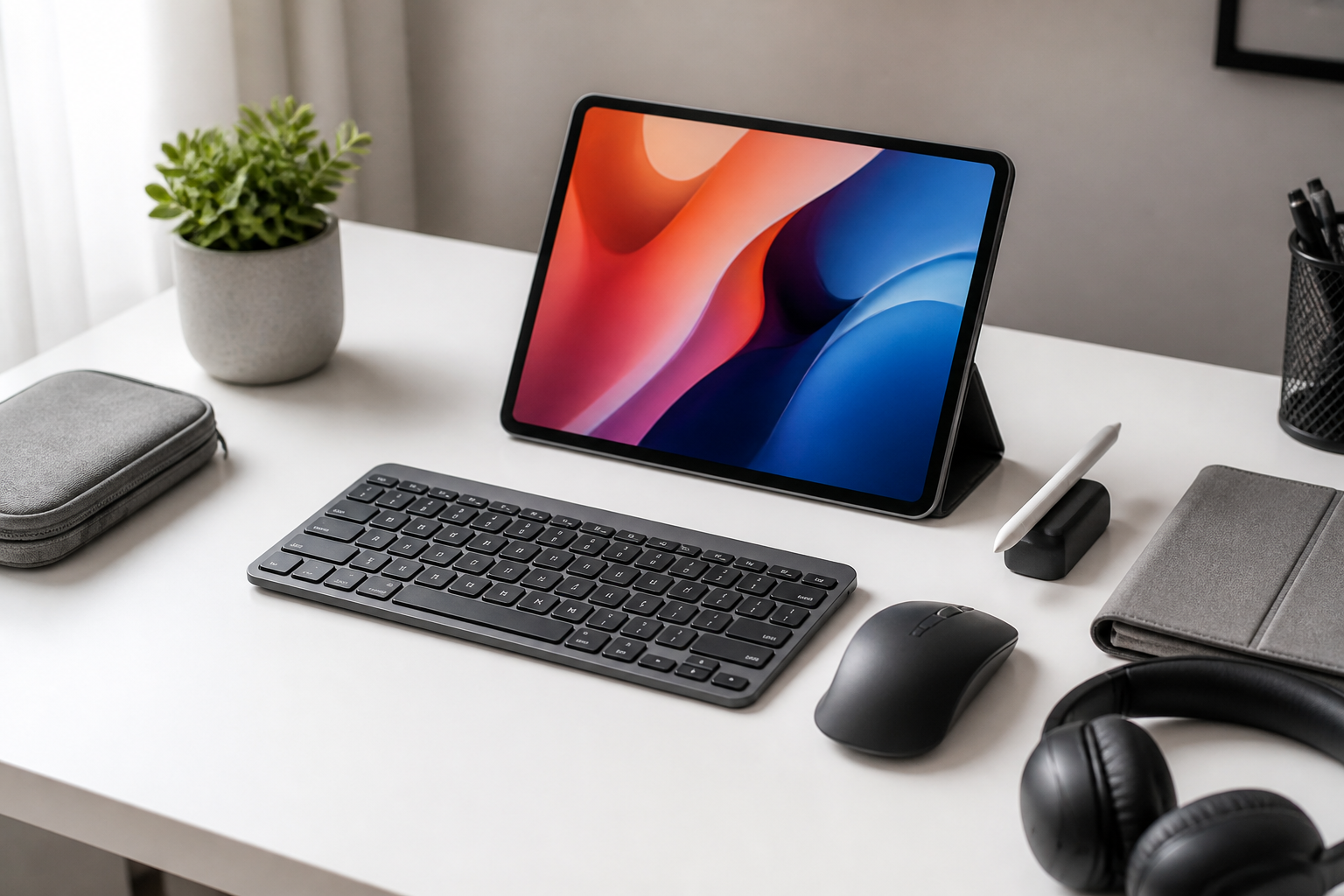
Tablets are excellent for browsing, streaming, reading, sketching, and taking notes on the go. But once you start using a tablet for longer writing sessions, email management, schoolwork, or light productivity, touch input can begin to feel limiting. That is where keyboard and mouse accessories can make a tablet much more comfortable and efficient to use.
The best keyboard and mouse accessories for tablet users are not always the most expensive or the most feature-packed. In many cases, the right choice depends on how you use your tablet, where you use it, and how much setup flexibility you want. Some people need a slim keyboard case for commuting. Others want a separate Bluetooth keyboard and mouse for a desk setup. Some want both accessories to travel easily in a bag. The good news is that there are many practical options, but the challenge is knowing which features matter most.
This guide breaks down the main types of keyboard and mouse accessories for tablets, the features to compare, the common buying mistakes to avoid, and the kinds of users each option may suit best. Whether you use an iPad, an Android tablet, or a Windows tablet, the goal is the same: to help you choose accessories that make your tablet more productive without making it bulky or inconvenient.
Why tablet users add a keyboard and mouse
Touchscreens are convenient, but they are not always the fastest or most comfortable way to work. A keyboard can improve typing speed and reduce the friction of writing long messages, documents, or notes. A mouse can make it easier to navigate spreadsheets, edit text precisely, manage files, or use desktop-style apps more naturally.
For many tablet users, the biggest benefit is flexibility. A keyboard and mouse can help turn a tablet into a more laptop-like device when needed, while still allowing the tablet to remain portable when the accessories are left behind. This is especially useful for students, remote workers, travelers, and anyone who wants a lightweight device for everyday tasks but still needs a better setup for productivity.
It is also worth noting that not every tablet user needs both accessories. Some people are happy with a keyboard only. Others may prefer a mouse only for easier navigation in certain apps. The best setup depends on your workflow, not on copying a laptop arrangement just for the sake of it.
Types of keyboard and mouse accessories for tablet users
Keyboard cases
Keyboard cases combine a protective cover and a built-in keyboard. They are popular because they reduce the number of separate items you need to carry. Many attach magnetically or through a folding design, and some include a built-in stand for propping up the tablet.
Keyboard cases are often a good fit for people who want a streamlined all-in-one solution. They can be convenient for travel and quick setup, but they may be heavier or less flexible than using separate accessories. If your tablet is often used on a desk, a case can still be a solid option, but if you want the keyboard positioned farther away from the screen or you prefer a larger mouse area, a separate setup may work better.
Detachable Bluetooth keyboards
Detachable Bluetooth keyboards are separate keyboards that connect wirelessly to a tablet. They are usually lighter and more flexible than keyboard cases. Because they are not attached to the tablet, they can be placed wherever you want on a desk or tray table.
This type often suits users who want a compact tablet setup without committing to a permanent case. Many of these keyboards are slim and easy to pack. The trade-off is that you will need to carry them separately, and you may also need a stand or folio to angle the tablet comfortably.
Wireless mice
Wireless mice are useful for tablet users who want more precise navigation than touch input can offer. They can make multitasking, document editing, and app switching feel easier, especially on tablets that support desktop-style interfaces.
Bluetooth mice are typically the most convenient because they do not require a USB receiver. Some wireless mice use a small dongle, which may be useful for certain devices but can be less convenient if your tablet has limited ports. The best choice depends on your tablet’s connection options and whether you want to keep your setup as simple as possible.
Trackpads and combo accessories
Some tablet accessories include a keyboard and a trackpad in one unit. These are popular with users who want laptop-like navigation without adding a separate mouse. A trackpad can feel natural for gestures, scrolling, and cursor control, especially on tablets with strong multitasking features.
Other combo setups include a keyboard plus a mouse bundle. These can be practical for users who want a more traditional desktop feel at home or in a classroom setting. Whether you prefer a trackpad or a mouse often comes down to personal comfort and the type of work you do most often.
Key features to compare before buying
Compatibility with your tablet
Compatibility should be your first check. Not all accessories work equally well with every tablet model or operating system. Some keyboard cases are made for a specific tablet size and generation, while many Bluetooth keyboards and mice are more universal.
Before buying, confirm that the accessory supports your tablet’s operating system and connection method. Pay attention to details like keyboard shortcuts, special function keys, and app support. A keyboard can connect successfully but still feel awkward if the shortcuts are not designed with your tablet’s system in mind.
Connection type
Most tablet accessories connect through Bluetooth, though some use a USB receiver or a direct magnetic connector. Bluetooth is usually the most flexible choice because it keeps ports free and works well across many devices. It is especially useful if you plan to switch between a tablet, phone, or laptop.
However, if you want the simplest possible setup and do not mind a cable or dock-style connection, some wired or magnetic options can feel more reliable. Think about how often you will pair and unpair your accessories, and whether you want to use the same keyboard with multiple devices.
Portability and weight
Portability is one of the main reasons people choose a tablet in the first place, so accessories should support that advantage rather than undermine it. A bulky keyboard case may be fine for desk use but less appealing if you carry your tablet daily. A lightweight foldable keyboard may be easier to travel with, but if it feels cramped, typing comfort may suffer.
If you commute frequently or use your tablet in different places, look for compact accessories that fit easily into a bag. If the tablet mostly stays at a desk, you can prioritize comfort and stability over ultra-light weight.
Typing feel and key layout
The typing experience matters a great deal, especially for people who plan to write long emails or documents. Key travel, spacing, and tactile feel can all affect comfort. Smaller keyboards can be portable, but if the keys are too crowded, typing errors may become more common.
It is also useful to check the layout. Some tablet keyboards place keys in unusual positions to save space, and that can take time to adapt to. Look for a layout that matches your needs, particularly if you rely on shortcut keys, punctuation, or numbers for work or school.
Mouse size, shape, and sensitivity
If you add a mouse, consider whether you want something compact or full-sized. A smaller mouse is easier to pack, but a larger one may feel more comfortable for longer sessions. Shape matters as well, since a mouse that fits your hand well can reduce strain during extended use.
Sensor sensitivity and pointer control also matter for tablet use. Some tablet interfaces can be sensitive to small movements, so a mouse with responsive but controlled tracking is often preferable. Adjustable sensitivity can be helpful if you use the mouse for both document editing and general navigation.
Battery life and charging method
Battery life is an important practical consideration, especially for wireless accessories. A keyboard or mouse that needs frequent charging may become inconvenient, particularly when used on the go. Longer battery life is usually better, but it is also worth checking the charging method.
Some devices use built-in rechargeable batteries, while others use replaceable batteries. Rechargeable options are convenient if you remember to charge them, while replaceable batteries can be useful if you want to avoid waiting for a charge during travel. Consider which approach fits your routine better.
Stand or viewing angle support
For keyboard cases and folio-style accessories, a stable viewing angle can make a big difference. If the stand is flimsy, the tablet may wobble while typing or tapping. A secure stand can improve comfort and reduce frustration during longer sessions.
If you plan to use a separate keyboard and mouse at a desk, you may also want a tablet stand that lets the screen sit at a comfortable height. The right angle can help with reading, writing, and video calls.
Who may benefit most from these accessories
Students
Students often use tablets for note-taking, reading PDFs, online classes, and writing assignments. A keyboard can make it easier to type essays and organize notes, while a mouse can help with research, highlighting, and multitasking between apps. For students, portability and affordability often matter more than premium extras.
Remote workers
Remote workers may need a tablet setup that can handle email, documents, messaging, and light administrative tasks. A keyboard and mouse can make these tasks feel much more efficient. If the tablet is used as a secondary work device, a separate keyboard and mouse may be more practical than a keyboard case.
Travelers
Travelers usually need compact accessories that pack easily and set up quickly. Foldable keyboards, lightweight mice, and protective cases can be especially useful here. The ideal choice is often one that balances convenience with durability, since travel gear is likely to be used in changing environments.
Casual users who want occasional productivity
Some tablet users do not need a full work setup every day, but they want the option to type more comfortably when needed. For these users, an inexpensive Bluetooth keyboard or small wireless mouse can be enough. There is no need to overbuy if your tablet is mostly used for casual browsing and entertainment.
Common buying mistakes to avoid
Buying for features instead of actual use
It is easy to get distracted by extra features that sound impressive but do not match how you use your tablet. For example, a keyboard with many shortcut keys may not help much if you mainly write short messages. A high-end mouse may be unnecessary if you only use it occasionally.
Start with your main tasks, then choose accessories that support those tasks directly. This helps you avoid paying for features you may never use.
Ignoring the tablet’s operating system
Not all accessory experiences are the same across operating systems. A keyboard may work on many tablets, but the shortcut behavior and interface integration can differ. A mouse may also behave differently depending on how the tablet handles pointer input.
Check whether the accessory is designed with your tablet’s platform in mind. This is especially important if you want function keys, app switching, or multi-device support to feel smooth.
Choosing portability at the expense of comfort
Ultra-compact accessories can be attractive, but they may also be less comfortable for long sessions. Small keys, narrow spacing, or a mouse that is too tiny for your hand can make everyday use frustrating. If you plan to type or navigate frequently, prioritize comfort as well as portability.
Forgetting about storage and transport
Separate accessories are easier to misplace than a keyboard case attached to the tablet. If you choose a keyboard and mouse as individual items, think about how you will store and carry them. A sleeve, pouch, or dedicated bag compartment can help keep everything organized.
Practical tips for choosing the right setup
- Match the accessory to your main activity. Writing, browsing, editing, and presenting may all call for slightly different setups.
- Check device compatibility carefully. Confirm tablet size, operating system support, and connection type before purchasing.
- Think about where you will use it most. A home desk setup can be larger, while a travel setup should stay compact.
- Pay attention to ergonomics. Comfortable keys and a mouse shape that fits your hand can make daily use easier.
- Look for a stable stand if needed. A wobble-free viewing angle improves the overall experience.
- Consider whether a keyboard case or separate accessories make more sense. One is not better for everyone.
- Choose features you will actually use. Backlighting, shortcut keys, and multi-device switching can be helpful, but only if they fit your habits.
Frequently asked questions
Can any Bluetooth keyboard work with a tablet?
Many Bluetooth keyboards can work with tablets, but compatibility is not always identical. The keyboard may connect successfully while some shortcut keys or special functions behave differently depending on the tablet’s operating system. It is best to check the product details for tablet compatibility.
Is a mouse really necessary for tablet use?
No, a mouse is not necessary for everyone. Many people use tablets comfortably with touch controls alone. A mouse becomes more helpful when you do more editing, multitasking, file management, or desktop-style work.
Are keyboard cases better than separate keyboards?
Neither is universally better. Keyboard cases are convenient and portable because they combine protection and typing in one product. Separate keyboards can be more comfortable and flexible, especially if you want to position the tablet and keyboard independently.
Should I choose Bluetooth or a receiver-based wireless mouse?
Bluetooth mice are often more convenient for tablets because they do not require a USB receiver. Receiver-based mice can still be useful in some setups, especially if your tablet or adapter arrangement makes Bluetooth less convenient. The best option depends on your ports, preferences, and how many devices you plan to use.
Do tablet keyboards work well for long writing sessions?
Some do, especially if they have a comfortable layout and enough space between keys. Others are better for short messages and occasional typing. If you write for long periods, focus on key spacing, typing feel, and overall stability rather than just size.
Conclusion
The best keyboard and mouse accessories for tablet users are the ones that match your routine, not just your device. If you need a highly portable solution, a slim Bluetooth keyboard or compact keyboard case may be enough. If you work from a desk and want more comfort, a separate keyboard and mouse can create a more capable setup. If you want a balance of typing, navigation, and portability, a well-chosen combo accessory may be the right middle ground.
Before buying, compare compatibility, connection type, typing comfort, mouse shape, battery life, and portability. Also think carefully about where you will use the tablet most often and what tasks you want to make easier. With the right accessories, a tablet can become much more useful for work, study, and everyday productivity without losing the convenience that makes it appealing in the first place.


