
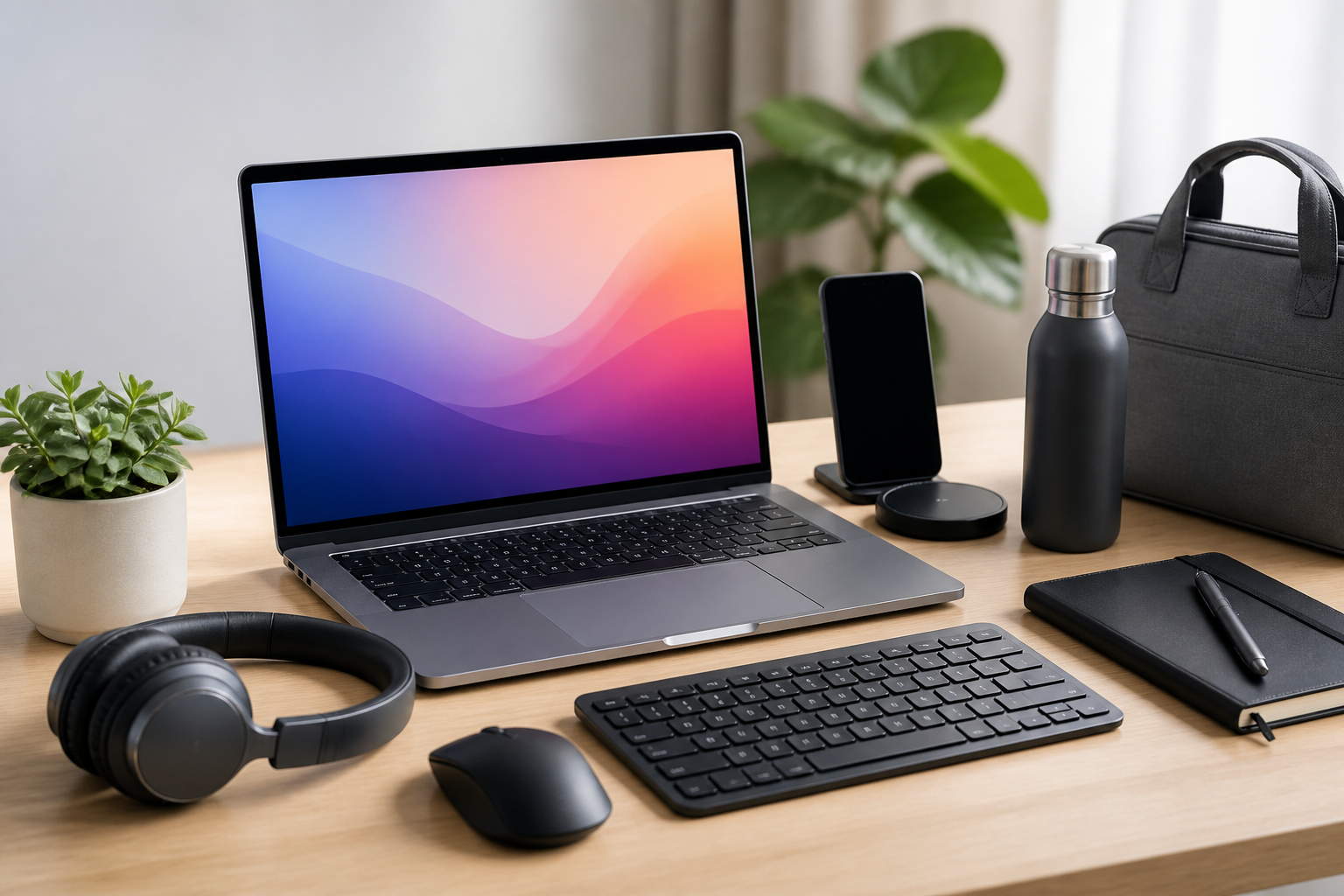
Introduction
A laptop is often the center of a student’s study setup and a professional’s workday, but the laptop itself is only part of the story. The right accessories can make it easier to stay organized, work comfortably for longer periods, travel with less stress, and protect your device from everyday wear. For students, good accessories can help with note-taking, research, online classes, and group projects. For professionals, they can improve efficiency, support video meetings, and create a more reliable mobile workspace.
This guide walks through the best laptop accessories for students and professionals, focusing on practical features rather than hype. The goal is not to buy everything at once. Instead, it is to understand which accessories solve real problems, which features matter most, and how to choose items that fit your routine, budget, and device.
How to choose laptop accessories that actually help
Before buying individual items, it helps to think about how you use your laptop. A student who carries a laptop across campus has different needs from a remote professional who spends most of the day at a desk. The best accessories are the ones that improve a specific part of your workflow.
- Portability: If you move between classes, offices, libraries, or coffee shops, focus on compact and lightweight accessories.
- Comfort: If you spend long hours typing or attending video calls, prioritize ergonomics and posture support.
- Compatibility: Check ports, operating system requirements, and device size before buying.
- Durability: Accessories that travel often should be built to handle frequent packing and unpacking.
- Budget balance: A few well-chosen accessories are usually better than many low-quality ones.
It also helps to separate accessories into categories: protection, productivity, connectivity, comfort, and power. That makes it easier to decide what matters most to you.
Essential laptop accessories for students and professionals
1. A reliable laptop sleeve or bag
A protective sleeve or laptop bag is one of the most useful first purchases. It helps reduce scratches, minor bumps, and everyday wear during transport. Students often need a bag with room for notebooks, chargers, and stationery. Professionals may prefer a slimmer sleeve for commuting or a structured briefcase-style bag for meetings.
When comparing options, look at padding, water resistance, closure quality, and internal organization. A sleeve should fit the laptop securely without being too tight. A bag should distribute weight comfortably, especially if you carry books or documents as well.
This accessory is especially useful for anyone who leaves the house frequently with their laptop. If your laptop mostly stays on a desk at home, a sleeve may be enough. If you travel daily, a well-designed backpack or messenger bag may be a better fit.
2. Wireless mouse
A wireless mouse is a small accessory that can make a large difference in daily comfort and precision. Touchpads are useful, but a mouse is often faster for spreadsheets, editing, design work, browsing, and long periods of general use. Students who spend time in research databases or writing projects may also find a mouse easier to use than a touchpad.
Key features to consider include grip comfort, battery life, size, and connection type. Compact mice are easier to carry, while larger models may feel better in the hand during long sessions. Some connect through Bluetooth, while others use a USB receiver. Bluetooth can be more convenient if you want to keep ports free, but USB receivers are sometimes simpler for quick setup.
Choose a mouse that feels comfortable for your hand size and use case. If possible, avoid a model that is too small for regular work or too large to fit your travel bag easily.
3. Laptop stand or riser
A laptop stand or riser can improve viewing angle and help create a more comfortable workspace. It raises the screen closer to eye level, which may reduce the need to hunch over the laptop for long periods. This is particularly useful for professionals working at a desk and students studying for extended sessions.
There are fixed stands, foldable stands, and adjustable versions. A fixed stand tends to be stable and simple, while an adjustable stand offers more flexibility. If you work in multiple locations, a lightweight foldable design may be more practical.
When choosing a stand, check stability, weight capacity, portability, and height adjustability. If you type directly on the laptop keyboard while it is elevated, make sure the setup still feels comfortable. In some cases, a separate keyboard pairs well with a stand.
4. External keyboard
An external keyboard is a strong addition for anyone who types for long hours. It can make desk setups more ergonomic, especially when paired with a laptop stand. Students writing essays, professionals drafting reports, and anyone doing frequent data entry may appreciate the difference.
Important features include key feel, layout, connectivity, and size. Full-size keyboards include a number pad, which can be helpful for spreadsheets and calculations. Compact keyboards save space and are easier to carry. Some users prefer mechanical switches, while others choose quieter low-profile keys for shared spaces.
If you work in libraries, classrooms, open offices, or meeting areas, quieter keyboards may be a better fit. Also check whether the keyboard works well with your operating system and whether shortcut keys match your typical workflow.
5. Headphones or earbuds with a microphone
Good audio accessories are essential for video meetings, online classes, virtual interviews, and focused study sessions. Headphones or earbuds with a built-in microphone can improve call clarity and reduce distractions in noisy environments. They are especially helpful for remote professionals and students attending hybrid classes.
When choosing audio gear, consider comfort, battery life, microphone quality, and connection stability. Over-ear headphones may be better for long sessions and noise reduction, while earbuds are usually lighter and easier to carry. If you use your laptop on the move, compact earbuds may be more practical. If your priority is comfort during longer calls or study sessions, over-ear models may be preferable.
Noise-isolating features can be useful in shared spaces, but the best choice depends on your environment and comfort preferences. Make sure the headphones or earbuds are compatible with your laptop and easy to connect when needed.
6. USB hub or docking station
Many modern laptops have limited ports, which can become frustrating if you need to connect a mouse, keyboard, external display, flash drive, or card reader at the same time. A USB hub or docking station expands connectivity and can simplify your setup. For students and professionals who switch between devices or peripherals, this can be one of the most practical accessories to own.
A simple USB hub is usually enough for basic expansion, while a docking station may be better for a more permanent workstation. Look closely at the types of ports offered, such as USB-A, USB-C, HDMI, Ethernet, or SD card slots. Also check whether the device supports charging passthrough if you want to power your laptop while connected to multiple accessories.
Buy with your actual setup in mind. If you only need one extra port occasionally, a basic hub may be sufficient. If you regularly connect to monitors and accessories, a docking station may save time and reduce cable clutter.
Accessories that improve comfort and productivity
7. External monitor
An external monitor can make a home office or study desk much more efficient. It gives you additional screen space for research, documents, spreadsheets, presentations, or multitasking. Students can keep source material open on one screen while writing on another. Professionals may use a second screen for meetings, dashboards, coding, or project management.
When selecting a monitor, consider screen size, resolution, adjustability, and connection options. A monitor with height adjustment or tilt support can make long work sessions more comfortable. If you plan to use the monitor for detailed work, a sharper resolution may be helpful. Make sure your laptop can support the connection you need, and choose the correct cable or adapter if necessary.
An external monitor is best for people with a dedicated desk setup. If you move around often, it may not be as practical as other accessories.
8. Adjustable laptop cooling pad
A cooling pad can help support airflow around the laptop, especially during long sessions or heavier workloads. While laptop thermal performance depends on many factors, a cooling pad may be useful if your device tends to feel warm during extended use. It can also provide a slight ergonomic lift.
Look for stable construction, fan placement, size compatibility, and noise level. Not every user needs a cooling pad, so this accessory makes the most sense for people who notice heat during prolonged use or who keep the laptop on soft surfaces like beds or couches. For those with a desk setup, a stand alone may be enough.
Be careful not to treat a cooling pad as a substitute for proper ventilation or regular maintenance. The main value is support, not a guaranteed fix for every heat-related issue.
9. Laptop webcam cover or external webcam
For students attending online classes and professionals joining frequent video calls, camera setup matters. A webcam cover can provide a simple layer of privacy when the camera is not in use. An external webcam may improve video quality if the built-in camera is not sufficient for meetings, presentations, or content creation.
If you choose an external webcam, check resolution, autofocus behavior, mounting style, and compatibility with your system. For privacy-conscious users, a physical cover is a small but practical addition. This is a good example of an accessory that supports both convenience and peace of mind without requiring a large investment.
10. Portable laptop charger or power bank
Battery life is not always predictable, especially if you are attending classes, traveling, or moving between meetings. A portable charger or power bank can provide extra flexibility, though compatibility matters. Not every power bank supports laptop charging, and not every laptop can be charged through every USB-C device.
Before buying, check the laptop’s power requirements, charging port type, and the charger’s output specifications. For some users, a second wall charger is a better choice than a power bank. Students who spend long days on campus may benefit from carrying a charger in a backpack, while professionals who travel may appreciate a spare charger for the office or suitcase.
This is one accessory where compatibility details matter more than appearance. Make sure the charger or power bank is suitable for your specific laptop model.
Practical accessories that are easy to overlook
11. Cable organizer
Cables can quickly become messy in a backpack or desk drawer. A cable organizer helps keep chargers, adapters, earbuds, and small accessories easy to find. It is a simple purchase, but it can save time and reduce damage caused by tangled cords.
This is especially helpful for students who move between classes and libraries, or professionals who maintain a travel bag for work. Choose a design with enough pockets or loops for the items you actually carry.
12. Laptop privacy screen
A privacy screen narrows the viewing angle of your display so that people beside you have a harder time seeing what is on screen. It can be useful in classrooms, trains, cafés, airports, or shared offices. This accessory is most relevant for professionals handling confidential work and students working on sensitive documents.
Check the screen size carefully so that the filter fits correctly. Also note that privacy screens can slightly change brightness or viewing clarity, so it is worth considering whether your work environment really calls for one.
13. External storage
An external drive or portable storage device gives you a place to back up important files or move data between devices. Students may use external storage for large project files, lecture recordings, or coursework backups. Professionals may need it for presentations, archives, or shared documents.
The main buying considerations are capacity, transfer speed, and portability. Because data matters, it is wise to think about backup habits rather than storage alone. An external drive can be useful, but it should be part of a broader file management approach.
Common buying mistakes to avoid
- Buying accessories before checking compatibility: Port types, device size, operating system support, and power requirements all matter.
- Choosing cheap items with poor build quality: Very low-cost accessories may wear out quickly or perform poorly.
- Overbuying: Many people only need three or four accessories, not an entire setup.
- Ignoring portability: A large accessory may be useful at home but inconvenient for campus or commuting.
- Focusing only on features instead of daily use: A product can look impressive but still be awkward to pack, set up, or use regularly.
A useful rule is to start with the biggest pain point. If your laptop is hard to carry, start with a sleeve or bag. If typing causes discomfort, start with a stand and keyboard. If ports are limited, begin with a hub or docking station.
Best accessory combinations by user type
For students
Students often benefit most from a balance of protection, mobility, and study comfort. A laptop sleeve or backpack, wireless mouse, headphones, and cable organizer are strong basics. If the student studies at a desk regularly, a stand and external keyboard can also be valuable.
For campus life, compact and lightweight accessories usually make the most sense. Durability matters because items are often carried every day. The best setup is one that is easy to pack and quick to use between classes.
For professionals
Professionals often need accessories that support efficiency, meeting quality, and a more polished workspace. A docking station, external monitor, keyboard, mouse, and headset are common high-value choices. For those who travel, a protective bag, portable charger, and cable organizer are especially useful.
Work-from-home professionals may benefit from building a desk setup that reduces friction throughout the day. The goal is to create a setup that helps you start work quickly, stay comfortable, and switch between tasks without unnecessary interruptions.
Frequently asked questions
What are the most important laptop accessories to buy first?
For most students and professionals, the first priorities are a protective bag or sleeve, a wireless mouse, and a charger or power solution that fits your routine. If you work long hours at a desk, a stand and keyboard may come next.
Do I need a laptop stand if I already use a desk?
Not always, but many people find one helpful for comfort and screen positioning. If you use your laptop for long periods, a stand may improve your setup. If you only use the laptop briefly, it may not be necessary.
Is a docking station better than a USB hub?
It depends on your needs. A USB hub is usually better for simple expansion and portability. A docking station is better if you want a more complete desk setup with multiple peripherals and possible charging support.
What should I look for in headphones for laptop use?
Focus on comfort, microphone quality, connection reliability, and battery life if they are wireless. If you take many calls, microphone clarity matters as much as sound quality.
How do I know if an accessory will work with my laptop?
Check the laptop’s port types, operating system, screen size, power needs, and connection standards. Product descriptions should list compatibility details clearly. When in doubt, match the accessory to the exact model or at least the device specifications.
Conclusion
The best laptop accessories for students and professionals are the ones that solve real problems. Some people need better portability, others need comfort for long work sessions, and many need a setup that connects easily to multiple devices. Instead of buying everything at once, start with the accessories that will have the biggest impact on your daily routine.
A practical starter set often includes a protective sleeve or bag, a wireless mouse, a charger, and an audio accessory for calls or study. From there, you can add a stand, keyboard, hub, monitor, or storage device based on your needs. By choosing carefully, you can build a laptop setup that is more comfortable, more organized, and more productive without unnecessary purchases.


