
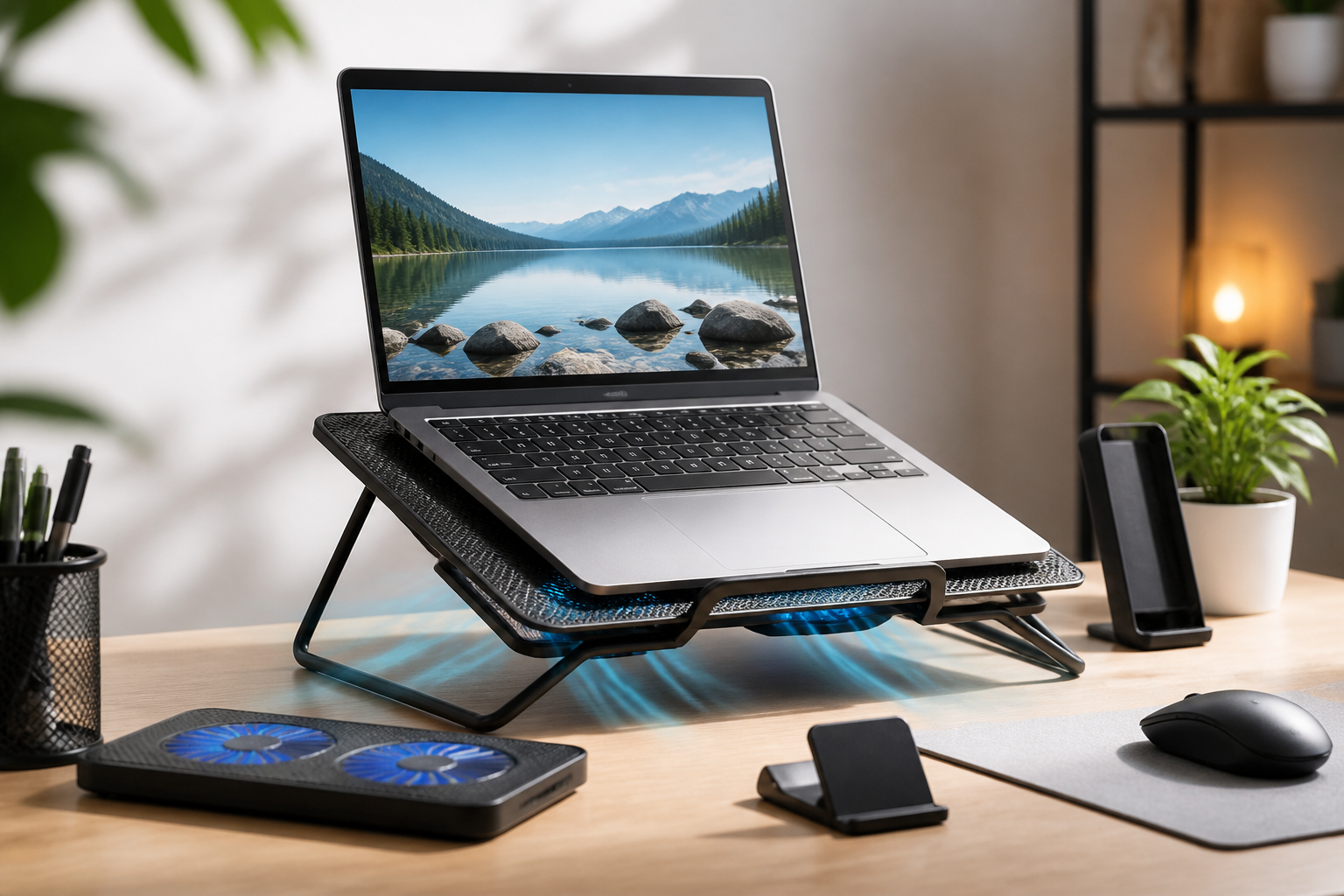
When a laptop gets warm during everyday use, it can affect more than just the machine itself. A hot base, noisy fans, or a cramped desk setup can make your workspace feel less comfortable over time. For students, remote workers, creators, and anyone who spends long hours on a laptop, the right cooling accessories can help support better airflow, reduce heat buildup around the device, and make the overall setup more pleasant to use.
This guide focuses on the best laptop cooling accessories for a comfortable workspace, with an emphasis on practical buying advice rather than hype. Not every laptop needs the same solution, and not every accessory will suit every desk. Some people need a simple stand to improve airflow. Others may prefer a cooling pad, a USB fan, or a laptop dock that raises the screen and improves posture. The right choice depends on your laptop size, work style, desk space, and how much heat your device produces during typical use.
Below, you will find the main categories of cooling accessories, the features that matter, common mistakes to avoid, and tips for creating a workspace that feels comfortable throughout the day.
Why laptop cooling accessories matter in a workspace
Most laptops are designed to manage heat on their own, but the environment around them can make a big difference. If a laptop sits on a soft surface, near clutter, or in a tight corner, airflow may be restricted. Heat can build up faster when the system is under load, such as during video calls, multitasking, photo editing, or large file transfers. Even without getting into technical performance claims, extra heat can make the area around your laptop feel less pleasant to work at.
Cooling accessories are useful because they can improve how air moves around the device and help create a more open setup. Some accessories are designed mainly for airflow, while others focus on raising the laptop to a better viewing height. In many cases, the comfort benefit comes from both at once: the laptop runs in a more open position, and your neck, wrists, and shoulders may feel less strain from poor placement on the desk.
It is also important to remember that cooling accessories are not all meant to solve the same problem. If your laptop only gets slightly warm, a stand may be enough. If the base becomes noticeably hot during long sessions, a cooling pad or ventilated stand may be more appropriate. Matching the accessory to the actual need is the key to a setup that feels comfortable and practical.
Best types of laptop cooling accessories
Laptop cooling pads
A cooling pad is one of the most common laptop cooling accessories. It usually sits under the laptop and includes one or more fans to help move air around the underside of the device. Many models connect by USB and are designed for standard laptop sizes. Some offer adjustable fan speed, while others focus on quiet operation or a slim profile.
Cooling pads may suit people who use their laptops for long periods and want a simple, desk-friendly way to support airflow. They are especially useful when the laptop’s underside tends to get warm or when the desk surface itself limits ventilation. A good cooling pad should hold the laptop securely, provide enough surface area for the device, and fit the size of your laptop without overhanging too much.
When comparing cooling pads, pay attention to the balance between airflow and comfort. A powerful fan can be helpful, but an overly noisy pad may not be ideal for a shared workspace, a library, or a quiet home office. If possible, look for adjustable settings so you can choose a lower fan level during light work and increase airflow when the laptop is under heavier use.
Laptop stands with ventilation
A ventilated laptop stand raises the computer off the desk, creating more space for air to move underneath. Some stands are passive, meaning they do not include fans. Others combine elevation with built-in airflow features. For many users, this is one of the most practical options because it can improve both cooling and ergonomics.
These stands are often a strong choice for people who use an external keyboard and mouse. Raising the screen to a more comfortable height may help create a better viewing angle, which can support a cleaner desk layout. Since the laptop is lifted away from the desk surface, the vents are less likely to be blocked.
Look for a stand that is stable, especially if your laptop is large or you type directly on the device. A wobbly stand can make the workspace feel less secure and may reduce comfort. If portability matters, foldable aluminum or lightweight stands are often easier to move between rooms or carry in a bag.
Adjustable laptop risers
Adjustable risers are similar to laptop stands but usually offer a wider range of height and angle changes. Their main value is flexibility. You can set the laptop lower for quick work sessions or raise it higher for a more ergonomic viewing position. Many risers are designed to improve posture and airflow at the same time.
This type of accessory may suit people who switch between typing on the laptop and using peripheral devices. It can also be useful in shared workspaces where different users have different setup preferences. A riser with a solid build and good grip can help the laptop stay in place while still allowing airflow beneath it.
When evaluating risers, check the adjustment mechanism. A smooth hinge or well-designed locking system is easier to use than one that feels stiff or unstable. Also consider how the device folds or stores, especially if desk space is limited.
External USB desk fans
An external USB desk fan is not a laptop-specific accessory, but it can still be part of a comfortable cooling setup. In some workspaces, especially small rooms or warm environments, moving air around the entire desk area may feel more comfortable than focusing only on the laptop base. A desk fan can help create a more pleasant atmosphere while you work.
This option may suit people who want general desk comfort more than device-specific cooling. However, a desk fan should not be treated as a direct replacement for a proper laptop stand or cooling pad if the laptop itself is getting very warm. The fan’s effect depends on placement, room conditions, and how the laptop is positioned on the desk.
Choose a fan with a stable base, simple controls, and an airflow setting that feels comfortable for long use. A quiet model may be more suitable for calls or focus work.
Lap desks and portable trays
For people who often work from the couch, bed, or another non-desk surface, a lap desk can help create a more stable and ventilated surface for the laptop. Some lap desks include built-in venting, while others are designed mainly to keep the device off soft materials that can block airflow.
This category is especially useful for occasional flexible work setups. If you frequently move around the home, a lap desk can make a laptop feel easier to place and use. It may also help keep the device from sinking into cushions or blankets, which can trap heat.
That said, lap desks should be chosen carefully. Comfort depends on shape, weight, and how well the tray fits your body and laptop. A bulky or awkward design may be less convenient than expected. Look for one that feels stable without being too heavy.
Important features to look for
Compatibility with your laptop size
One of the first things to check is whether the accessory fits your laptop. A model made for compact notebooks may not support a larger 15-inch or 17-inch device properly. If the accessory is too small, the laptop may overhang, reducing stability and airflow. If it is too large, it may take up unnecessary space.
Check the dimensions, weight capacity, and support surface before making a choice. If you use a laptop with a thick case or a wide chassis, make sure the accessory still allows proper placement and ventilation.
Airflow design
Not all cooling accessories move air in the same way. Some use fans under the laptop. Others rely on elevation and open frames to improve passive airflow. A good airflow design should match the parts of the laptop that need space most, especially the underside and rear exhaust area.
If your laptop vents on the bottom or sides, think about how the accessory interacts with those openings. The goal is to avoid blocking airflow while creating a more open environment around the device. A raised rear edge can be useful if it helps the exhaust area stay unobstructed.
Noise level
Noise matters in a comfortable workspace. A cooling accessory that works well but adds constant sound can become distracting, particularly in quiet rooms or shared offices. If you take calls, record audio, or work in a calm environment, look for low-noise or adjustable models.
For some users, passive stands are the easiest way to avoid fan noise altogether. For others, a quiet fan at low speed may be a good balance between cooling support and comfort.
Build quality and stability
A laptop cooling accessory should feel secure on the desk. A flimsy stand or pad can shift while typing, which may be frustrating over time. Materials such as metal, reinforced plastic, or well-finished mesh can provide a sturdier feel, though the best material depends on the design.
Stability is especially important if you use an external keyboard or if the laptop sits at a higher angle. A secure base helps the workspace feel organized and reduces the need for constant adjustments.
Power source and cable management
Many cooling pads and USB fans draw power from the laptop or from an external adapter. Before buying, consider where the cable will run and whether the extra connection will create clutter. In a comfortable workspace, less cable mess usually means less visual distraction.
If you switch between work locations, a simple USB-powered design may be easier to carry. If the accessory has multiple fan settings or extra features, check whether the controls are easy to reach without adding complexity.
Portability
Some users need a cooling accessory that stays on a desk all day. Others need something that can move between home, office, and travel use. If portability matters, focus on foldable designs, lighter materials, and compact storage.
A portable accessory should still be practical. A very small product may be easy to carry but not stable enough for daily use. Try to balance convenience with support.
How to choose the right cooling accessory for your workspace
The best accessory depends on how you actually work. A student who types in short sessions at different locations may want a lightweight stand. A remote worker who uses a laptop for long meetings may benefit from a ventilated stand or cooling pad. Someone working from a small apartment may prefer a quiet, compact design that does not take over the desk.
Start by identifying the main problem. Is your laptop overheating, or is your desk simply uncomfortable? If heat is the main concern, prioritize airflow and device support. If your posture or screen height is the main issue, a stand or riser may offer more value than a fan-heavy accessory. In many cases, the best solution combines two simple items, such as a ventilated stand plus an external keyboard.
Also think about the laptop’s own cooling system. Some devices vent from the bottom, while others rely more heavily on rear or side exhaust. The accessory should support that design rather than interfere with it. If you are not sure where your laptop vents are located, check the manufacturer’s documentation before choosing a stand or pad.
Common buying mistakes to avoid
- Choosing based on fan count alone: More fans do not always mean better comfort. The overall design, noise level, and fit matter just as much.
- Ignoring laptop size and weight: A cooling accessory that is too small may feel unstable and reduce usability.
- Forgetting about posture: Some users buy cooling support but overlook screen height and typing comfort. A good setup should address both.
- Using a soft surface underneath: Even the best accessory may underperform if the entire setup sits on a bed, couch, or other airflow-blocking surface.
- Overlooking cable clutter: Extra cords can make a workspace feel cramped, especially on smaller desks.
Practical tips for a more comfortable laptop setup
Keep the desk surface clear around the laptop so air can move more freely. If you use a cooling pad or stand, avoid stacking notebooks, sleeves, or accessories under the laptop in a way that blocks ventilation. Small adjustments can make the setup feel less crowded and easier to use.
If your workspace allows it, pair a laptop stand with an external keyboard and mouse. This can create a more natural screen height while keeping the laptop elevated for airflow. Many people find this arrangement more comfortable for longer sessions than typing directly on a raised laptop.
Monitor how the workspace feels during different tasks. A setup that works well for email may not be enough during video editing or long conference calls. If you notice the laptop getting warmer at certain times, you may need to adjust airflow, change the accessory angle, or reduce obstruction around the device.
Finally, consider cleaning and maintenance. Dust can build up in vents, fans, and grilles over time. While this guide is about accessories, a clean workspace and well-maintained laptop can help the cooling setup work more effectively. Always follow the manufacturer’s instructions when cleaning the device or accessory.
Who these accessories may suit best
Laptop cooling accessories can be especially useful for remote workers, students, writers, designers, and anyone who keeps a laptop on a desk for many hours at a time. They may also suit people with compact home offices, where heat and clutter can make a workspace feel less comfortable.
Frequent travelers may prefer a lightweight stand or foldable riser. Gamers, creators, and users who run demanding applications may want a more supportive cooling pad or ventilated stand. People who mainly use their laptop for light browsing may only need a simple riser to improve airflow and desk comfort.
The best match is the one that fits your routine. There is no single accessory that works for every workspace, but there is usually a practical option that can make a real difference in day-to-day comfort.
Frequently asked questions
Do laptop cooling accessories really help?
They can help by improving airflow, keeping the laptop off restricted surfaces, and making the workspace more comfortable. The exact benefit depends on the laptop, the accessory, and how the device is used.
Is a cooling pad better than a laptop stand?
Not always. A cooling pad is often better if you want active airflow. A stand may be better if you want a quieter setup or need better screen height. Some users benefit most from a stand with ventilation.
Can I use a cooling accessory with any laptop?
Many accessories are broadly compatible, but size, weight, and vent placement matter. Always check the product specifications to make sure the accessory suits your laptop model and usage style.
Should I buy a fan-based accessory or a passive one?
If noise and simplicity matter most, a passive stand or riser may be enough. If your laptop tends to get warm during long sessions, a fan-based accessory may be more appropriate. The best choice depends on your priorities.
What is the most comfortable cooling accessory for a home office?
For many people, a ventilated laptop stand or adjustable riser is a strong starting point because it can improve both airflow and viewing height. If the laptop runs especially warm, a cooling pad may be worth considering as well.
Conclusion
The best laptop cooling accessories for a comfortable workspace are the ones that match your laptop, your desk, and your daily habits. A cooling pad can add active airflow, a ventilated stand can improve both comfort and positioning, and a lap desk or USB fan can support specific working styles. The right accessory should feel stable, quiet enough for your environment, and easy to live with day after day.
Before buying, think about what you want most: better airflow, better posture, less noise, or a more organized desk. Once you identify that need, it becomes much easier to choose a cooling accessory that actually improves your workspace. A simple, well-matched setup can make long laptop sessions feel more comfortable and less cluttered, which is often the real goal.


