
Introduction
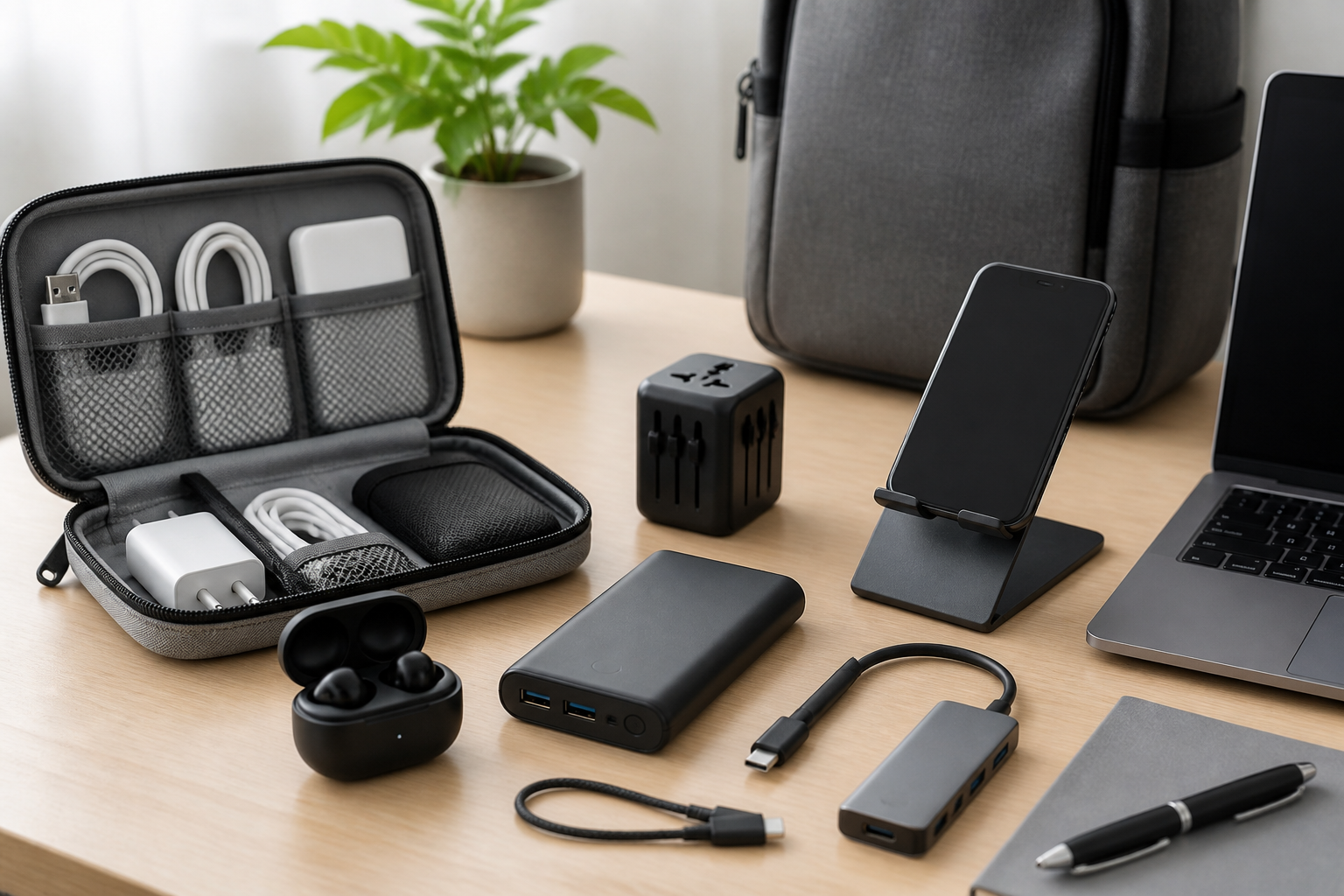
Portable tech accessories can make the difference between a smooth workday and a frustrating one, especially when your office is no longer tied to a single desk. If you work between home, the office, client sites, airports, hotels, coffee shops, or co-working spaces, the right travel-friendly accessories help you stay organized, productive, and comfortable without carrying unnecessary bulk.
The challenge is not finding accessories. It is choosing ones that are genuinely useful, compact enough to travel with, and compatible with the devices you already use. A good portable setup should simplify your workflow, not add more items to manage. That is why the best choices often focus on a few essential categories: power, connectivity, input devices, audio, and organization.
This buying guide walks through the best portable tech accessories for office and travel, explaining what each category does, what features matter, and how to choose accessories that fit different work styles. Whether you need a lightweight kit for occasional business trips or a more complete mobile workstation, the sections below can help you build a practical setup.
What Makes a Tech Accessory Travel-Friendly?
Not every compact gadget is actually convenient to carry. A true travel-friendly accessory should balance size, weight, usefulness, and durability. The goal is to reduce friction during travel while keeping your core work tools available.
Before buying, consider these qualities:
- Compact size: Accessories should fit easily into a backpack, laptop sleeve, or carry-on pocket.
- Low weight: Every item should earn its place, especially if you travel often.
- Multi-use design: Accessories that solve more than one problem can reduce clutter.
- Cross-device compatibility: Look for support across laptops, tablets, phones, and common operating systems when relevant.
- Simple setup: Traveling is not the time for difficult pairing or complicated installation.
- Durable build: Foldable parts, reinforced cables, and sturdy connectors can matter more on the road than at a fixed desk.
The best portable accessories are not always the most advanced. They are the ones you will actually bring, use, and trust in different environments.
Essential Portable Tech Accessories for Office and Travel
1. USB-C Charger or Multi-Port Power Adapter
A reliable charger is often the most important portable tech accessory. Many modern laptops, tablets, headphones, and phones rely on USB-C power, which makes it easier to charge multiple devices with one compact adapter. For travel, a charger with multiple ports can reduce the number of bricks you need to carry.
When comparing chargers, look for:
- Power output: Make sure it meets your laptop’s needs, not just your phone’s.
- Number of ports: Two or more ports can be useful for charging a laptop and a phone at the same time.
- Foldable prongs: These can make the charger easier to pack.
- Universal travel compatibility: If you travel internationally, consider whether you will also need plug adapters.
This category suits commuters, frequent travelers, and remote workers who need to stay powered across long days. A common mistake is buying a compact charger that looks convenient but does not provide enough output for a laptop under load. Another mistake is assuming all USB-C chargers perform the same way. Some are suitable only for phones and accessories, while others can support demanding laptops.
2. Portable Power Bank
A power bank can be one of the most useful accessories in an office-and-travel setup, especially when you spend time away from outlets. It helps keep phones, earbuds, tablets, and some laptops charged during flights, long meetings, or unpredictable travel days.
Useful features include:
- Capacity that matches your needs: Higher capacity usually means more charging potential, but also more weight and bulk.
- Fast charging support: This is especially helpful when you have limited time at a charging stop.
- Multiple ports: Handy if you need to charge more than one device.
- Clear battery indicator: Knowing how much power is left can prevent surprises.
Power banks are best for business travelers, conference attendees, and anyone with long days between reliable charging opportunities. A good buying approach is to think about the devices you charge most often. If you mainly need emergency phone charging, a smaller power bank may be enough. If you also want to keep a tablet or USB-C laptop topped up, you may need a more capable model.
3. Compact GaN Charger Kit
Gallium nitride, often called GaN, has helped make wall chargers smaller without necessarily sacrificing performance. For travelers, this can be useful because a single compact charger may replace several older, bulkier adapters.
Although you do not need to focus on the technical term itself, a GaN charger kit can be a smart choice if you want a streamlined carry-on setup. Look for a charger that can handle your laptop plus a phone or other accessories, and consider whether it comes with interchangeable plugs or compatible cable options.
People who travel frequently, work from shared spaces, or want a cleaner desk setup may appreciate this category. A common buying mistake is assuming a small charger can handle every device equally well. Always match the charger’s output to your most demanding device.
4. Portable USB Hub or Docking Hub
Laptops are getting thinner, but that often means fewer built-in ports. A portable USB hub or compact docking hub solves that problem by adding extra connections for storage, monitors, peripherals, and accessories.
Depending on your workflow, a hub may support:
- USB-A ports for older accessories
- USB-C pass-through charging
- HDMI output for monitors or projectors
- SD or microSD card slots for content transfer
- Ethernet for stable wired internet in some locations
Choose a hub based on your real needs instead of buying the most feature-rich option. Someone who only needs one extra USB port and an HDMI connection will likely prefer a lighter, simpler device than a full docking station.
Portable hubs suit presenters, photographers, editors, and anyone who moves between office work and travel work. A common mistake is overlooking cable length and connector placement. A hub that is technically capable may still be awkward if it hangs too far from your laptop or blocks another port.
5. Foldable Bluetooth Keyboard
A foldable or ultra-compact Bluetooth keyboard can make a big difference if you type often on a tablet, phone, or secondary device while traveling. It is especially useful for writing, note-taking, email management, and lightweight office tasks.
Important features to consider include:
- Key feel and layout: A cramped layout may slow you down.
- Pairing reliability: Fast reconnecting is valuable in travel situations.
- Battery life: Longer battery life means less charging stress.
- Folded size and hinge durability: The design should be easy to pack and sturdy enough for repeated use.
This accessory is a good fit for hybrid workers, digital nomads, and professionals who use tablets as secondary work devices. If you type for long periods, pay attention to whether the keyboard feels comfortable enough for extended use. A keyboard that is ultra-small may save space, but it might not be practical for real work.
6. Portable Mouse or Travel Trackpad
A compact mouse can improve speed and comfort compared with relying only on a laptop trackpad, especially during long editing sessions, spreadsheet work, or detailed navigation. Some people prefer a slim travel mouse, while others may like a wireless trackpad for gesture-based work.
Things to look for include:
- Quiet buttons: Helpful in libraries, conference rooms, or shared spaces
- Bluetooth or USB receiver options: Bluetooth can reduce dongle clutter
- Battery or rechargeable design: Choose what fits your travel habits
- Comfortable shape: Small does not have to mean uncomfortable
This category is useful for professionals who do precision work and want a more ergonomic input method than a laptop trackpad alone. A common mistake is choosing a mouse that is too tiny to use comfortably over time. Travel size matters, but so does hand comfort.
7. Noise-Isolating or Wireless Earbuds
Portable audio accessories can help you stay focused in busy offices, airports, trains, and hotels. Wireless earbuds are especially convenient because they take up little space and can switch between calls, music, and meetings with minimal setup.
Useful features include:
- Clear microphone quality: Important for calls and video meetings
- Comfortable fit: Essential for long wear
- Reliable battery life: Helpful on travel days
- Easy device switching: Makes moving between laptop and phone simpler
For office and travel use, audio comfort often matters as much as sound quality. If you plan to wear earbuds for long stretches, choose a style that feels secure and unobtrusive. Travelers who take many calls may also want a case that is easy to access quickly.
8. Cable Organizer or Tech Pouch
Small accessories are easy to lose when they are tossed into a backpack or carry-on. A cable organizer or tech pouch helps keep chargers, adapters, cables, earbuds, and memory cards in one place. This is not the most exciting accessory, but it is one of the most practical.
Look for:
- Multiple compartments: Useful for separating cables and adapters
- Flexible interior: Helpful if your kit changes over time
- Compact footprint: It should fit your bag without taking over
- Easy-open zipper or layout: You want quick access during travel
This accessory is ideal for anyone who carries more than a charger and one cable. A common mistake is buying a pouch that is too small for real use or too large for the amount of gear you carry. Try to match the organizer to your actual travel kit.
9. Universal Travel Adapter
If your travel involves different countries or regions, a universal travel adapter can be essential. It helps your charger connect to local wall outlets, but it does not convert voltage by itself. That distinction matters because the adapter and the charger serve different functions.
When choosing one, consider:
- Regional plug support: Check where you actually travel
- USB ports: Some adapters include additional charging options
- Size and weight: A bulky adapter may be inconvenient
- Build quality: A snug fit and secure connection are important
This category suits international business travelers and anyone who regularly works abroad. A common mistake is assuming all travel adapters work universally with all devices. You still need to verify that your charger supports the correct input range.
10. Laptop Stand or Foldable Risers
A lightweight laptop stand can improve comfort when you are working at a temporary desk. It raises the screen closer to eye level and can help create a more ergonomic setup, especially if you pair it with a separate keyboard and mouse.
For portable use, think about:
- Foldability: The stand should collapse easily for packing
- Stability: It should hold your laptop securely
- Weight: Lightweight options are easier to bring along
- Height adjustment: Some flexibility can improve comfort
This is best for people who spend several hours working from hotels, coworking spaces, or temporary offices. If you only need a quick setup for a short time, a stand may be less essential than a charger or hub. Still, for longer work sessions, it can be a worthwhile addition.
How to Choose the Right Combination
You do not need every accessory on this list. A better approach is to build a setup around the kind of travel you do and the devices you use most. The right combination depends on your workflow, commute length, and how often you work away from your main desk.
For Light Travelers
If you usually work in one main office and only travel occasionally, prioritize the essentials: a compact charger, a cable organizer, and a power bank. These accessories provide the most convenience with the least extra weight.
For Frequent Business Travelers
If you spend a lot of time in transit, consider a more complete kit. A multi-port charger, power bank, hub, earbuds, and a universal adapter can help you stay productive in airports, hotels, and meeting spaces.
For Mobile Workstation Users
If you often work from temporary desks or co-working locations, a foldable keyboard, travel mouse, and laptop stand may be especially useful. These items can make your setup feel more like a real office without becoming too bulky.
For Tablet-First Workers
If a tablet is your main device, focus on accessories that improve typing, connectivity, and power. A compact keyboard, suitable stylus or pointing device if needed, and a dependable charger can make the biggest difference.
Common Buying Mistakes to Avoid
Buying portable accessories is easy; buying the right ones takes a little planning. Here are a few mistakes worth avoiding:
- Choosing based on size alone: Small accessories are convenient, but they still need to perform well.
- Ignoring compatibility: Check device ports, charging standards, and operating system support before buying.
- Overbuying extras: A feature-rich accessory is not useful if you never need the extra functions.
- Forgetting bag organization: Even great accessories become annoying if they are always tangled or hard to find.
- Buying one item at a time without a plan: It helps to think about your full travel setup, not each product in isolation.
A practical setup should reduce friction. If an accessory adds setup time or needs frequent troubleshooting, it may not be the best travel choice, even if it looks impressive on paper.
Practical Tips for Building a Portable Tech Kit
A well-organized travel kit can save time and prevent stress. A few simple habits make a big difference:
- Keep a dedicated travel pouch: This reduces the chance of forgetting essentials.
- Use labeled cables when helpful: It can make grabbing the right cable faster.
- Pack a backup charging cable: Cables are small, and a spare can be useful.
- Review your kit before trips: Check whether any devices need charging or replacement.
- Test new accessories at home first: This gives you time to confirm compatibility and comfort.
It also helps to think about how often you really need each accessory. A long-haul traveler may benefit from a different kit than someone who mostly works from a local office and uses travel accessories only occasionally.
Frequently Asked Questions
What are the most important portable tech accessories for travel?
The most essential items are usually a reliable charger, a power bank, a charging cable, and some type of cable organizer. From there, a USB hub, earbuds, keyboard, or mouse may be useful depending on your work style.
Is a power bank necessary for office travel?
It is not mandatory, but it is often very helpful if you spend time away from outlets. It is especially useful for long meetings, flights, and travel days when charging opportunities are limited.
Should I buy a hub or a docking station?
A portable hub is usually better for travel because it is smaller and easier to pack. A docking station may be more suitable if you want a fuller desk setup at one location and do not move it often.
What is the best accessory for working on a plane or train?
For many people, the best accessories are wireless earbuds, a power bank, and a compact charger. If you need to type, a foldable keyboard can also be helpful, but only if it is comfortable enough to use in a small space.
How do I avoid carrying too much tech?
Start with the essentials and add only what improves your actual workflow. Think about what you use most often during office days versus travel days, then pack around those priorities.
Conclusion
The best portable tech accessories for office and travel are the ones that make working away from your main desk easier, not more complicated. A thoughtful setup usually starts with dependable power, then adds connectivity, input tools, audio, and organization based on your routine.
If you travel often, prioritize a compact charger, power bank, universal adapter, and tech pouch. If you work heavily on the move, add a portable hub, keyboard, mouse, and laptop stand. The right combination depends on your device setup, travel frequency, and personal comfort.
By focusing on useful features, compatibility, and portability, you can build a travel kit that supports productive workdays in offices, hotels, airports, and anywhere else your schedule takes you.


