
Introduction
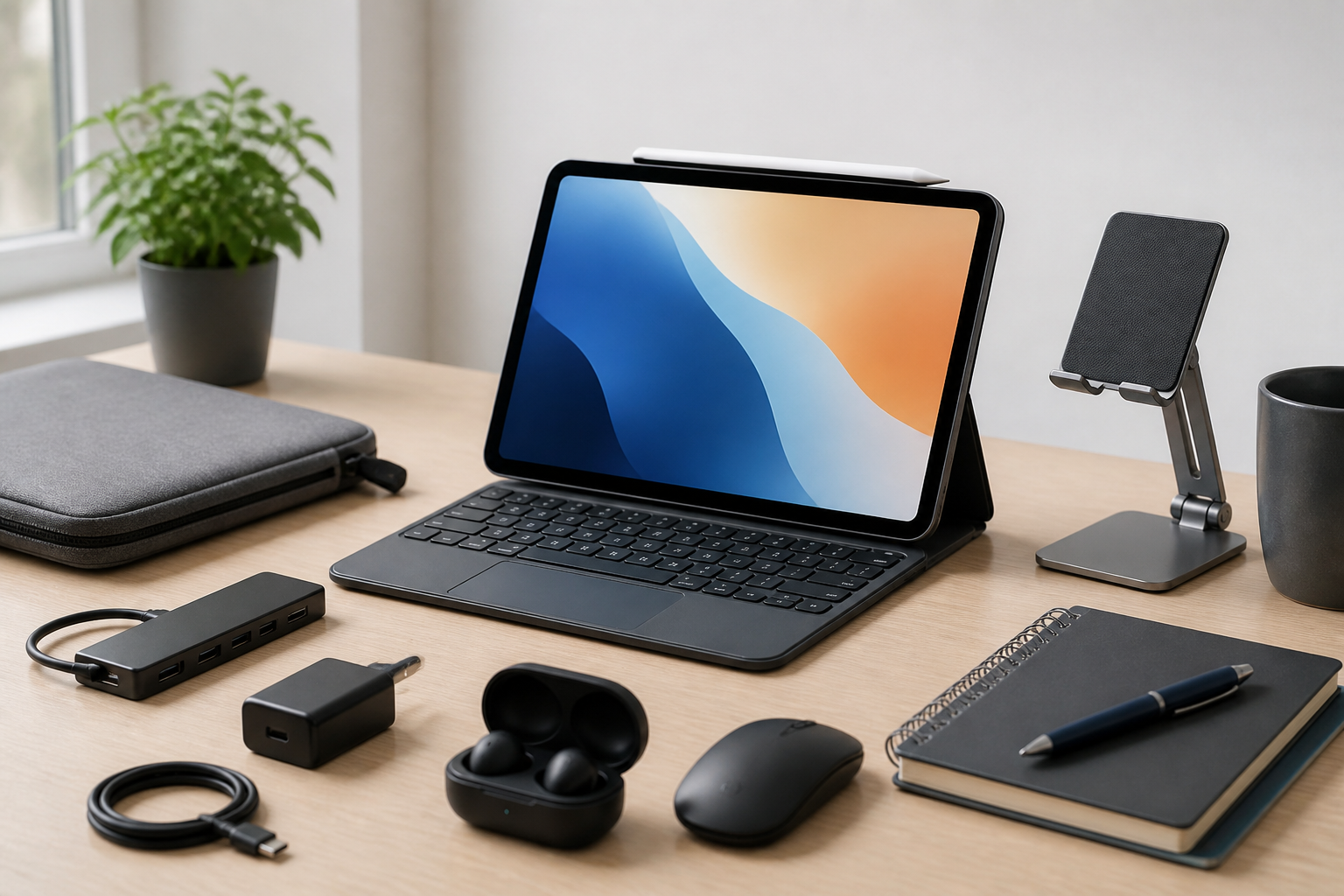
A tablet can be an excellent everyday device, but its usefulness often depends on the accessories you choose. For students, the right add-ons can make note-taking, reading, and assignment work easier. For professionals, they can turn a tablet into a portable workstation that is better suited for email, presentations, meetings, and travel. The challenge is that not every accessory is equally useful, and some are more essential than others depending on how you use your tablet.
This guide to the best tablet accessories for students and professionals focuses on practical buying decisions rather than trendy extras. The goal is to help you choose accessories that improve comfort, protect your device, and make your tablet more productive in real life. Whether you use a tablet for classes, remote work, creative tasks, or commuting, the right combination of accessories can make a noticeable difference.
Why tablet accessories matter
A tablet is flexible by design, but it does not always come ready for extended typing, serious note-taking, or long work sessions. Accessories can fill those gaps. A keyboard can make writing longer documents far easier. A stylus can improve precision when annotating slides or taking handwritten notes. A protective case can reduce wear from daily transport. A stand can improve viewing angles during study sessions or video calls.
For students, accessories often need to balance portability, affordability, and versatility. For professionals, priorities may include efficiency, presentation quality, and comfort during long workdays. In both cases, the best accessory is usually the one that removes friction from common tasks instead of adding clutter.
Essential tablet accessories to consider
1. Keyboard cases and external keyboards
A keyboard is one of the most valuable tablet accessories for anyone who types frequently. It can transform a tablet from a device mainly used for browsing or media into something closer to a lightweight laptop alternative.
Why it helps: Students can write papers, answer discussion posts, and take faster lecture notes. Professionals can draft emails, edit documents, and work more efficiently in meetings.
What to look for:
- Key travel and layout: A comfortable layout matters more than flashy features, especially for long typing sessions.
- Connection type: Bluetooth keyboards offer flexibility, while tablet-specific keyboard cases can be more convenient.
- Portability: Slim designs are easier to carry, but some trade off comfort for size.
- Battery life: If the keyboard is wireless, battery longevity becomes important for all-day use.
Who it suits: Frequent typists, note-heavy students, remote workers, and professionals who travel often.
2. Stylus pens
A stylus can be one of the most useful tools for tablets, especially for handwriting, sketching, annotating PDFs, and marking up presentations. Even when a keyboard is the main typing accessory, a stylus can provide a more natural way to interact with certain apps.
Why it helps: Students often use styluses for note-taking, math work, and marking up readings. Professionals may use them to sign documents, edit images, brainstorm, or annotate files during meetings.
What to look for:
- Pressure sensitivity and tilt support: These matter more for drawing and detailed work.
- Low latency: A responsive stylus feels more natural while writing.
- Palm rejection: Helpful for comfortable handwriting without accidental marks.
- Charging method: Convenient charging matters if the stylus is used daily.
Who it suits: Students who handwrite notes, professionals who annotate documents, and creative users who sketch or design.
3. Protective cases and sleeves
Protection is not the most exciting accessory category, but it is one of the most important. Tablets are meant to be carried frequently, which increases the risk of scuffs, scratches, and drops. A well-chosen case or sleeve can reduce everyday wear and make your tablet easier to transport safely.
Why it helps: Students often carry tablets in backpacks with notebooks and chargers. Professionals may move between offices, meetings, and home workspaces. A case adds a layer of practical protection in both situations.
What to look for:
- Fit: A snug fit matters so the tablet stays secure.
- Material: Soft materials can reduce scratches, while rigid cases may offer more impact protection.
- Stand functionality: Some cases include adjustable angles for typing or watching content.
- Closure and access: Easy access to ports, buttons, and cameras is important.
Who it suits: Anyone who regularly travels with a tablet, especially students with busy schedules and professionals on the move.
4. Tablet stands and adjustable mounts
A stand may seem simple, but it can significantly improve posture and viewing comfort. Tablets placed flat on a desk are harder to use for long periods, especially when typing or joining video calls. A stand raises the screen to a better angle and can make the workspace more ergonomic.
Why it helps: Students can study more comfortably during reading sessions or online classes. Professionals can improve desk setups for video meetings, presentations, or side-by-side reference work.
What to look for:
- Adjustability: Multiple angles offer more flexibility.
- Stability: A stand should hold the tablet securely without slipping.
- Portability: Foldable stands are easier to carry between locations.
- Compatibility with cases: Some stands work better with tablets that have protective covers.
Who it suits: Users who spend longer periods at a desk and want a more comfortable viewing position.
5. Portable chargers and power banks
Battery life is one of the biggest practical concerns for tablet users, especially when classes, meetings, or travel take up most of the day. A portable charger can help keep your tablet ready when outlets are not available.
Why it helps: Students who move between classes and study areas often need backup power. Professionals who work on the road or attend long meetings may also benefit from having a reliable charging option.
What to look for:
- Capacity: Larger capacities generally support more charging, but they can also be heavier.
- Charging speed: Fast charging support can reduce downtime.
- Port selection: The charger should match the cable and device you already use.
- Size and weight: A compact power bank is usually better for commuting.
Who it suits: Commuters, travelers, and anyone who uses a tablet heavily throughout the day.
6. Screen protectors
A screen protector can help reduce scratches and keep the display in better condition over time. It is often a simple purchase, but it may save inconvenience later if the tablet is carried in a backpack or used frequently in busy environments.
Why it helps: Students and professionals both benefit from keeping the display clear and protected from everyday wear. If your tablet is used for writing or drawing, some protectors can also change the feel of the screen surface slightly.
What to look for:
- Compatibility: The protector should match your exact tablet model.
- Touch sensitivity: A protector should not interfere with normal use.
- Finish: Glossy and matte finishes each have different viewing and writing feel.
- Installation ease: Easy alignment can reduce bubbles and frustration.
Who it suits: Anyone who wants an added layer of daily protection, especially users who carry their tablet often.
7. Headphones or earbuds
Audio accessories are easy to overlook, but they matter a lot for study and work. Good headphones or earbuds can improve focus in shared spaces, make online meetings easier to follow, and support media use during downtime.
Why it helps: Students may need audio for lectures, language learning, or quiet study. Professionals often rely on headphones for video calls and concentration in open offices or cafes.
What to look for:
- Comfort: Long wear sessions require a comfortable fit.
- Microphone quality: Important for meetings and calls.
- Noise isolation: Helpful in louder environments.
- Connectivity: Wireless options improve convenience, while wired models avoid charging concerns.
Who it suits: Students studying in libraries or shared spaces and professionals joining frequent virtual meetings.
8. USB hubs and adapters
Many tablets have limited ports, which can be inconvenient when you need to connect storage devices, displays, or wired accessories. A USB hub or adapter can expand what your tablet can do, especially if you are using it for study or work.
Why it helps: Students may want to connect flash drives, keyboards, or memory cards. Professionals may need to attach monitors, ethernet adapters, or presentation equipment.
What to look for:
- Port selection: Choose the ports you actually need rather than buying extra features you may never use.
- Build quality: Better materials can improve reliability during regular use.
- Power support: Some hubs allow charging while in use.
- Compatibility: Make sure the hub works with your tablet model and operating system.
Who it suits: Users who want more desktop-like flexibility from their tablet.
How students and professionals should prioritize accessories
Not every tablet user needs the same setup. The right order of purchase depends on your daily habits and main tasks.
If you are a student
Start with accessories that improve note-taking, portability, and durability. For many students, the best first purchases are a protective case, a stylus, and a keyboard if they type frequently. A screen protector and portable charger are also worth considering if you move around campus a lot.
Typical student priorities:
- Taking notes efficiently
- Protecting the tablet in a backpack
- Keeping the device charged during long days
- Balancing cost with usefulness
If you are a professional
Professionals often benefit most from accessories that improve typing comfort, presentation quality, and device flexibility. A good keyboard, stand, headset, and USB hub can make a tablet more effective for communication and travel. Protection still matters, but productivity usually comes first.
Typical professional priorities:
- Typing comfort and speed
- Reliable video meeting setup
- Easy transport between work locations
- Compatibility with business workflows
Key buying considerations before you choose
When shopping for tablet accessories, the most expensive option is not always the best. It is usually more useful to compare products based on how well they fit your device and how you actually work.
Compatibility
The most important factor is whether the accessory fits your tablet model. Cases, screen protectors, and keyboard attachments are often device-specific. Even universal accessories should be checked for size, port alignment, and supported features.
Portability
Students and professionals both tend to move between places. Accessories that are too heavy, bulky, or awkward to pack may be less useful in daily life. A more compact accessory is often the better choice if you commute frequently.
Durability
An accessory should hold up to repeated use. Check whether the materials, hinges, keys, connectors, or charging ports appear suited to regular carrying and daily handling. For work or study environments, reliability matters more than novelty.
Ease of use
Good accessories should reduce friction. If a stand is hard to adjust, a keyboard is uncomfortable to type on, or a stylus is inconvenient to charge, you may stop using it. Simple, intuitive accessories often provide the best long-term value.
Weight and desk space
A tablet setup should remain comfortable to carry and easy to use on small desks or shared work areas. Accessories that add too much bulk may be practical only in a fixed workspace. Think about where you will use them most often.
Common buying mistakes to avoid
- Buying before checking compatibility: Always confirm model support, especially for cases, protectors, and keyboard attachments.
- Choosing accessories that are too specialized: A feature-rich accessory may look appealing but be unnecessary for your routine.
- Ignoring comfort: Keyboards, styluses, and headphones should feel good during longer sessions, not just briefly in a store.
- Overlooking portability: A great desk accessory may not be a great everyday accessory if it is difficult to carry.
- Focusing only on price: Lower cost can be useful, but poor fit or weak build quality may create frustration later.
Practical setup tips
Once you choose your accessories, a few practical habits can help you get more value from them. Keep the tablet and accessories together in a dedicated pouch or bag compartment so you are not searching for items separately. If you use a keyboard and stylus often, make sure they are charged or stored in a predictable place. For students, it can help to keep note-taking apps and annotation tools organized before classes begin. For professionals, setting up shortcuts, cloud syncing, and meeting apps in advance can reduce setup time during busy workdays.
It is also worth thinking about whether you need all your accessories at once. In many cases, starting with the most useful essentials is smarter than buying a complete bundle. That way, you can learn what you actually use before adding more items.
Frequently Asked Questions
What are the most important tablet accessories for students?
The most useful accessories for students are often a stylus, a protective case, a keyboard if they type a lot, and a screen protector. A portable charger can also be helpful for long days on campus.
What are the most important tablet accessories for professionals?
Professionals usually benefit most from a keyboard, a tablet stand, a good headset, a protective case, and a USB hub or adapter if they need more connectivity.
Is a tablet keyboard worth it?
It can be worth it if you write emails, papers, reports, or notes often. If your tablet use is mainly reading, browsing, or watching content, a keyboard may be less important.
Do I need a stylus for a tablet?
Not everyone does. A stylus is especially useful for handwriting, sketching, and precise annotation. If you mostly tap and type, it may be optional rather than essential.
Should I buy a case or a sleeve?
A case is often better if you want everyday protection and possibly a built-in stand. A sleeve may be better if you prefer a lightweight layer of protection while carrying the tablet in a bag.
How many tablet accessories do I really need?
That depends on how you use the device. Many people only need two or three essentials, such as a case, a keyboard, and a stylus. More accessories are only worth adding if they solve a real daily problem.
Conclusion
The best tablet accessories for students and professionals are the ones that make your tablet easier to use, safer to carry, and better suited to your daily tasks. A keyboard can improve productivity, a stylus can make note-taking and annotation more natural, and a case or screen protector can help guard against everyday wear. Stands, headphones, power banks, and USB hubs can also be valuable depending on whether your tablet is mainly for study, work, travel, or a mix of all three.
Before buying, focus on compatibility, comfort, portability, and durability. Those factors matter more than extra features you may rarely use. By choosing accessories based on your real habits, you can build a tablet setup that supports both learning and professional work without unnecessary clutter.


