
Introduction
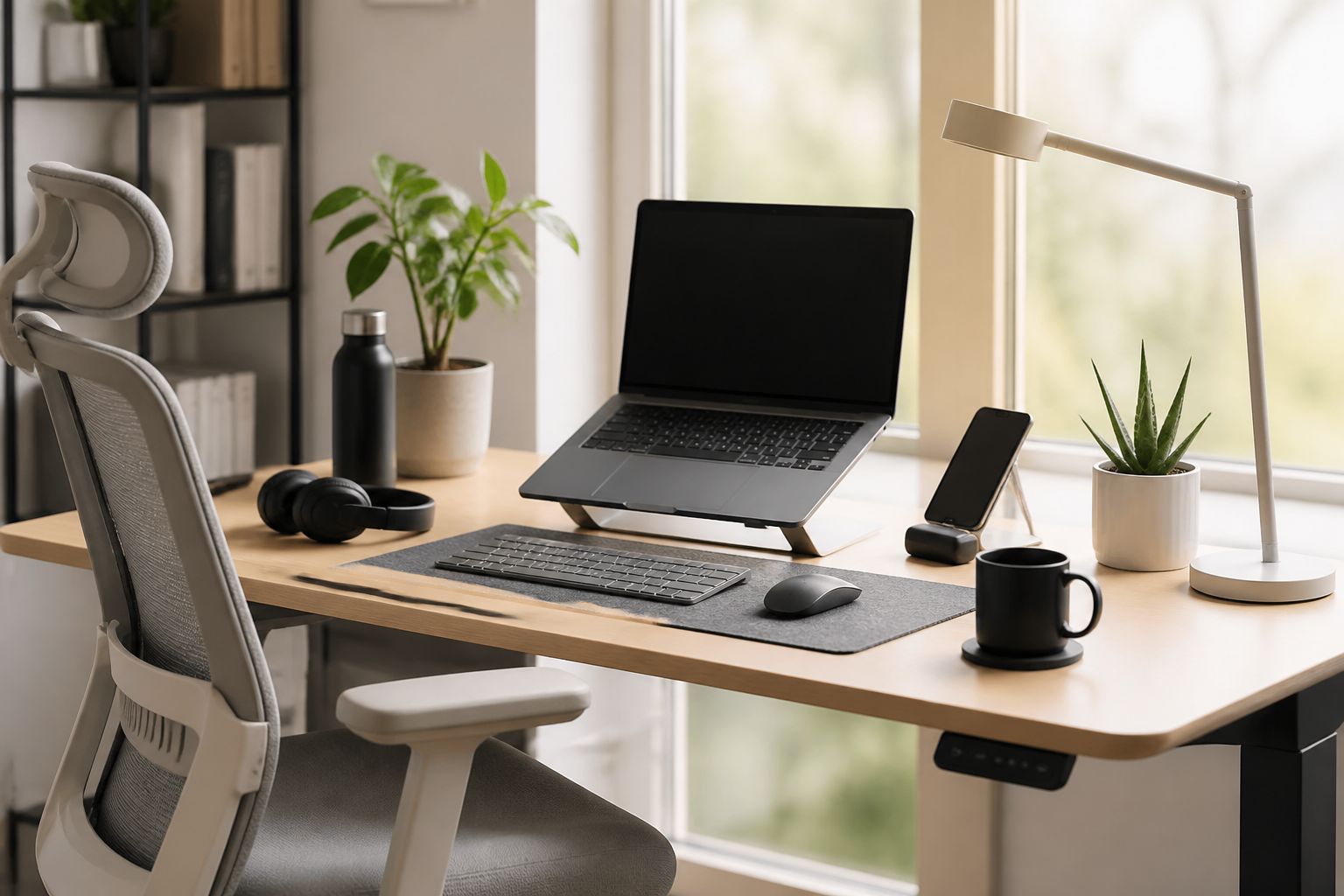
Working from home can be highly productive, but comfort matters more than many people expect. A well-planned workspace can help reduce everyday friction, support better posture, and make long work sessions feel more manageable. The right accessories do not need to be expensive or complicated. In many cases, small upgrades such as a supportive chair cushion, an adjustable laptop stand, a better mouse, or a desk lamp can make a noticeable difference in how your setup feels throughout the day.
This guide covers the best work from home accessories for a comfortable setup, focusing on practical items that can improve your desk environment without unnecessary clutter. Rather than chasing trends, the goal here is to help you choose accessories that fit your work style, available space, and budget. Whether you work full time from home, split time between office and home, or only need a more comfortable temporary setup, the right accessories can help turn a basic desk into a more functional workspace.
The key is to think in layers: seating, screen position, input devices, lighting, organization, and atmosphere. When these areas work together, the result is a setup that feels easier to use for long periods. Below, you will find the most useful categories to consider, what features matter most, common mistakes to avoid, and how to choose accessories that suit your needs.
1. A Supportive Chair Cushion or Seat Pad
If your current chair is decent but not ideal, a quality seat cushion can be one of the simplest comfort upgrades. It is not a replacement for a good chair, but it can make a basic chair more usable for longer sessions. Many people overlook seat support until discomfort starts building during the day, which is why this is often one of the first accessories worth considering.
What to look for
- Shape and support: Look for a cushion that suits your seat and sitting style. Some are contoured, while others are flat and easy to move between chairs.
- Material: Foam, gel, and hybrid designs each feel different. Foam often offers steady support, while gel can feel cooler and softer.
- Cover: A removable, washable cover is useful for regular upkeep.
- Size: Make sure the cushion fits your chair without sliding off or affecting your posture.
This type of accessory may suit people using a dining chair, a simple office chair, or a home setup where the chair is functional but not specialized. It can also be a useful temporary solution when you are building a workspace gradually.
2. An Adjustable Laptop Stand
A laptop stand is one of the most practical work from home accessories for comfort because it helps improve screen height. When a laptop sits too low, many people end up looking down for long periods, which can make the workspace feel more tiring. Raising the screen to a more natural viewing level can help create a more comfortable desk arrangement, especially when paired with an external keyboard and mouse.
Key features to consider
- Adjustability: Height and angle adjustments make it easier to match your desk and chair.
- Stability: The stand should hold the laptop securely without wobbling during typing or movement.
- Portability: Foldable or lightweight designs are useful if you move between rooms or work in different places.
- Ventilation: An open design can help leave space around the laptop body.
People who work primarily on a laptop often benefit from this upgrade quickly. It is especially useful for smaller desks where space is limited and the laptop needs to serve as the center of the entire workstation.
3. An External Keyboard and Mouse
If you use a laptop for most of your work, an external keyboard and mouse can significantly improve comfort by allowing you to position your screen and hands separately. This flexibility helps create a more natural setup than relying on the built-in laptop keyboard and trackpad alone. Even a simple, well-designed set can reduce awkward reaching and improve desk ergonomics.
How to choose the right set
- Typing feel: Some people prefer low-profile keys, while others want a more tactile typing experience.
- Mouse shape: A comfortable mouse should fit your hand size and grip style.
- Connection type: Wireless setups reduce cable clutter, while wired options can be simpler.
- Battery needs: If you choose wireless accessories, factor in charging or battery replacement.
These accessories are especially helpful for spreadsheet work, writing, editing, and tasks that involve frequent clicking or typing. If you use your computer for several hours a day, even a modest improvement in hand and wrist comfort can make a noticeable difference.
4. A Monitor or Monitor Stand
For people who use a laptop with an external screen, a monitor can help create a more comfortable and spacious workstation. If you already have a monitor, a stand or arm can improve viewing height and free up desk space. The main goal is to keep your screen at a more convenient level and distance so the setup feels natural to use.
Why it matters
A screen placed too low or too close can make the desk feel cramped. A properly positioned monitor can help create a cleaner, more organized feel and make it easier to work for extended periods. If you do not want to add a full monitor right away, a sturdy monitor riser can provide a simpler upgrade.
Buying considerations
- Height adjustability: This helps match different chair and desk setups.
- Desk compatibility: Ensure the stand or arm works with your desk thickness and surface type.
- Space efficiency: Some designs add storage underneath, while others are more minimal.
- Ease of installation: Choose a setup you can install and adjust without frustration.
This category is a good fit for home workers who spend most of the day looking at a screen and want a more complete workstation feel.
5. Better Desk Lighting
Lighting is one of the most overlooked work from home accessories, yet it strongly affects how comfortable a workspace feels. A desk lamp or adjustable task light can improve visibility and help prevent your workspace from feeling dim or uneven. Good lighting also helps your desk appear more polished and intentional, which can make working from home feel more settled.
What to prioritize
- Adjustable brightness: Different tasks and times of day may require different light levels.
- Color temperature options: Some lamps offer warm, neutral, or cooler lighting choices.
- Directional control: An adjustable arm or head lets you focus light where it is needed.
- Base size: A compact lamp is useful when desk space is limited.
Task lighting may suit people working in rooms with inconsistent natural light, shared spaces, or corners that feel too dark for reading and typing. It is also a useful accessory if you want your desk to feel more separated from the rest of the room.
6. Cable Management Accessories
A comfortable setup is not only about physical support; it is also about removing small distractions. Loose cables can make a desk feel cluttered and harder to clean. Cable clips, sleeves, ties, adhesive organizers, and cable boxes can help turn a messy tangle into a more streamlined work area.
Useful cable management options
- Cable clips: Good for keeping charging cables within reach.
- Velcro ties: Useful for bundling power cords and peripheral cables.
- Cable sleeves: Help group multiple cords together for a tidier look.
- Cable trays or boxes: Can hide power strips and extra slack under the desk.
These accessories are often inexpensive compared with larger upgrades, but they can make the workspace feel significantly calmer. They are especially helpful if your setup includes a laptop, monitor, lamp, speakers, and charging devices.
7. A Footrest for Better Sitting Comfort
A footrest can be a useful addition if your chair height leaves your feet dangling or your knees feeling unsupported. It gives your lower body a more stable position and can make longer sitting sessions feel easier to maintain. While this is a simple accessory, it can have a meaningful impact on how balanced your workstation feels.
Important features
- Height and angle options: Adjustable designs offer more flexibility.
- Non-slip base: This helps keep the footrest in place during the day.
- Surface texture: A textured surface can help keep your feet from sliding.
- Size: Make sure there is enough room under your desk for comfortable placement.
Footrests are often a smart choice for people using taller chairs, desks that cannot be adjusted, or workspaces where the desk and seating are not perfectly matched.
8. Wrist Rests and Desk Mats
Small contact points matter. Wrist rests and desk mats can make your keyboard and mouse area feel more comfortable and organized. A desk mat also defines the working area visually, which can help a desk feel more intentional. A wrist rest, meanwhile, can offer a softer surface when resting your hands between tasks.
Choosing the right version
- Material: Leather-look, fabric, foam, and silicone surfaces each have different feels.
- Thickness: Avoid anything so thick that it changes hand positioning in an awkward way.
- Ease of cleaning: Choose surfaces that can be wiped down or maintained easily.
- Size: Ensure the desk mat fits your keyboard, mouse, and workspace layout.
These are especially useful if you want a cleaner visual setup without adding bulky equipment. They can also help define a dedicated work zone in a multi-use room.
9. Headphones or Headsets for Focus
Noise control is an important part of comfort when you work from home, especially in shared households or busy environments. A good pair of headphones or a headset can help reduce distractions and make virtual meetings easier to manage. You do not need a premium model to get value from this kind of accessory; the main goal is to find something comfortable for longer wear.
What to look for
- Long-wear comfort: Check headband padding and ear cup design.
- Connection quality: Choose wired or wireless based on your daily routine.
- Microphone quality: If you attend calls often, a clear mic matters.
- Compatibility: Make sure it works well with your laptop or desktop setup.
Headphones may be useful for people who need concentration, take frequent calls, or simply want a clearer boundary between work time and home time.
10. Storage and Organization Tools
Clutter can make even a good desk feel uncomfortable. Storage solutions such as drawer organizers, desktop trays, file holders, pen cups, and small shelves can help keep frequently used items within easy reach. A more organized desk often feels easier to use because you spend less time searching for things or clearing space before each task.
Practical organization ideas
- Desk trays: Keep daily essentials grouped together.
- Drawer inserts: Help separate small items like pens, adapters, and sticky notes.
- Vertical storage: Useful when desk space is limited.
- Minimal containers: Reduce visual clutter while keeping essentials handy.
Choose storage based on what you actually use every day. The best organizational accessories support your workflow without creating extra steps or unnecessary containers.
How to Choose the Best Accessories for Your Setup
Not every workspace needs every accessory. The best work from home accessories for a comfortable setup depend on your desk size, the type of work you do, and the issues that bother you most. Before buying multiple items at once, it helps to identify the main problem areas in your current setup.
Start with the biggest comfort issue
If your chair feels uncomfortable, consider seating support first. If your laptop screen feels too low, focus on a stand. If your desk is chaotic, organization may be the most helpful starting point. Fixing the biggest problem first usually gives better results than buying several smaller accessories at random.
Match accessories to your work style
Someone who writes all day may care most about keyboard feel and desk layout. Someone who spends hours on video calls may prioritize lighting, microphone quality, and screen positioning. A data worker might need mouse comfort and external monitor support. Thinking about your everyday tasks helps you avoid overspending on items that do not add much value.
Consider your available space
A compact desk benefits from multi-purpose accessories, foldable items, and vertical storage. A larger home office may allow for more specialized tools, but it is still smart to avoid overcrowding the workspace. Comfort often improves when a setup feels spacious enough to use naturally.
Common Buying Mistakes to Avoid
It is easy to buy accessories that look useful but do not really solve a problem. One common mistake is choosing items that are too large for the desk. Another is buying a decorative accessory without checking whether it actually improves comfort or workflow. It is also easy to overcomplicate a setup with too many extras, which can make the space feel busier rather than better.
Another frequent issue is not checking compatibility. A monitor arm, laptop stand, or keyboard tray may look ideal but may not suit your desk thickness or layout. Likewise, some wireless accessories may require a setup that differs from what you already use. Taking a few minutes to confirm the basics can prevent frustration later.
A final mistake is focusing only on appearance. A workspace can look neat while still feeling uncomfortable. The most useful accessories are the ones that support your daily routine in a practical way.
Practical Tips for a More Comfortable Home Workspace
Accessories work best when they are arranged thoughtfully. Try to keep frequently used items within easy reach and place larger equipment where it does not crowd your hands or legs. Keep cables managed, place your screen at a comfortable height, and leave a little empty space on the desk if you can. That extra room often makes a setup feel calmer and easier to maintain.
If you are building your workspace gradually, start with one or two items that solve the biggest pain points. You do not need a complete office makeover at once. In many cases, small improvements add up to a much more comfortable experience over time.
Frequently Asked Questions
What are the most important work from home accessories to buy first?
The most important items are usually the ones that solve your biggest comfort issue. For many people, that means a laptop stand, external keyboard and mouse, a supportive chair cushion, or better lighting. Start with the part of your setup that feels most awkward or tiring.
Do I need an expensive setup to be comfortable working from home?
No. A comfortable setup does not have to be expensive. Many effective accessories are simple and modest in design. The key is choosing items that fit your workspace and solve a real problem rather than buying more than you need.
Is a standing desk necessary for a better home office?
Not necessarily. A standing desk can be useful for some people, but it is not required to create a comfortable setup. Many people are able to improve comfort with a good chair, proper screen height, an external keyboard, and organized accessories.
How do I keep my desk from getting cluttered?
Use a few basic organization tools, such as cable clips, a desk tray, and a storage container for daily essentials. Try to avoid adding accessories that do not have a clear purpose. A simple rule is to keep only what you use regularly within arm’s reach.
What should I prioritize if I only want one or two accessories?
If you use a laptop, a stand plus an external keyboard or mouse is often a strong first step. If the desk feels uncomfortable to sit at, a footrest or seat cushion may be more useful. If the room feels dim, start with task lighting. The best choice depends on your main issue.
Conclusion
The best work from home accessories for a comfortable setup are the ones that make your daily routine easier, more organized, and less physically tiring. You do not need to buy everything at once. In fact, a thoughtful workspace often comes together best when you focus on the most important needs first: seating support, screen position, input comfort, lighting, and organization.
By choosing accessories that match your desk space, work habits, and comfort priorities, you can build a home office that feels more practical and pleasant to use. Whether you are making a small upgrade or planning a full refresh, the right accessories can help turn an ordinary desk into a more comfortable place to work every day.


