
Introduction
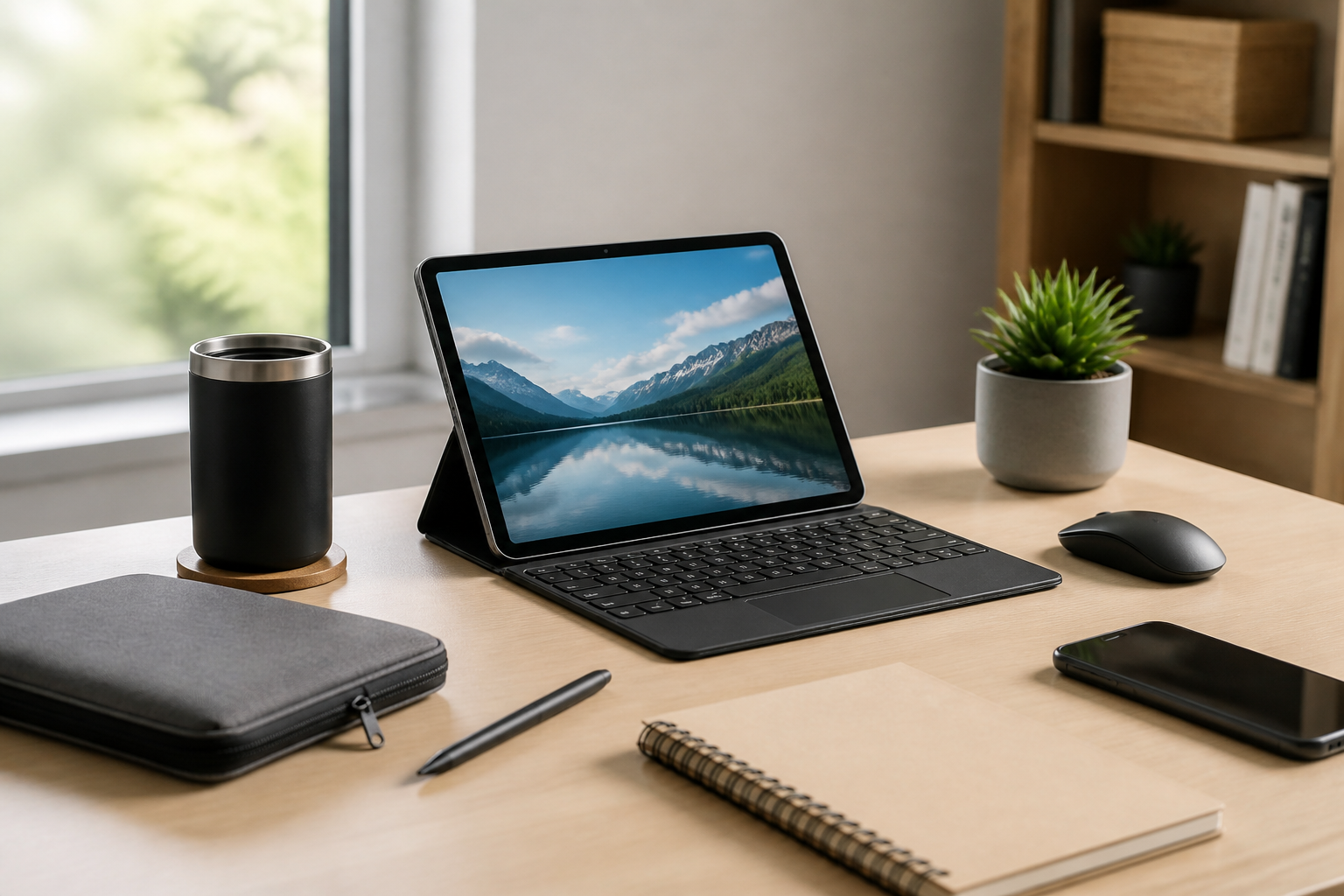
A tablet can be the center of a surprisingly practical portable work setup. For many people, it offers the right balance of screen size, battery life, mobility, and flexibility for tasks like email, note-taking, document editing, light project management, reading, and video calls. The key is not just choosing a tablet, but building a compact setup around it that supports comfort, speed, and organization without adding unnecessary bulk.
If your goal is to work from a café, library, coworking space, hotel room, or kitchen table without carrying a full laptop bag, a tablet-based setup can make a lot of sense. The best portable setup is usually simple: a tablet, a few carefully chosen accessories, and a carrying system that keeps everything ready to use. This guide explains how to build that setup step by step, what features to look for, and which mistakes to avoid when shopping.
Start with the work you actually need to do
The right portable tablet setup depends on the type of work you plan to do. Before buying accessories, it helps to define your usual tasks. A setup for writing and email will look different from one for sketching, meetings, or light spreadsheet work. The more clearly you understand your workflow, the easier it is to choose gear that supports it instead of just adding clutter.
Common tablet-friendly work tasks
- Writing and editing: Notes, documents, outlines, and draft revisions.
- Communication: Email, messaging, calendar management, and video calls.
- Reading and review: PDFs, articles, reports, and reference material.
- Light productivity: To-do lists, simple spreadsheets, forms, and cloud-based tools.
- Creative work: Sketching, annotating, photo markup, or handwritten notes.
If you regularly use demanding applications, a tablet may still work, but the accessories and app choices become more important. A portable tablet setup is usually most effective when the tasks are mobile-friendly rather than heavily desktop-dependent.
Choose a tablet that fits a portable workflow
If you already own a tablet, you can build around it. If you are shopping for one, portability should be evaluated alongside performance. A tablet that is easy to carry but too limited for your work can become frustrating, while one that is powerful but too large or heavy may stop feeling portable.
Important tablet features to compare
- Screen size: Smaller tablets are easier to carry; larger tablets can be better for split-screen work and longer sessions.
- Weight: Lighter models are easier to hold, pack, and use in tight spaces.
- Battery life: A tablet with reliable battery performance reduces the need to hunt for outlets.
- Accessory support: Keyboard and stylus compatibility can significantly improve productivity.
- Operating system: Make sure the apps and file formats you use are available and comfortable on the platform.
- Storage: Enough space for offline files, downloads, and work documents can be important if you travel often.
For a simple portable setup, the best tablet is usually one that feels comfortable to carry every day and fast enough for your most common tasks. More features are not always better if they make the device heavier, more expensive, or harder to manage.
Build the setup around three essentials
A portable tablet workspace can stay simple if you focus on three core elements: input, support, and power. These essentials help turn a tablet from a casual device into a practical work tool.
1. An input method that matches your work
Typing on-screen is fine for short messages, but many people work faster with an external keyboard. A compact keyboard can make writing emails, documents, and notes much more efficient. If your work involves handwriting or markup, a stylus may be equally important.
Buying considerations for keyboards:
- Look for a size that is comfortable without being oversized.
- Consider whether you prefer a detachable keyboard or an all-in-one folio style.
- Check key travel and spacing if you type for long periods.
- Make sure the keyboard is easy to pack and quick to set up.
Buying considerations for styluses:
- Choose a stylus that is compatible with your tablet model.
- Think about pressure sensitivity, palm rejection, and shortcut support if you sketch or annotate.
- Consider battery charging requirements and whether the stylus needs frequent charging.
2. A stand or case that improves posture
A tablet is much more useful when it sits at a comfortable angle. A simple stand or a case with adjustable viewing positions can help keep the screen at a better height and reduce the need to hunch over the device. This is especially important if you expect to work for more than a few minutes at a time.
When shopping for a stand or case, look for stable support, adjustable angles, and a design that works on different surfaces. A stand that folds flat is often a good choice for portability, while a folio case may be better if you want one item that both protects and props up the tablet.
3. Reliable charging and battery support
A portable work setup is only practical if you can keep it powered. Depending on how long you work away from home, this may mean bringing a compact charger, a cable, and possibly a power bank. For frequent travelers, a multiport charger can reduce the number of separate adapters you need to carry.
Useful charging questions to ask before buying:
- Does the tablet support fast charging?
- How long is the cable, and is it easy to pack?
- Will the charger also power the keyboard, stylus, or phone if needed?
- Is the power bank approved for your device’s charging standards?
Add accessories only if they solve a real problem
The best portable setups are often minimal. Every accessory should earn its place by making your work easier, not just by looking useful. If an item adds weight, setup time, or cable clutter without much benefit, it may be better left out.
Accessories worth considering
- Portable keyboard: Helpful for writing-heavy work or repeated text entry.
- Stylus: Useful for note-taking, signing documents, or creative tasks.
- Compact stand: Useful if your case does not already provide one.
- Mouse or trackpad: Helpful for precision tasks, spreadsheets, or long editing sessions.
- Headphones or earbuds: Important for calls, focus, and shared spaces.
- Portable hub or adapter: Useful if you need USB ports, HDMI output, card reading, or wired networking.
- Screen protection: A sleeve or case can help prevent scratches in a bag.
Not everyone needs all of these. A writer may prioritize a keyboard and good stand, while a designer may care more about stylus performance. Someone who mainly checks documents and emails may only need a folio case and charger.
Think about portability in real life, not just on a product page
It is easy to focus on specs and forget how a setup will actually feel during a typical day. A portable tablet work kit should be easy to grab, quick to use, and simple to pack away. That means the total weight, the number of pieces, and the ease of setup matter just as much as individual product features.
What makes a setup truly portable
- Small footprint: It should fit on a café table, tray table, or lap if needed.
- Fast setup: You should be able to start working without arranging many parts.
- Low cable load: Fewer cables usually mean less clutter and fewer things to forget.
- Easy packing: Components should store neatly in one bag or sleeve.
- Durable materials: Portable gear gets moved often, so it should hold up to repeated use.
One useful buying approach is to imagine the setup in three places: at home, on the move, and at the destination. If the gear works well in all three situations, it is more likely to support a consistent routine.
Plan for comfort and ergonomics
Even a simple tablet setup can become uncomfortable if it forces awkward wrist, neck, or shoulder positions. Good ergonomics do not require a large desk, but they do require a bit of attention to angle, height, and typing posture.
Comfort tips for tablet work
- Raise the tablet so the screen is easier to see without leaning forward too much.
- Use an external keyboard if you type for long stretches.
- Take short breaks during extended sessions to reduce fatigue.
- Adjust brightness and font size so the screen is easy to read in different lighting.
- Use headphones or earbuds for calls if background noise is distracting.
If you work from a variety of locations, flexibility matters more than perfect desk posture. A portable setup should let you create a reasonably comfortable position wherever you land, even if that position changes from one place to another.
Keep the bag organized
A portable setup stays useful only if you can find everything quickly. One of the biggest advantages of tablet-based work is that the gear can be small enough to keep organized in a single pouch, sleeve, or section of a work bag.
Good organization habits
- Use one sleeve or pouch for the tablet and one small pouch for accessories.
- Keep charging cables coiled neatly and stored in the same place each time.
- Separate work items from personal items when possible.
- Store the stylus and keyboard together so the setup is complete when you need it.
- Keep a backup cable if your routine depends heavily on the tablet.
Organization matters because a portable setup should reduce friction, not create it. If you have to search through a bag every time you work, the convenience of the tablet is partly lost.
Who a tablet-based portable setup may suit
A tablet can be a strong fit for people who value mobility and do not always need a full laptop environment. It is often especially appealing for users who want a lighter, quieter, and more flexible setup for everyday work.
This type of setup may suit
- Remote workers who handle communication, scheduling, and document editing.
- Students who take notes, read course material, and work in different locations.
- Frequent travelers who need a compact option for email, planning, and reference work.
- Creators who sketch, annotate, or review visual material.
- Minimalist users who want a simple, low-clutter workspace.
It may be less suitable for people who need specialized desktop software, heavy multitasking, or extensive file management that depends on large displays and many ports. In those cases, a laptop may still be the better primary tool, with the tablet serving as a secondary device.
Common buying mistakes to avoid
When people build a portable tablet setup, they often make the same avoidable mistakes. A little planning can prevent wasted money and frustration later.
1. Buying accessories before defining the workflow
It is tempting to buy a keyboard, stand, sleeve, stylus, and hub all at once. But if you do not know how you work, you may end up with accessories that are redundant or inconvenient. Start with the essentials, then add only what improves your daily routine.
2. Choosing bulky accessories that cancel out portability
A large keyboard or heavy case may be comfortable, but it can make the whole setup feel less mobile. The point of a tablet-based system is ease of transport, so every accessory should be evaluated against that goal.
3. Ignoring compatibility
Not every stylus, keyboard, or adapter works with every tablet. Always confirm compatibility with your exact model and operating system before buying.
4. Forgetting about power needs
Some people build the rest of the setup and realize later they do not have the right charger, cable length, or backup power for a full day away from home. Power planning should be part of the setup from the beginning.
5. Overlooking screen comfort
If the screen is too small for your work or the viewing angle is poor, the setup will be less practical no matter how good the accessories are. Make screen comfort part of the buying decision.
Practical setup examples
It can help to think in terms of simple setup styles rather than trying to create one perfect system for every situation.
Minimal writing setup
- Tablet
- Compact keyboard
- Folio case or small stand
- Charging cable and adapter
This works well for email, writing, and note-taking without adding much bulk.
Meeting-and-travel setup
- Tablet
- Protective sleeve or folio case
- Stylus
- Earbuds or headphones
- Compact charger
This is a good option for calls, document review, and mobile workdays where speed matters.
Balanced productivity setup
- Tablet
- Keyboard
- Adjustable stand
- Stylus
- Portable power bank
- Small accessory pouch
This setup gives more flexibility for mixed tasks while remaining relatively easy to carry.
Frequently asked questions
Can a tablet replace a laptop for portable work?
For some people, yes. If your work mostly involves communication, reading, note-taking, and light document editing, a tablet can be enough. If you rely on advanced software, heavy multitasking, or large files, a laptop may still be better.
Do I need a keyboard for tablet work?
Not always, but a keyboard can make a big difference if you type often. For short replies and quick notes, the on-screen keyboard may be enough. For long writing sessions, an external keyboard is usually more efficient.
Is a stylus necessary?
A stylus is only necessary if you write by hand, sketch, annotate documents, or prefer pen-like input. For general productivity, it is optional.
What is the most important accessory for a tablet setup?
That depends on the work. For many users, the keyboard is the most important accessory. For others, a stand or case may matter more because it improves comfort and device stability.
How can I keep a portable setup from becoming cluttered?
Use only the accessories you actually need, keep them stored together, and choose items that pack flat or fit into one pouch. A minimal approach usually works best.
Conclusion
Building a simple portable work setup with a tablet is mostly about choosing the right combination of device, input method, support, and power. When you focus on the tasks you actually do, it becomes easier to pick accessories that improve real-world productivity instead of adding unnecessary bulk. A well-planned tablet setup can be light, flexible, and efficient enough for everyday work in many different environments.
The best results usually come from starting small: select a tablet that fits your workflow, add a keyboard or stylus only if needed, use a stand or case for better comfort, and keep charging and storage simple. With a little planning, a tablet can become the center of a dependable portable workspace that is easy to carry and easy to use.


