
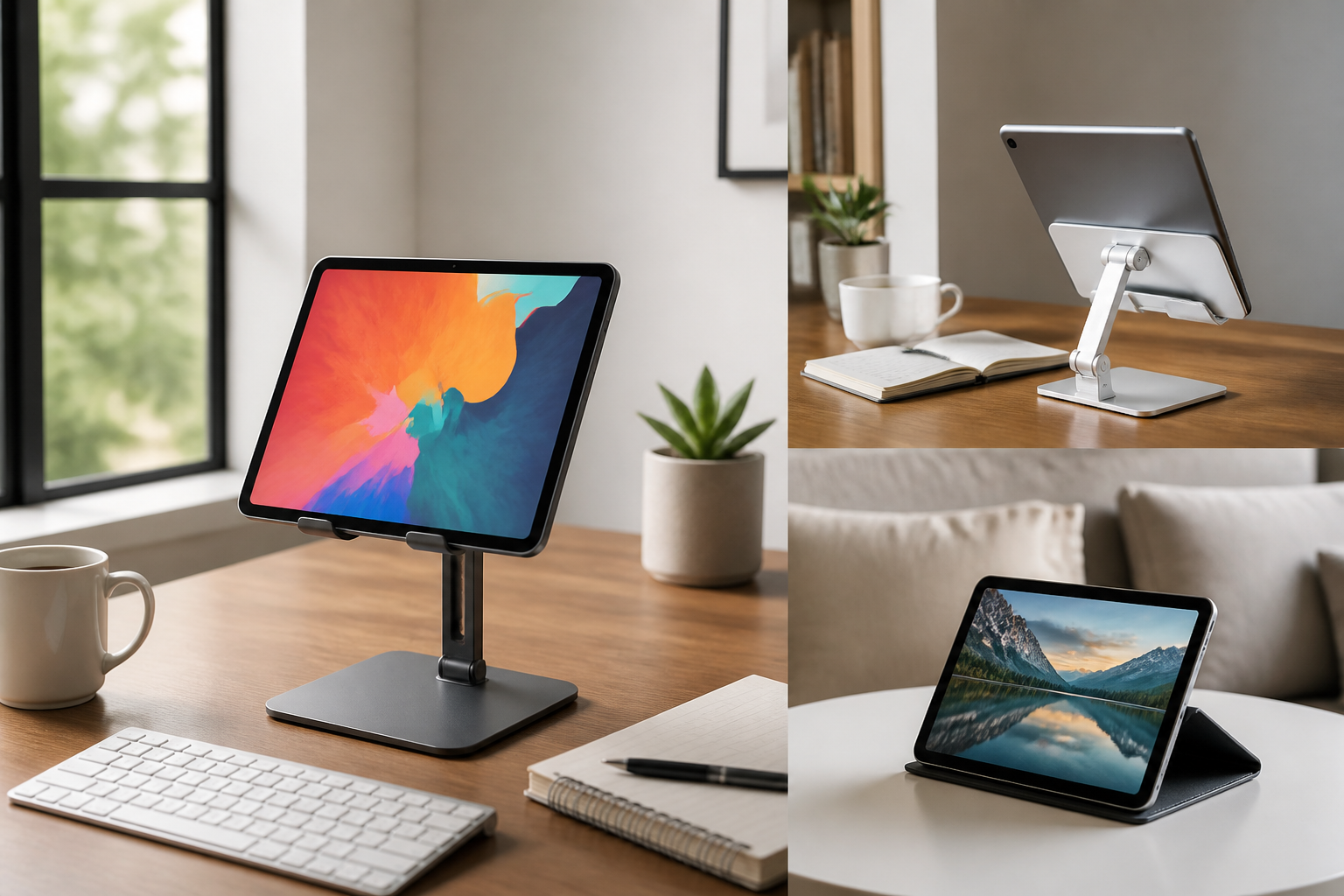
Introduction
A tablet stand may seem like a simple accessory, but the right one can make a noticeable difference in how comfortable and useful your tablet feels throughout the day. Whether you use a tablet for work, study, or entertainment, a good stand can improve viewing angles, reduce clutter, support better posture, and make hands-free use easier in different settings.
The challenge is that not every tablet stand suits every purpose. A model that works well for streaming movies on a sofa may not be stable enough for typing notes at a desk. A lightweight travel stand may be convenient for commuting, but it may not offer the adjustability needed for long study sessions or video calls. That is why choosing a tablet stand should start with how you plan to use it most often.
This guide explains the main types of tablet stands, the features that matter most, and the common mistakes to avoid. It is designed to help you compare options carefully so you can choose a stand that fits your setup, your tablet, and your daily routine.
Start with your main use case
The best tablet stand depends on the way you use your device. Before comparing materials or styles, think about the main situations where the stand will be used.
For work
If you use a tablet for work, you may need a stand that supports video meetings, document reading, note-taking, or pairing with a keyboard. In this case, stability and adjustability matter a lot. A stand that allows you to change height or angle can help you create a more comfortable workspace and reduce frequent repositioning.
For study
Students often need a stand for reading digital textbooks, following online lessons, taking notes, or keeping a tablet upright during research. For study use, a stand should be easy to adjust and reliable enough to hold the tablet in place during long sessions. Portability may also matter if you move between home, school, or the library.
For entertainment
For watching videos, streaming shows, browsing, or video chatting casually, comfort and ease of use are often the priority. A stand with a flexible angle and a steady base can make hands-free viewing much more pleasant. If the tablet will often be used in different rooms, portability and quick setup are also important.
Choose the right type of tablet stand
Tablet stands come in several styles, and each has strengths depending on where and how you use your device.
Fixed-angle stands
These stands usually offer one or a small number of preset viewing positions. They are simple, often compact, and can be a good choice if you want something easy to use without many moving parts. Fixed-angle stands are often suitable for casual viewing or basic desk use, but they may be less flexible for changing tasks.
Adjustable stands
Adjustable stands let you change the angle and sometimes the height. This makes them a strong option for mixed use, especially if your tablet serves more than one purpose. If you switch between typing, reading, and watching content, an adjustable stand offers more control over comfort and viewing position.
Foldable and portable stands
Foldable stands are useful when you want to take the stand with you or store it easily. They can fit well in backpacks, drawers, or laptop sleeves. These stands are often a smart pick for students, commuters, and hybrid workers who use a tablet in several places.
Desktop stands
Desktop stands are typically designed for stability and longer sessions at a desk or table. They may be larger and heavier than portable options, but that extra weight can help keep the tablet steady during typing, calls, and extended work periods. They are worth considering if your tablet stays mostly in one place.
Gooseneck and flexible-arm stands
Flexible-arm stands offer a high degree of positioning freedom. They can be useful for reading in bed, following tutorials, or setting up a tablet at unusual angles. However, not every flexible stand is equally stable, so the quality of the mount and base matters. These can be more specialized than standard desk stands.
Check tablet compatibility carefully
One of the most important buying steps is confirming that the stand fits your tablet properly. A stand that looks universal may still be a poor match if the device is too large, too heavy, or shaped in a way that affects balance.
Look at the tablet size range the stand supports. Some stands work with a broad range of screen sizes, while others are better suited to compact tablets. Also check whether the stand can handle the tablet’s weight, especially if your device has a protective case attached.
If you use a thick case, keyboard cover, or protective sleeve, make sure the stand can accommodate the extra bulk. A stand that seems stable with a bare tablet may become cramped or unstable once a case is added. If the stand uses clips or side grips, confirm that they do not block ports, buttons, or the screen edge you need to reach.
Pay attention to stability
Stability is one of the most important features in any tablet stand. A stand that wobbles, tips, or slips can be frustrating and may interrupt work or entertainment. Stability becomes even more important if you tap the screen often, type on the display, or use the tablet in a busy household.
Several design details affect stability:
- Base weight: A wider or heavier base often provides better balance.
- Grip quality: Rubber pads or non-slip surfaces can help prevent sliding.
- Center of gravity: A well-balanced design is less likely to tip when the tablet is tilted upward.
- Build rigidity: Stands with solid joints and firm hinges are usually more stable than loose or overly flexible designs.
If you plan to use the tablet for typing, note-taking, or repeated tapping, choose a stand known for a firmer hold rather than one designed mainly for light viewing.
Think about viewing angle and height
Comfort often depends on how well the stand positions the screen. The ideal angle is not the same for everyone, because it depends on chair height, desk setup, screen size, and how you sit.
A good tablet stand should let you view the screen without constantly bending your neck or hunching your shoulders. For desk use, a slightly elevated and angled position is often more comfortable than placing the tablet flat on the surface. For entertainment, a lower angle may be fine if you are sitting back on a sofa or bed.
Height adjustment can be especially helpful if you use the tablet for video calls or use it alongside a keyboard and mouse. In those cases, positioning the screen closer to eye level may improve ergonomics and make it easier to see both faces and text clearly. If a stand offers only one angle, make sure it works with your typical seating position before buying.
Consider portability and storage
If you move your tablet between rooms or take it outside the home, portability matters. A stand that is easy to fold, pack, and carry may be more useful than a larger desk model, even if the desk model looks more robust.
Portable stands are often a better fit for students, frequent travelers, and people who split time between a home office and another workspace. They are also helpful if you only need a stand occasionally and want something that does not take up much room when not in use.
At the same time, very compact stands may sacrifice weight or rigidity. The best portable option should strike a balance between convenience and dependable support. If your tablet is large, a stand that folds tiny but feels flimsy may not be the best long-term choice.
Materials and build quality matter
The materials used in a tablet stand affect not only appearance but also durability, stability, and everyday feel. Common materials include plastic, aluminum, steel, and combinations of these with silicone or rubber contact points.
Plastic stands
Plastic stands are often lightweight and affordable. They can be practical for casual use, but quality varies widely. A well-made plastic stand can be perfectly suitable for light viewing, while a thinner or less rigid version may flex under pressure.
Metal stands
Metal stands often feel sturdier and may be better suited to heavier tablets or longer work sessions. They can also provide a more premium feel. However, metal alone is not enough; the design still needs proper balance and non-slip elements to work well.
Rubber and silicone contact points
Rubber or silicone pads help protect the tablet from scratches and improve grip. These details are especially important where the tablet rests on the stand or where the base touches a desk surface. Even a strong stand can be inconvenient if it slides around or marks the device.
When evaluating build quality, check hinges, joints, and moving parts. A stand with too much looseness may become unstable over time, while a smooth but firm adjustment mechanism usually feels better in daily use.
Choose features based on how you work or relax
Many tablet stands include extra features that are useful only in certain situations. Rather than choosing the stand with the most features, focus on the ones that match your routine.
Rotation
Some stands allow horizontal and vertical rotation, which can be helpful for reading, drawing, watching videos, or joining meetings. Rotation is useful if you switch between portrait and landscape mode often.
Charging access
Check whether the stand leaves enough room for the charging cable. A good design should not block the charging port or make cable management awkward. This matters most if you keep the tablet on the stand for long sessions.
Keyboard pairing support
If you use a Bluetooth keyboard, choose a stand that places the screen at a comfortable distance from your hands. This helps create a more desktop-like setup for writing, editing, or browsing.
Cable management
Some stands include paths or openings that help keep cords neat. While this is not essential, it can make a desk look cleaner and reduce clutter if you charge the device while using it.
Storage or accessory space
A few larger stands include room for pens, styluses, or small accessories. This can be handy for students or professionals who keep a tablet-based workspace organized.
Match the stand to your environment
The setting where you use the tablet can be just as important as the tablet itself. A stand that works well on a desk may be less suitable on a soft bedspread, couch arm, or kitchen counter.
For a home office, a stable desktop stand is often the best choice. For a bedroom or living room, a more adjustable stand may be better because seating positions can vary. For travel or commuting, portability is usually the top priority. For kitchens or shared spaces, the stand should be easy to clean and simple to move.
If you plan to use the tablet in multiple places, consider whether one stand can handle all of them or whether you would benefit from two different types: one more stable stand for the desk and one lighter stand for travel or entertainment.
Common buying mistakes to avoid
Tablet stands are simple products, but a few common mistakes can lead to disappointment.
- Buying only by appearance: A stylish stand may not be the most stable or practical one.
- Ignoring the tablet’s weight: Some stands cannot support larger devices well, especially with cases.
- Overlooking angle adjustment: A fixed stand may feel limiting if you use the tablet for multiple tasks.
- Forgetting cable access: A stand that blocks charging can become annoying during long sessions.
- Choosing the wrong portability level: A heavy stand may be great at a desk but inconvenient elsewhere.
- Not checking surface grip: A stand that slides on smooth furniture can be frustrating and unstable.
A little planning can help you avoid these issues and choose a stand that feels right in day-to-day use.
Who each type of tablet stand may suit
Different buyers tend to benefit from different stand styles.
Students
Students often do best with a lightweight but adjustable stand that supports reading, video lessons, and note-taking. Foldable designs can also be useful for carrying between classes or study spaces.
Remote workers
People using tablets for work may prefer a more stable desktop stand with better angle control. If the tablet is part of a larger setup, comfort and screen positioning usually matter more than compact size.
Casual viewers
If your main goal is watching content hands-free, a simpler fixed or adjustable stand may be enough. Easy setup and a comfortable viewing angle may matter more than advanced features.
Frequent travelers
Travelers often need a stand that folds flat, fits in a bag, and sets up quickly. Light weight is important, but the stand should still offer enough support to avoid wobble on hotel desks or small tables.
Multi-use households
If more than one person uses the tablet, a versatile adjustable stand may be the most practical choice. It can adapt to different seating positions, tasks, and room layouts.
Practical tips before you buy
Before choosing a tablet stand, take a few minutes to assess your setup. Measure the tablet with its case if you use one. Think about where the stand will sit, how often you will move it, and whether you need height adjustment or just a simple angle change.
It can also help to picture your typical day. If you spend most of your time reading and streaming, comfort and viewing angle may be enough. If you also type, sketch, or join calls, then stability and positioning flexibility become more important.
When comparing options, focus on the features that affect real use: grip, base design, joint firmness, cable access, and how easy it is to adjust. These details usually matter more than decorative extras.
Frequently Asked Questions
What should I look for in a tablet stand for work?
For work, prioritize stability, angle adjustment, and a design that supports your tablet at a comfortable height. If you use a keyboard, make sure the stand creates a practical screen position for typing and viewing.
Is a portable tablet stand good for study?
Yes, if it provides enough support for long sessions and can hold your tablet securely. Students who move between locations often benefit from foldable, lightweight stands, especially when storage space is limited.
Can one tablet stand work for both entertainment and work?
Often, yes. An adjustable stand with a stable base is usually the most flexible option for mixed use. It can support video calls, reading, and streaming without requiring separate accessories for each task.
Do I need a stand if I already have a tablet case?
Some cases include built-in props, but they do not always offer the same stability or range of angles as a dedicated stand. If you use the tablet regularly at a desk or for hands-free viewing, a separate stand may still be useful.
How important is adjustability?
Adjustability is very useful if you use the tablet for more than one purpose. If your needs are simple and consistent, a fixed-angle stand may be enough. For mixed work, study, and entertainment use, adjustable options usually offer better long-term value.
Conclusion
Choosing the right tablet stand is mainly about matching the product to your habits, your environment, and your tablet’s size and weight. A good stand should keep the device secure, support comfortable viewing, and fit naturally into the way you work, study, or relax.
If you want a simple setup for entertainment, a compact fixed stand may be enough. If you need a more flexible option for work or study, an adjustable model with a stable base is often the smarter choice. For people who move often, portability and easy storage may matter most. By focusing on real use instead of unnecessary extras, you can choose a tablet stand that makes your device more comfortable and more useful every day.


