
Introduction
An extension board may look like a simple household accessory, but choosing the right one matters more than many people realize. A good extension board helps you connect multiple devices safely and conveniently when wall sockets are limited or poorly placed. The wrong one, however, can lead to inconvenience, overheating, loose connections, or a setup that does not suit your home needs.
If you are buying an extension board for home use, the best choice depends on what you plan to plug in, where you will use it, and how much protection and flexibility you need. A small desk setup, a living room entertainment area, a kitchen counter, and a bedroom all have different demands. Some homes need a basic multi-socket board for lamps and chargers, while others need heavier-duty options for appliances or office equipment.
This guide explains the main features to compare, the common mistakes to avoid, and the practical questions that help you select the right extension board for everyday use. The goal is not to overspend on features you do not need, but to make sure the extension board you choose is suitable, convenient, and appropriate for your home setup.
What an Extension Board Does at Home
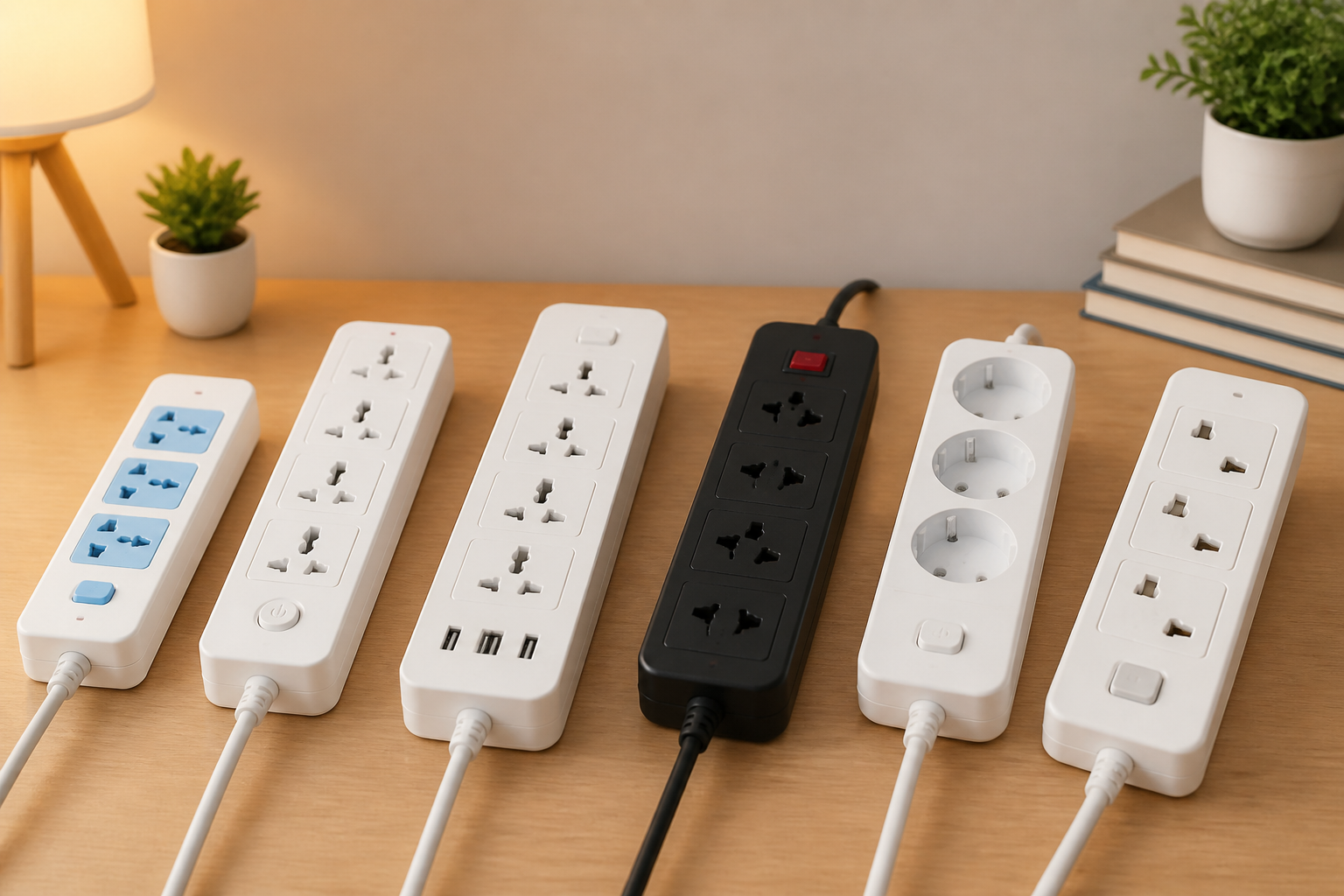
An extension board, sometimes called a power strip or socket strip, expands a single wall outlet into several usable sockets. That makes it easier to power more than one device from one location. In many homes, it is used for televisions, internet equipment, phone chargers, desk lamps, fans, laptops, kitchen appliances, or seasonal items such as decorative lights.
Beyond adding extra outlets, some extension boards also offer switches, surge protection, USB ports, child safety shutters, or longer cords. These extra features can be useful, but they should match your actual need. A feature-rich product is not automatically the best one for every household.
Start With Your Actual Use Case
The best extension board for home use is the one that fits the devices you plan to connect. Before buying, think about what will be plugged in most of the time and where the board will sit.
For light everyday use
If you only need to charge phones, power a lamp, or run a Wi-Fi router and a laptop, a compact extension board with a few sockets may be enough. This type is usually suitable for a bedside table, study desk, or small shelf.
For entertainment areas
Living room setups often involve a television, set-top box, speaker system, streaming device, and maybe a game console. In that case, you may want a board with enough outlets to avoid overcrowding and with a cable long enough to reach behind furniture without tension.
For kitchen use
Kitchen counters can need a more careful approach because they often involve appliances that draw more power. If you plan to use a mixer, toaster, kettle, or microwave, you should choose an extension board that is suitable for the load and avoid placing it where heat, moisture, or splashes are likely.
For a home office or study
A workstation may need sockets for a monitor, desktop tower, router, printer, speakers, and chargers. In this case, spacing between sockets becomes important. Bulky plugs can block adjacent outlets if they are too closely packed.
Check the Number and Type of Sockets
One of the first things to compare is the socket count. It is tempting to choose the board with the most outlets, but more is not always better. The right number depends on how many devices you regularly use and whether some of those devices come with large adapters.
If you frequently use bulky chargers or power bricks, look for a board with well-spaced sockets. Tight socket placement may look efficient on paper but can be frustrating in real use. Two large adapters may block each other even when the board appears to have enough outlets.
Also consider whether the sockets match your plug types. In some homes, the board may need universal-style sockets, while in others a specific plug format is more appropriate. Make sure the product description clearly matches the plugs used in your home.
Understand Load Capacity Before You Buy
Load capacity is one of the most important factors in choosing an extension board for home use. Every board has a limit to how much electrical load it can safely handle. Connecting too many high-power appliances to a board that is not designed for them can cause overheating or tripping.
As a general buying principle, match the extension board to the kind of devices you will use. Lightweight electronics such as chargers, routers, and lamps usually place far less demand on a board than appliances such as kettles, heaters, or irons. If you are unsure, avoid assuming that any multi-socket board can handle every household appliance.
Read the product label carefully and look for the rated voltage and current details, as well as any guidance on maximum total load. If you plan to use devices with high power demand, it is wise to choose a board clearly intended for that purpose rather than a basic strip designed for small electronics.
Look at Cable Length and Placement
Cable length affects both convenience and safety. A cord that is too short may force you to place the board awkwardly or stretch it across the room. A cord that is much longer than needed can create clutter if not managed well.
Think about where the wall outlet is located and where the board will sit. For a bedside setup, a shorter cable may be enough. For a TV unit or work desk, a longer cable may be needed to reach a better placement point. The right length helps avoid tension on the cord and keeps the setup neater.
It is also important that the cable is thick and well-made enough for the intended use. A long cord should not feel like a weak point in the setup. If the cord will be bent often or placed under furniture, durability matters even more.
Choose the Right Safety Features
Safety should be a key part of any extension board buying decision. While no accessory can replace careful use, the right features can improve everyday confidence.
On/off switch
A master switch lets you cut power to all connected devices at once. This can be convenient for saving energy in some setups and for quickly switching off a group of devices when not in use.
Surge protection
Some extension boards include surge protection, which is intended to help protect connected devices from sudden voltage spikes. This feature may be especially useful for sensitive electronics such as computers, routers, or TVs. If you want extra protection, make sure the product clearly states that it includes surge protection rather than assuming all boards do.
Child safety shutters
For homes with children, socket shutters can be a helpful feature. They are designed to make the sockets harder to access accidentally. While they are not a substitute for supervision, they can be a useful layer of protection.
Overload protection
Some boards include a built-in overload switch or reset function. This may help the board stop operating if the load becomes too high. If your home setup uses several devices at once, this can be a practical feature to look for.
Pay Attention to Build Quality
The materials and construction of an extension board affect how long it may last and how comfortable it is to use. A board that feels loose, flimsy, or poorly finished may not be a good choice even if its price is attractive.
Look for a sturdy outer body, secure socket fit, and a cable that attaches firmly to the board. Plugs should insert smoothly without excessive looseness. If the sockets feel too tight or too loose, that can be a sign of inconsistent build quality.
The overall shape matters too. A slim board may suit a desk, while a more rugged design may be better for a utility area or multipurpose room. If the board will be visible in a living space, a cleaner design may be more appealing. If it will sit behind furniture, function may matter more than appearance.
Consider USB Ports Only If You Will Use Them
Many modern extension boards include USB ports. These can be helpful for charging phones, earbuds, smartwatches, or accessories without needing a separate wall adapter. However, USB ports should be treated as a convenience feature rather than a replacement for mains sockets.
If your home already has enough charging adapters, USB ports may not add much value. If you want a cleaner bedside or study setup, they can reduce clutter. Just make sure the USB output suits the devices you plan to charge and that the number of USB ports is actually useful for your routine.
Decide Between Basic and More Feature-Rich Models
There is no single best extension board for every home. The right choice depends on how simple or complex your needs are.
Basic boards may suit you if:
- You only need extra outlets for light electronics.
- You want a simple, compact solution.
- You do not need USB ports or advanced protection features.
- You are setting up a temporary or low-demand area.
Feature-rich boards may suit you if:
- You use several devices in one area.
- You want surge protection for sensitive electronics.
- You need individual switches or a master switch.
- You prefer a neater charging setup with USB ports.
In general, the best option is the one that balances usefulness and simplicity. Extra features are helpful only when they match your real habits at home.
Match the Extension Board to the Room
Different rooms create different buying priorities. Thinking by room can make the choice easier.
Bedroom
In a bedroom, a compact board with enough outlets for a lamp, phone charger, and fan or alarm clock is often enough. A quieter, cleaner-looking design may be preferable here.
Living room
For entertainment corners, you may need multiple outlets, a longer cable, and some form of surge protection if sensitive electronics are involved. Spacing is important because TVs and adapters can take up more room than expected.
Home office
A desk area may benefit from a board with well-spaced sockets, a switch, and possibly USB ports. Cable management also matters here because visible clutter can become distracting.
Kitchen
A kitchen board should be chosen with extra caution. Keep it away from sinks, heat sources, and places where spills are likely. Do not choose a board for kitchen appliances unless it is suitable for the intended power load.
Common Mistakes to Avoid
Many buyers make the same avoidable mistakes when choosing an extension board for home use.
- Buying only by socket count and ignoring spacing.
- Using a basic board for high-power appliances without checking the rating.
- Choosing a cable that is too short for the placement.
- Ignoring safety features when the board will be used around children or sensitive electronics.
- Overcrowding one board with too many devices.
- Placing the board in damp, hot, or obstructed areas.
- Thinking USB ports are essential when they may not add practical value.
Taking a little time to compare these details can prevent frustration later and help the board fit into your routine more naturally.
Practical Tips for Safer, Smarter Use
Buying the right extension board is only part of the process. Good placement and sensible use are equally important.
- Keep the board in a dry, ventilated location.
- Avoid running cords under heavy furniture if it causes pressure or bending.
- Do not cover the board with cloth, rugs, or other materials that can trap heat.
- Do not connect more devices than the board is designed to handle.
- Unplug devices you do not use often if your setup allows it.
- Check the board periodically for loose sockets, heat, or wear.
These habits can help extend the useful life of the board and keep the setup more organized.
Who Different Extension Boards May Suit
A simple multi-socket board may suit renters, students, or anyone who needs a quick, affordable way to connect a few everyday devices. A board with surge protection may suit people who use televisions, routers, or work equipment in one location. A longer, more robust board may suit households that need flexible placement behind furniture or across a room.
If your home has a lot of electronics in one area, it may be worth choosing a slightly better-built board with well-spaced sockets and clear load information. If you only need a small solution for bedside charging, a compact model can be enough.
Frequently Asked Questions
How many sockets should I choose for home use?
Choose based on your real device count, then add a little room for flexibility. A few well-spaced sockets are often more useful than many tightly packed ones.
Do I need surge protection in an extension board?
It depends on what you plan to plug in. Surge protection can be useful for sensitive electronics such as computers, routers, and TVs, but it may not be necessary for every household setup.
Is a USB extension board better than a regular one?
Not always. USB ports are convenient if you charge phones or small accessories often, but a regular board may be enough if you already use wall adapters.
Can I use one extension board for all appliances?
No single board is suitable for every appliance. Always check whether the board is appropriate for the devices you plan to connect, especially for higher-power items.
What is the most important feature to check first?
The most important factors are the load rating, socket spacing, cable length, and suitability for the devices you use. Safety features are also important, especially for busy home setups.
Conclusion
Choosing the right extension board for home use is mostly about matching the product to your daily needs. Start by identifying where it will be used and what devices it must support. Then compare socket count, socket spacing, cable length, load capacity, and safety features. A well-chosen board should feel practical, fit your room layout, and support your devices without creating clutter or unnecessary risk.
For simple charging or lighting, a basic model may be enough. For a home office, entertainment zone, or electronics-heavy area, a board with better spacing, protection features, and a suitable cable length may be a smarter choice. If you focus on real use rather than extra specifications alone, you are more likely to choose an extension board that works well in everyday home life.


