
Introduction
A laptop stand may seem like a simple desk accessory, but the right one can make a noticeable difference in comfort, workspace organization, and how efficiently you use your desk. Because laptops are designed for portability first, their screens often sit lower than ideal for long periods of typing and viewing. A stand helps raise the screen closer to eye level, improve desk layout, and create a more flexible setup for work, study, creative projects, or video calls.
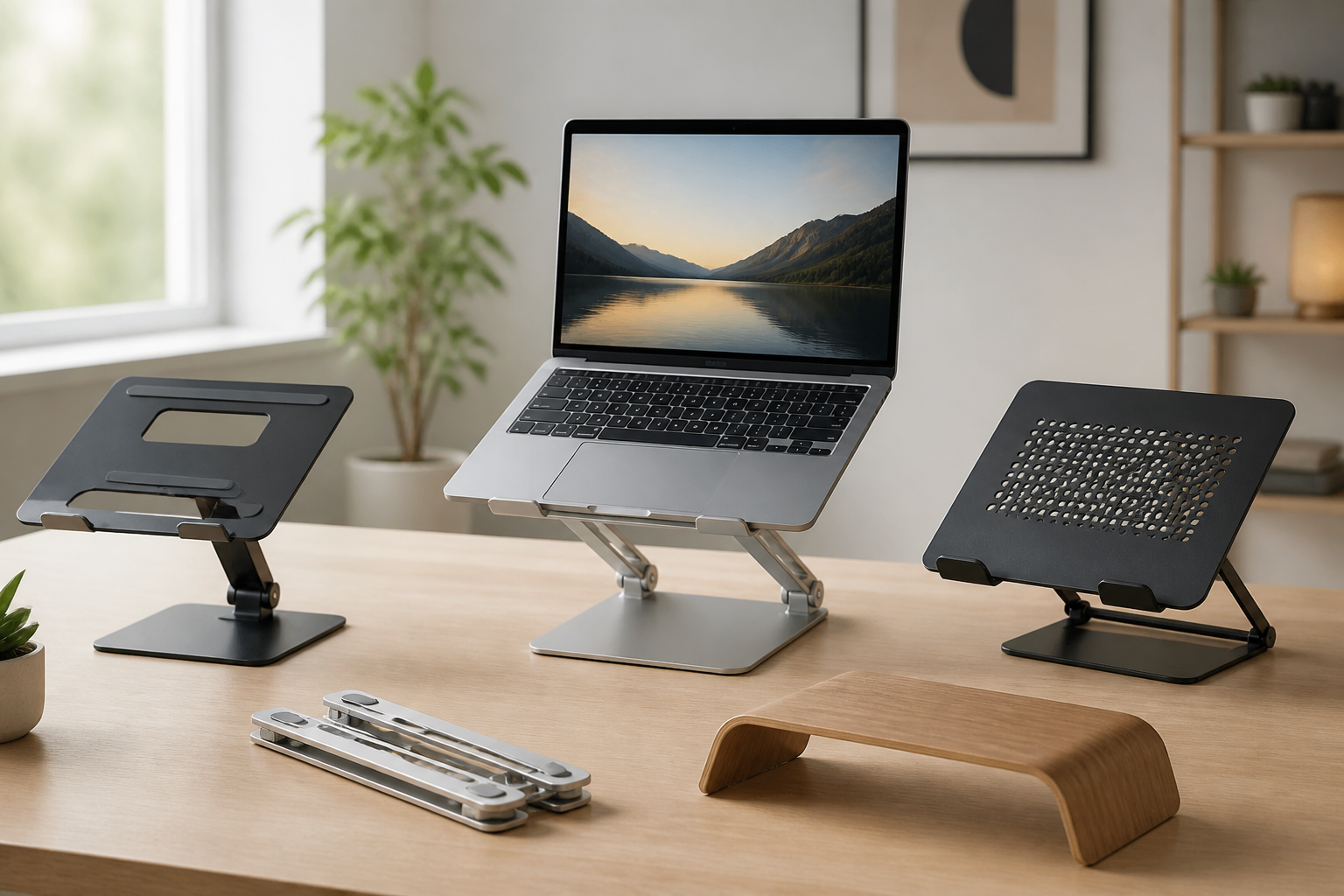
The challenge is that not every laptop stand is built for the same purpose. Some are fixed-height risers for a clean, minimal setup. Others are fully adjustable, foldable, ventilated, or designed for use with an external keyboard and mouse. The best choice depends on how you work, how much desk space you have, whether you move between locations, and how stable you want the setup to feel.
This guide explains how to choose the right laptop stand for your desk by focusing on practical factors that matter in everyday use. If you want a stand that fits your laptop, supports your posture goals, and matches your desk habits, the sections below will help you compare the main options more confidently.
Start with how you use your desk
Before looking at materials or style, it helps to think about your routine. A laptop stand that works well for one person may feel awkward for another if the work patterns are different. Your answer to a few basic questions can narrow the choices quickly.
- Do you type directly on the laptop, or do you use an external keyboard and mouse?
- Do you work at the same desk every day, or do you move the stand between locations?
- Do you need the laptop at a fixed height, or do you want frequent adjustments?
- Is your desk compact, shared, or already crowded with accessories?
- Do you want a stand mainly for better ergonomics, better airflow, or better organization?
If you mostly type on the laptop itself, a very tall stand may not be comfortable because the keyboard will rise along with the screen. If you use an external keyboard, you can choose a higher or more adjustable stand because the laptop becomes more like a monitor. If portability matters, foldable and lightweight designs usually make more sense than heavy metal risers. Starting with your actual usage is the best way to avoid buying a stand that looks good but works poorly on your desk.
Choose the right stand type
Laptop stands come in a few broad categories, and each has strengths and trade-offs. Understanding the main types will help you compare them more easily.
Fixed-height stands
Fixed-height stands are usually the simplest option. They raise the laptop to one set level and often provide a stable base with a clean appearance. These stands can work well if you already know the viewing height you want and do not plan to adjust it often.
They are often a good fit for minimal desk setups, dedicated home offices, and users who prefer a tidy workspace with fewer moving parts. The main limitation is flexibility. If the height does not match your chair, desk, or monitor setup, you may not get the most comfortable position.
Adjustable stands
Adjustable laptop stands let you change height, tilt, or angle. Some models offer a wide range of positions, while others provide only a few settings. These are useful if you share a desk, switch between typing and reading, or want to fine-tune your viewing angle.
They are especially helpful for people who want a better ergonomic setup without committing to one fixed position. The trade-off is that more adjustability sometimes means more complexity, more joints, and a higher chance of wobble if the stand is not well designed.
Foldable or portable stands
Foldable stands are designed for travel, hot-desking, or easy storage. They are usually lighter and more compact than permanent desktop risers. If you work in multiple places or want to keep your bag light, portability may be a top priority.
Before choosing a portable stand, check whether it unfolds quickly, whether it feels stable on different surfaces, and whether it fits the size and weight of your laptop. Some ultra-light models are convenient, but they may not feel as solid as larger desk stands.
Vertical laptop stands
Vertical stands hold a closed laptop upright to save desk space. These are not typically used for active typing but can be useful when the laptop is connected to an external display and used like a desktop. They help clear clutter and can make docking setups look cleaner.
These stands suit users who primarily work with an external monitor and only need the laptop nearby as a system unit or backup device.
Check size and compatibility carefully
A laptop stand should fit both your device and your desk. Compatibility is one of the most important details, yet it is easy to overlook if you focus only on appearance.
Look at the laptop size range the stand supports. A stand that works well for a 13-inch laptop may not provide enough support for a larger 16-inch model. Likewise, a stand designed for heavier machines should still be checked against the stand’s weight capacity and base stability. If the product listing gives a maximum load, compare it with your laptop’s actual weight rather than guessing.
Also think about the laptop’s width and thickness. Some stands have lips, arms, or support edges that may interfere with larger devices, protective cases, or devices with unusual shapes. If your laptop has vents on the bottom, ports along the sides, or a thicker chassis, make sure the stand design will not block important access points.
For desk fit, measure the surface area you can realistically dedicate to the stand. Compact desks may benefit from narrow bases, risers with open frames, or vertical storage designs. If your desk already holds a monitor, speakers, notebooks, and peripherals, a large stand could create more clutter than it solves.
Think about ergonomics, not just height
One of the main reasons people buy a laptop stand is to improve comfort, but ergonomics is about more than simply lifting the screen. The right setup should support a natural working position across the whole desk arrangement.
A stand can help raise the screen, but if the keyboard remains too high for comfortable typing, the setup may create a new issue. That is why many people use a laptop stand together with an external keyboard and mouse. This arrangement lets the screen sit higher while your hands stay in a more natural position on the desk.
When evaluating ergonomics, consider these points:
- The screen should be high enough for comfortable viewing without forcing you to tilt your head excessively.
- The keyboard and mouse should remain easy to reach without overextending your shoulders or wrists.
- The stand should allow the laptop angle to suit your seating position.
- The overall setup should work with your chair and desk height, not fight against them.
If you do not want to add an external keyboard, a moderate-height stand or a slight tilt may be more practical than a tall riser. In that case, the goal is often to improve viewing and airflow while keeping the laptop keyboard usable.
Look at stability and build quality
Stability is one of the most important qualities in a laptop stand. A stand that shifts, wobbles, or flexes too much can be distracting and may not feel safe for regular use. You do not need heavy construction for every setup, but you do want the stand to feel secure with your laptop on it.
Materials often influence stability. Metal stands tend to feel sturdy and durable, while plastic designs can be lighter and more affordable but may vary more in rigidity. Wood or mixed-material stands may offer a more decorative appearance, though their strength depends on the specific build. Material alone does not guarantee quality; the design of the joints, feet, and contact points matters just as much.
Pay attention to the base. A wide, balanced base usually helps reduce tipping. Non-slip pads or grippy contact surfaces can also keep the stand from sliding on smooth desks. If the stand has adjustable arms or hinges, check whether they lock firmly enough to hold position during use.
For desks used for typing, consider how much movement happens when you touch the keyboard. If the stand shakes too much during normal laptop use, it may become frustrating even if it looks well made.
Consider ventilation and heat management
Many shoppers look for a laptop stand partly to improve airflow underneath the device. While a stand is not a cooling system, raising the laptop can create more open space for air circulation than placing it directly on a flat desk or soft surface.
If heat is a concern for your workflow, look for designs with open frames, cutouts, or raised surfaces that do not block vents. Some stands have perforated platforms or minimalist supports that allow air to flow more freely around the base of the laptop.
That said, ventilation benefits depend on the laptop itself, the stand design, and the environment around the desk. If your laptop tends to run warm during heavy tasks, the stand should not trap heat with a solid, enclosed platform unless the design explicitly supports ventilation. For most buyers, a stand that simply keeps the laptop elevated and unobstructed is a sensible starting point.
Match the stand to your desk layout
Your desk setup can influence which stand feels best in practice. A laptop stand is not just about the laptop; it also affects how the rest of the desk functions.
If you have a monitor, the laptop stand may need to align with the display so your viewing angles feel natural. If you use the laptop beside a monitor, a lower stand may keep both screens at a more balanced eye line. If the laptop is your main screen, a stand that lifts it closer to an external monitor height may make the setup feel more cohesive.
Think about cable routing too. A raised laptop may need charging cables, display cables, or accessory cables to reach differently than before. If you use several peripherals, choose a stand that leaves enough space underneath or around it for cable movement. This is especially important on smaller desks, where a bulky stand could crowd ports or make the setup feel messy.
For compact desks, vertical stands or slim risers may be the best fit. For larger workstations, an adjustable stand with room for accessories may be more useful. The key is to make sure the stand supports the desk you actually have rather than the idealized desk in your head.
Decide whether portability matters
Some buyers want a laptop stand that stays in one place. Others need something that can fold down and travel easily. Portability can change the type of stand that makes sense.
If you work from coffee shops, shared offices, classrooms, or multiple rooms in the home, a foldable design may be more practical than a heavier desktop model. In that case, check how small it folds, how easy it is to open and close, and whether the adjustment mechanism feels intuitive.
If your stand will remain on a desk permanently, portability may matter less than stability, appearance, or accessory storage. A heavier stand might be a better choice because it can provide a more consistent setup with fewer trade-offs.
Ask yourself whether the stand needs to disappear into a bag or simply stay tucked away when not in use. That distinction can help you choose between true travel models and compact desktop risers.
Choose features that genuinely help
It is easy to get distracted by extra features, but not every added detail improves everyday use. Focus on features that match your actual needs.
- Adjustable height or angle: Helpful if you want flexibility or share the desk with others.
- Non-slip pads: Useful for reducing movement on smooth desk surfaces.
- Open design: Often better for airflow and cable management.
- Foldable frame: Valuable if you need to transport the stand or store it often.
- Integrated keyboard storage: Can help keep the desk organized when the laptop is raised.
- Docking or accessory space: Useful if you want the laptop to stay connected to multiple devices.
Try not to overvalue features that do not support your workflow. For example, a highly adjustable stand may be unnecessary if you plan to leave it in one position permanently. Similarly, a premium finish may be appealing, but it should not come at the cost of weak stability or poor fit.
Common buying mistakes to avoid
Many laptop stand purchases go wrong for simple reasons. Avoiding a few common mistakes can save you from disappointment later.
Buying for appearance only
A sleek photo does not guarantee a good fit. The stand should suit your laptop size, your desk layout, and the way you actually work.
Ignoring keyboard comfort
If you raise the laptop too high and still type directly on it for long periods, your setup may become awkward. Make sure the height makes sense with or without an external keyboard.
Overlooking stability
A stand that looks minimal can sometimes feel too light or unstable. Check the base design and support structure, especially if you use a larger laptop.
Forgetting desk dimensions
Measure your space before buying. A stand that is technically compatible with your laptop may still be too bulky for your desk.
Choosing too many features
Extra adjustments, rotating parts, and added accessories can be useful, but they can also make the stand more complicated than necessary. Simpler is often better if your needs are straightforward.
Who each type of laptop stand may suit
Different users tend to benefit from different stand styles. Matching the stand to the user profile can simplify the decision.
- Students: Often do well with portable or foldable stands that can move between study areas.
- Remote workers: May prefer adjustable or fixed-height desktop stands, especially when using an external keyboard and mouse.
- Creative professionals: Often need sturdy stands that support a more permanent workstation with accessories and cable management.
- Frequent travelers: Usually benefit from lightweight, foldable designs that pack easily.
- Minimal desk users: May prefer slim, fixed risers or vertical storage stands to keep the space clean.
If you are unsure, a balanced adjustable desktop stand is often the most versatile choice for a first purchase, provided it is stable enough for your device.
Practical setup tips for better results
Choosing the stand is only part of the process. A few simple setup habits can make the final result more comfortable and useful.
- Pair a raised laptop with an external keyboard and mouse if you plan to type for long sessions.
- Keep cables long enough to allow the stand to sit where it should without pulling.
- Place the stand on a level surface to preserve stability.
- Use the stand height as a starting point, then adjust your chair if needed.
- Keep frequently used accessories within easy reach so the raised laptop does not create extra clutter.
Small adjustments can make a stand feel much better in daily use. In many cases, the best setup is not the one with the most features but the one that fits naturally into your routine.
Frequently asked questions
Do I need a laptop stand if I already have a monitor?
Not always, but it can still help. If you use your laptop as a second screen or want a more organized desk, a stand can improve alignment and clear space. If your monitor already handles most of your work and the laptop is only occasional, a stand may be less essential.
Is an adjustable laptop stand better than a fixed one?
It depends on your needs. Adjustable stands offer more flexibility and are useful if your setup changes often. Fixed stands are simpler, often more stable, and may be ideal if you know the exact height you want.
Can a laptop stand replace a docking station?
No. A stand changes the physical position of the laptop, while a docking station handles connectivity. Some people use both together, but they solve different problems.
Will any stand improve laptop cooling?
A raised stand can improve airflow compared with placing a laptop flat on a desk or soft surface, but results vary. It is best to think of ventilation as a potential benefit rather than a guaranteed cooling solution.
What is the best laptop stand for a small desk?
For a small desk, slim risers, compact adjustable stands, or vertical stands usually work well because they save space and reduce clutter. The best choice depends on whether you need the laptop open for work or stored upright when not in use.
Conclusion
Choosing the right laptop stand for your desk comes down to practical fit rather than style alone. The best stand is the one that matches your laptop size, supports your preferred working posture, fits your desk space, and feels stable during everyday use. If you type directly on the laptop, a moderate height and a comfortable angle may be enough. If you use an external keyboard and mouse, a more adjustable or higher stand may suit you better.
Start by deciding how you work, then narrow your options by stand type, size compatibility, stability, and portability. After that, look for useful features such as non-slip feet, open airflow design, and easy adjustment only if they genuinely support your routine. With that approach, you can choose a laptop stand that makes your desk more comfortable, more organized, and better suited to your day-to-day needs.


