
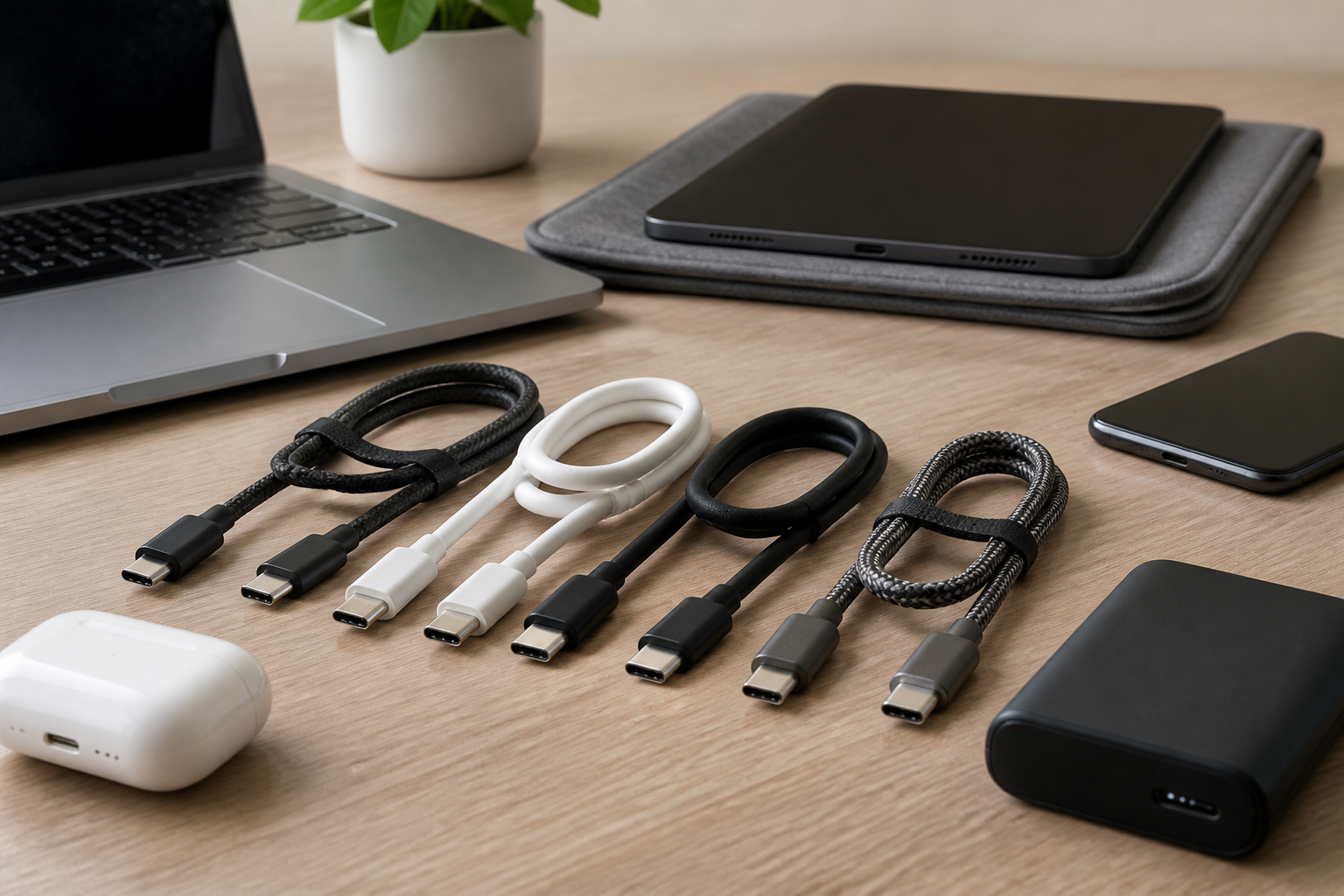
USB-C has become the standard connector for many phones, tablets, laptops, headphones, monitors, portable drives, and accessories. That convenience can also make buying a cable confusing. Two cables may look almost identical but perform very differently. One may charge a laptop safely and quickly, while another may only handle basic phone charging. Some support video, some do not. Some are built for fast data transfer, while others are meant only for power.
If you are trying to choose the right USB-C cable for your devices, the key is to match the cable to what you actually want it to do. The best cable for a phone used mainly for charging is not always the best cable for a laptop, an external SSD, or a monitor. Understanding the main differences can help you avoid slow charging, incompatible accessories, and unnecessary returns.
This guide explains the most important things to look for before buying a USB-C cable, including power delivery, data speed, video support, cable length, build quality, and device compatibility. It is designed to help everyday buyers choose more confidently without needing technical expertise.
What USB-C Actually Means
USB-C refers to the shape of the connector, not the cable’s performance. A USB-C plug is the small, reversible connector that fits into many modern devices. However, not every USB-C cable can do the same things. Some are designed for charging only, while others support data transfer, display output, or high-wattage charging.
This distinction matters because people often assume that any USB-C cable will work the same way. In reality, the cable’s internal wiring and specifications determine how much power it can carry, how fast it can move data, and whether it can support features like video output.
Start by Identifying What You Need the Cable to Do
The simplest way to choose the right USB-C cable is to begin with the job you need it to perform. Most buyers are looking for one of a few common uses.
Charging a smartphone or tablet
If your main goal is charging a phone or tablet, a basic USB-C cable may be enough, but it should still match the charging capabilities of your device and charger. A cable that cannot handle the charger’s output may limit charging speed.
Charging a laptop
Laptops usually need much more power than phones. For this use, you need a USB-C cable that supports the wattage your laptop expects. A cable that works well for a phone may not be suitable for a notebook computer.
Transferring files
If you move photos, videos, backups, or large documents between devices, data speed becomes important. Some USB-C cables support only basic data rates, while others are intended for faster transfers.
Connecting to a monitor or dock
For displays, docks, and hubs, the cable must support the right kind of video output and data pathway. A charging-only cable will not work for this purpose, even if it fits the port.
Using accessories or portable drives
External SSDs, docking stations, audio interfaces, and some cameras can be sensitive to cable quality and specification. In these cases, choosing a cable built for the required data standard matters more than choosing the cheapest option.
Check Power Delivery Support
One of the most important factors in a USB-C cable is how much power it can carry. This affects charging speed and compatibility with higher-power devices.
Many modern devices use USB Power Delivery, often called USB PD. If your charger and device support it, the cable also needs to be able to handle the power level involved. A cable that is not rated for enough power may charge more slowly or may not be appropriate for certain devices.
Why wattage matters
Wattage tells you how much power a cable and charger combination can deliver. Phones often need less power than laptops, but not all cables are built equally. When choosing a cable, look for clear labeling about supported power levels. If you are charging a laptop or another higher-power device, this matters even more.
Passive vs. higher-power cables
Some USB-C cables are simple passive cables intended for lower power use. Others are designed with stronger internal construction and are rated for greater charging loads. The exact rating should be clearly listed by the manufacturer or packaging. If it is not, that is a sign to be cautious.
Practical tip
Match the cable rating to your charger and the most demanding device you plan to use. Buying a cable with a comfortable margin is usually better than buying the minimum possible specification.
Understand Data Transfer Speeds
Not every USB-C cable transfers data at the same speed. This is one of the most common sources of confusion because a cable may support charging but only limited file transfer performance.
For simple tasks like syncing a phone or transferring a few photos, slower data speeds may be perfectly adequate. But if you regularly move large videos, use external storage, or connect high-performance accessories, cable speed becomes more important.
When faster transfer speeds help
Faster USB-C data cables are useful for:
- Large photo and video backups
- External solid-state drives
- Professional camera workflows
- Data-heavy docking setups
If you only charge your device and rarely move files, you may not need the fastest cable. But if you do any serious data transfer, read the specifications carefully instead of assuming all USB-C cables are equal.
Do not confuse charging claims with data claims
A cable advertised as “fast charging” is not necessarily fast for data. Likewise, a cable made for data may not be the best option for high-power charging. Look for separate information about both functions.
Make Sure the Cable Supports Video If You Need It
Some USB-C cables can carry video from a compatible device to a monitor, TV, or dock. Others cannot. This is especially important if you want to use a single cable for a laptop setup or connect a phone to a display.
Video support depends on the cable and on the device’s USB-C port capabilities. A cable must support the right video pathway, and the source device must also be designed to send video through USB-C. Simply having a USB-C connector is not enough.
Common video use cases
- Connecting a laptop to an external monitor
- Using a USB-C dock with display output
- Connecting a tablet to a larger screen
- Using a compatible phone with desktop-style output features
If video matters to you, check both the device documentation and the cable specifications before buying. Many buyers make the mistake of assuming any USB-C cable can handle display output, only to discover that the cable is limited to charging or basic data.
Choose the Right Cable Length
Cable length affects convenience, portability, and in some cases performance. A very short cable may be tidy for a desk or power bank, but awkward on a couch or at a bedside table. A very long cable may be more convenient, but it can be bulkier to carry and may be less suitable for some high-performance uses.
Short cables
Shorter cables can be useful for portable chargers, car use, or travel. They are often easier to pack and keep organized.
Medium-length cables
Mid-length cables are a versatile choice for desks, nightstands, and general home use. For many buyers, this is the most practical all-purpose length.
Long cables
Longer cables can be helpful when outlets are far away or when you need more freedom of movement. If you choose a longer cable, make sure it is still well-made and suitable for the intended use, especially for charging demanding devices or handling data.
In general, choose the shortest length that still fits your daily routine. This keeps your setup neater and can reduce clutter.
Look at Build Quality and Cable Materials
Because USB-C cables are used frequently, build quality matters. A well-made cable is more likely to last, remain flexible, and hold up to repeated plugging and unplugging.
Signs of better construction
- Reinforced connector ends
- Tough but flexible outer jacket
- Clean, readable labeling
- Solid strain relief near the ends
These features do not guarantee quality by themselves, but they are often more reassuring than a cable with vague descriptions and no meaningful specifications.
Why durability matters
If you travel often, use your cable in a bag, or unplug it many times a day, durability becomes especially important. A flimsy cable may fray, loosen, or stop working reliably sooner than a better-built option.
At the same time, avoid assuming that a thick cable is automatically superior. Thickness alone does not tell you whether the cable is suitable for fast charging or high-speed data. Always check the listed capabilities.
Pay Attention to Device Compatibility
USB-C is common, but compatibility is still essential. Your cable must match not just the connector shape, but also the power and feature requirements of your device.
Read the device’s requirements
Check your phone, tablet, laptop, monitor, or accessory manual if possible. Some devices have specific charging needs. Others may require certain standards for data transfer or display output.
Do not rely on appearance alone
Two cables that look nearly identical can behave very differently. A cable that works perfectly for a phone might not support your laptop, docking station, or external drive. If a device is more demanding, specifications matter more than visual similarity.
Look for clear labeling
Helpful product listings usually explain:
- Charging wattage support
- Data transfer speed
- Video support, if applicable
- Compatibility notes for common devices
When the information is vague, treat that as a warning sign. A product should clearly tell you what it can do.
Know the Difference Between Charging-Only and Full-Feature Cables
Some USB-C cables are designed primarily for power. Others support power, data, and sometimes video. This difference is important because a charging-only cable may be perfectly fine for a bedside charger, but not for a laptop dock or file transfer workflow.
Before you buy, ask yourself whether you want a basic power cable or a full-feature cable. If you only need to charge one device, a charging-focused option may be all you need. If you want flexibility across multiple devices, a more capable cable can be a better long-term choice.
Consider Special Use Cases
Different devices place different demands on a USB-C cable. Thinking about your actual setup can prevent buying the wrong one.
For phones and tablets
Most buyers in this category need a reliable cable that supports their charger’s output and is comfortable to use daily. If you transfer files often, include data speed in your decision.
For laptops
Laptop users should focus on wattage support, build quality, and whether the cable is compatible with the charger and dock being used. Not all cables that fit a laptop can safely or effectively power it.
For external storage
If you use portable SSDs or other storage devices, prioritize data performance and stability. Lower-grade cables can create bottlenecks or unreliable connections.
For monitors and docking stations
Video support and device compatibility become critical. A cable that is adequate for charging may be completely unsuitable here.
Common Mistakes Buyers Make
Choosing a USB-C cable is often simple once you know what to watch for, but a few common mistakes can lead to frustration.
- Assuming all USB-C cables are the same
- Buying based on connector shape alone
- Ignoring wattage requirements for laptops
- Expecting video support without checking specs
- Choosing the cheapest option without reading details
- Overlooking cable length and everyday convenience
- Mixing up charging claims with data transfer performance
A little attention to the spec sheet can save time and prevent compatibility problems later.
Practical Tips for Buying the Right Cable
If you want a simple decision process, use this approach:
- Start with the device and determine whether you need charging, data, video, or all three.
- Check the charger or dock to see what power levels it supports.
- Match the cable specification to the most demanding task you plan to do.
- Choose a suitable length for your space and mobility needs.
- Look for clear labeling rather than vague marketing language.
- Prefer reputable, well-documented products with straightforward specs.
If you use multiple USB-C devices, it can also be helpful to keep more than one cable type on hand. For example, one cable might be ideal for phone charging, while another is better suited to laptop power or data transfer.
Frequently Asked Questions
Can any USB-C cable charge any USB-C device?
Not always. While many USB-C cables can provide basic charging, the speed and suitability depend on the cable’s power rating and the device’s requirements. Some devices need higher wattage than others.
How do I know if a USB-C cable supports data transfer?
Check the product listing or packaging for data transfer specifications. If no data speed is listed, do not assume the cable supports fast file transfer or accessory use.
Do I need a special USB-C cable for fast charging?
Often yes. Fast charging depends on the charger, the device, and the cable. A cable that is not rated for the necessary power may limit charging performance.
Can a USB-C cable connect to a monitor?
Some can, but only if both the cable and the connected device support video output through USB-C. A charging-only cable will not work for display use.
Is a more expensive USB-C cable always better?
Not necessarily. Price alone does not prove quality or compatibility. Focus on specifications, build quality, and whether the cable fits your actual needs.
How many USB-C cables should I have?
That depends on your devices and habits. Many people benefit from keeping separate cables for everyday charging, travel, desk use, or laptop setups. Having the right cable in the right place can be more useful than owning one “universal” cable.
Conclusion
Choosing the right USB-C cable is mostly about matching the cable to the task. Start by identifying whether you need charging, data transfer, video output, or a combination of these. Then check power support, data speed, cable length, build quality, and device compatibility. A cable that works for one device may not be suitable for another, even if it looks the same on the outside.
If you take a few minutes to read the specifications carefully, you can avoid common mistakes and buy a cable that fits your devices and your daily routine. The result is a simpler setup, fewer compatibility issues, and a more reliable connection for the gear you use every day.


