
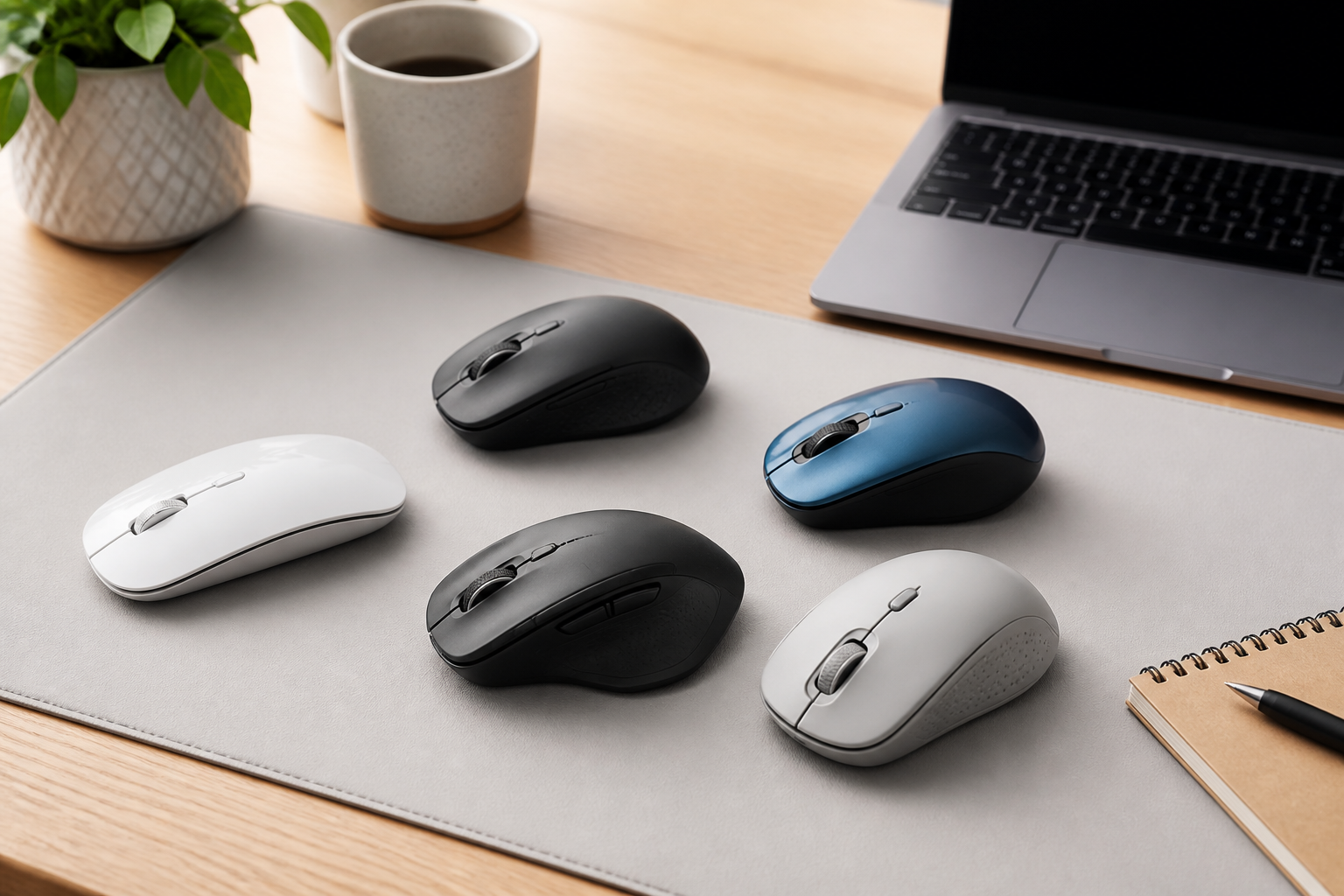
Choosing the right wireless mouse may seem simple at first, but the best option depends on how you work, where you use it, and what matters most to you. A mouse that feels great for travel may not be the best choice for long office sessions. A model with lots of buttons may be ideal for productivity, while a compact design may suit casual browsing or laptop use better.
This guide explains the key features to compare before buying a wireless mouse. It focuses on practical factors such as comfort, connection type, battery life, size, sensor quality, button layout, and compatibility. Whether you need a mouse for work, school, gaming, or everyday use, understanding these basics can help you make a more confident choice.
Start by Thinking About How You Will Use the Mouse
The right wireless mouse for one person may be a poor fit for someone else. Before comparing technical details, think about your main use case. This helps narrow the field quickly and prevents you from paying for features you do not need.
If you use a mouse for basic web browsing, email, and document editing, a simple three-button design may be enough. If you spend hours in spreadsheets or creative software, extra buttons and a more comfortable shape may matter more. If you travel often, portability and battery convenience may be more important than advanced controls.
Common use cases to consider
- Office and productivity use: Comfort, reliable connection, and extra buttons can be useful.
- Travel and laptop use: Compact size, light weight, and easy pairing may matter most.
- Home and general use: A balanced design with dependable battery life is often a good choice.
- Creative work: Precise tracking and customizable buttons can improve efficiency.
- Gaming: Responsiveness, shape, and button layout become more important than simple convenience.
Choose the Right Size and Shape
Comfort is one of the most important factors when choosing a wireless mouse. A mouse can have excellent features, but if it does not fit your hand well, it may become uncomfortable during longer sessions. Shape influences wrist position, grip style, and how naturally the mouse feels in daily use.
Wireless mice usually come in small, medium, and large sizes, though sizing can vary by brand. Some are low-profile and flat, while others have a taller, more contoured shape. The right choice depends on your hand size and the way you hold the mouse.
Grip style matters
- Palm grip: Your whole hand rests on the mouse, so a fuller shape may feel more comfortable.
- Claw grip: Your palm arches and fingers bend more, so a shorter or more sculpted mouse may suit you.
- Fingertip grip: Only your fingers and a small part of your palm contact the mouse, so a lighter and smaller design may work well.
If possible, compare the dimensions of the mouse with your current one. Even small changes in height or width can affect comfort. For many people, shape is more important than brand or extra features.
Decide Between Bluetooth and a USB Receiver
Wireless mice usually connect in one of two ways: Bluetooth or a USB receiver. Both can work well, but each has trade-offs. Understanding the difference can help you choose a model that fits your devices and workflow.
Bluetooth mice
Bluetooth mice connect directly to a laptop, tablet, or desktop with built-in Bluetooth. This can be convenient because you do not need to occupy a USB port. Bluetooth is especially useful for thin laptops and tablets that have limited ports.
Bluetooth mice can also be convenient when you move between different devices. Many models support easy switching, which is useful if you work on a laptop and a tablet during the day.
USB receiver mice
These mice use a small dongle that plugs into a USB port. They often offer a straightforward setup and may be less dependent on built-in wireless hardware. For some users, the receiver-based connection feels simpler and more dependable for everyday use.
The downside is that the receiver occupies a port and can be easy to misplace. If you use a device with limited USB connections, this may be worth considering.
Which connection type is better?
There is no single best answer. Choose Bluetooth if you want flexibility and fewer dongles. Choose a USB receiver if you want a quick plug-and-use setup or if your device setup makes that easier. Some mice support both, which can be a useful middle ground.
Pay Attention to Battery Life and Charging Style
Battery life is a major practical factor in a wireless mouse. A mouse that runs out of power at an inconvenient time can interrupt your work and add frustration. The best battery style depends on how often you use the mouse and how much maintenance you want.
Battery-powered mice
Some wireless mice use disposable batteries. These models can be appealing if you want long standby time and minimal charging interruptions. When the battery runs low, you replace it rather than waiting for a recharge.
This approach can be convenient for occasional users or travelers who want a mouse ready to use without needing a charging cable.
Rechargeable mice
Rechargeable models use built-in batteries and are charged with a cable or docking method. These can be practical if you prefer not to buy replacement batteries. They may also feel more environmentally manageable for some buyers, although actual convenience depends on usage habits and charging frequency.
If you choose a rechargeable mouse, look at how it charges. Some can be used while charging, which reduces downtime. Others may need to pause use while connected.
What to consider about battery life
- How often you use the mouse each day
- Whether you prefer charging or replacing batteries
- Whether you travel frequently
- Whether you want a backup mouse available at all times
Long battery life can be helpful, but it should be balanced with comfort, connection type, and overall usability. A mouse with excellent battery performance is still not ideal if it does not fit your hand well.
Check Sensor Quality and Surface Compatibility
The sensor is what tracks movement and turns it into cursor motion on screen. Most people notice sensor quality when a mouse feels smooth, accurate, and consistent. While technical details can be confusing, you do not need to be an expert to make a good choice.
For general use, a reliable optical sensor is usually suitable. If you work across different surfaces or need more precise control, it can be helpful to review whether the mouse is designed for a wide range of desk materials. Some mice perform better on glossy desks, while others may require a mouse pad for consistent tracking.
Why surface compatibility matters
A mouse that works well on one surface may feel less dependable on another. If you often move between a desk, a café table, and a travel setup, this is worth thinking about. A mouse with stronger surface compatibility can reduce annoying tracking issues.
For many buyers, the practical question is simple: will this mouse work comfortably where I actually use it? If the answer is yes, the sensor is likely good enough for everyday needs.
Look at Buttons, Scroll Wheel, and Extra Controls
The number and placement of buttons can make a mouse more efficient or more complicated, depending on your needs. Some people want a clean, simple design. Others benefit from extra buttons for shortcuts, navigation, or repeated tasks.
Basic button layout
At minimum, most wireless mice include left and right click buttons plus a scroll wheel. This is enough for everyday web use, office work, and general computer tasks. A simple layout can be easier to learn and less distracting.
Extra buttons
Additional side buttons can be useful for forward and back navigation, switching between apps, or assigning custom actions. These are especially helpful for productivity work and some creative workflows. However, too many buttons can feel unnecessary if you only need basic control.
Scroll wheel feel
The scroll wheel affects comfort more than many buyers realize. Some wheels have a smooth feel, while others move in distinct steps. Some can tilt side to side or switch modes. If you do a lot of scrolling through documents, pages, or spreadsheets, a well-designed wheel can improve the experience.
When comparing mice, think about whether the controls seem easy to reach without straining your fingers. The best layout is one you can use naturally and consistently.
Consider Connectivity Stability and Device Switching
A wireless mouse should feel dependable. If the cursor lags, disconnects, or behaves inconsistently, it can become frustrating quickly. Connection stability is especially important if you rely on your mouse for work or study.
Look for signs that the mouse is designed for stable everyday use, especially if you plan to use it in a busy wireless environment. If you work in a place with many devices, Bluetooth performance and receiver reliability can matter more than you expect.
Multi-device switching
Some wireless mice can pair with multiple devices and switch between them. This can be useful if you use a laptop, desktop, and tablet. Instead of pairing the mouse again each time, you can move between devices more easily.
This feature is not essential for everyone, but it can be a big convenience for people who work across several screens or systems.
Match the Mouse to Your Portability Needs
If you carry your mouse in a laptop bag or backpack, portability becomes important. Smaller and lighter mice are easier to transport, but they may not always be the most comfortable for long use. Larger mice can be better for the hand but less convenient to carry.
Think about how often you will move the mouse. A travel mouse may have a compact shape, low weight, and simple pairing. A desktop mouse may be slightly larger and more ergonomic, since it is meant to stay in one place.
Some buyers prefer a mouse that can do both reasonably well. In that case, a medium-sized model with a comfortable shape and modest portability is often a practical compromise.
Choose Features Based on Your Budget and Priorities
Wireless mice are available at many levels, from basic everyday models to more feature-rich designs. Rather than focusing only on price, think about which features truly improve your day-to-day use.
A lower-cost mouse may be enough if you only need simple navigation. A more expensive model may be worth considering if it offers better comfort, easier device switching, more customization, or longer battery convenience. The right choice depends on how much time you spend using it and which annoyances you want to avoid.
Features that may be worth paying for
- Ergonomic shape: Helpful if you use the mouse for long periods.
- Multi-device support: Useful for work across different devices.
- Customizable buttons: Good for shortcuts and productivity tasks.
- Rechargeable design: Convenient if you prefer not to replace batteries.
- Compact travel design: Practical if you move around often.
Do not assume that more features automatically mean a better mouse. A well-fitting, simple mouse can be a better buy than a more complex one that does not suit your hand or workflow.
Common Buying Mistakes to Avoid
Many people choose a wireless mouse by focusing on one feature alone. That can lead to disappointment later. The best buying decisions usually balance comfort, compatibility, and convenience.
Relying on appearance only
A mouse may look sleek in photos but feel awkward in use. Shape and size matter more than styling alone.
Ignoring hand comfort
If you use a mouse often, comfort should be a top priority. A poor fit can make everyday tasks feel more tiring.
Overlooking device compatibility
Before buying, make sure the mouse works with your operating system and device type. This is especially important if you use a laptop, tablet, or mixed-device setup.
Buying too many features
Extra buttons and modes are useful only if you will use them. Otherwise, they can add cost and complexity without much benefit.
Forgetting about portability
A mouse that is comfortable on a desk may be inconvenient to carry. If travel matters, make sure the design fits your routine.
Who May Benefit from Different Types of Wireless Mice
Different users tend to prioritize different features. Thinking about your own needs can help you match the category more accurately.
- Students: A simple, affordable, reliable mouse often makes sense.
- Office workers: Comfort, battery convenience, and smooth tracking are often valuable.
- Frequent travelers: Compact size, light weight, and easy connection are important.
- Multi-device users: Bluetooth plus switching support can save time.
- Power users: Extra buttons, strong ergonomics, and customization may be useful.
There is no universal best wireless mouse. The best choice is the one that matches your hand, your devices, and the amount of time you spend using it.
Practical Tips Before You Buy
A few simple checks can help you avoid regret after purchase. Use them as a final review before deciding.
- Measure your current mouse: This can help you estimate whether a new model will feel too small or too large.
- Check your device ports: If ports are limited, Bluetooth may be more convenient.
- Think about your workspace: Surface type can influence tracking performance.
- Consider your grip style: A mouse that supports your natural grip is usually more comfortable.
- Review battery method: Make sure you are comfortable with charging or replacement batteries.
- Look for easy setup: A mouse should be simple to pair and start using.
Taking a few minutes to compare these factors often leads to a better long-term choice than rushing toward the most familiar option.
Frequently Asked Questions
Is Bluetooth better than a USB receiver?
Neither is always better. Bluetooth is convenient if you want to avoid a dongle and use the mouse with multiple devices. A USB receiver can be simple and reliable for people who want a quick plug-and-use setup.
What size wireless mouse should I get?
The right size depends on your hand size and grip style. Smaller mice are usually better for portability, while larger mice may be more comfortable for long sessions.
Do I need a high-end wireless mouse for office work?
Not necessarily. Many people do well with a simple, dependable model. Higher-end mice may be worth it if you want better comfort, extra buttons, or multi-device features.
How important is battery life?
Battery life matters more if you use the mouse daily or travel often. If you dislike frequent charging, choose a model that fits your preferred battery style and maintenance habits.
Can a wireless mouse work for gaming?
Yes, but gaming users often care more about responsiveness, shape, and control layout. If gaming is your main use, look for a mouse designed with that purpose in mind.
Conclusion
Choosing the right wireless mouse is about more than picking a popular model. The best choice depends on comfort, connection type, battery style, sensor performance, portability, and the way you actually use your computer. A mouse that feels good in your hand and fits your routine will usually be more satisfying than one with features you never use.
Start with your primary use case, then compare size, connection method, battery convenience, and button layout. If you do that, you are much more likely to choose a wireless mouse that feels practical, comfortable, and dependable for everyday use.


