
Introduction
Traveling with a laptop is often necessary for work, study, or staying connected on the road, but it also adds risk. Laptops are expensive, portable, and easy to damage if they are packed carelessly or left unsecured in busy places. They can be exposed to bumps, pressure, spills, theft, airport security handling, and unexpected weather. Even when a trip is short and routine, the combination of movement, distraction, and unfamiliar surroundings can make a laptop more vulnerable than it is at home.
The good news is that protecting a laptop while traveling usually comes down to a few practical habits and the right gear. A well-chosen bag, sensible packing, a basic security routine, and a little attention to data protection can go a long way. You do not need expensive accessories for every trip, but you do need a plan that matches the way you travel. Someone commuting daily will have different needs from a business traveler moving between airports and hotels, and both are different from a student carrying a laptop across a campus or on a train.
This guide explains how to protect your laptop while traveling in a way that is realistic and easy to follow. It covers what to look for in a travel bag, how to pack your device safely, how to reduce theft risk, and what to do before and during the trip to help keep both your laptop and your files secure.
Choose the Right Bag for Safe Laptop Travel
Your bag is the first line of defense. If it does not fit your laptop well or does not provide enough structure, even careful handling may not prevent damage. A good travel bag should hold the laptop snugly, resist crushing, and make it easy to keep the device close to you.
What to look for in a laptop bag
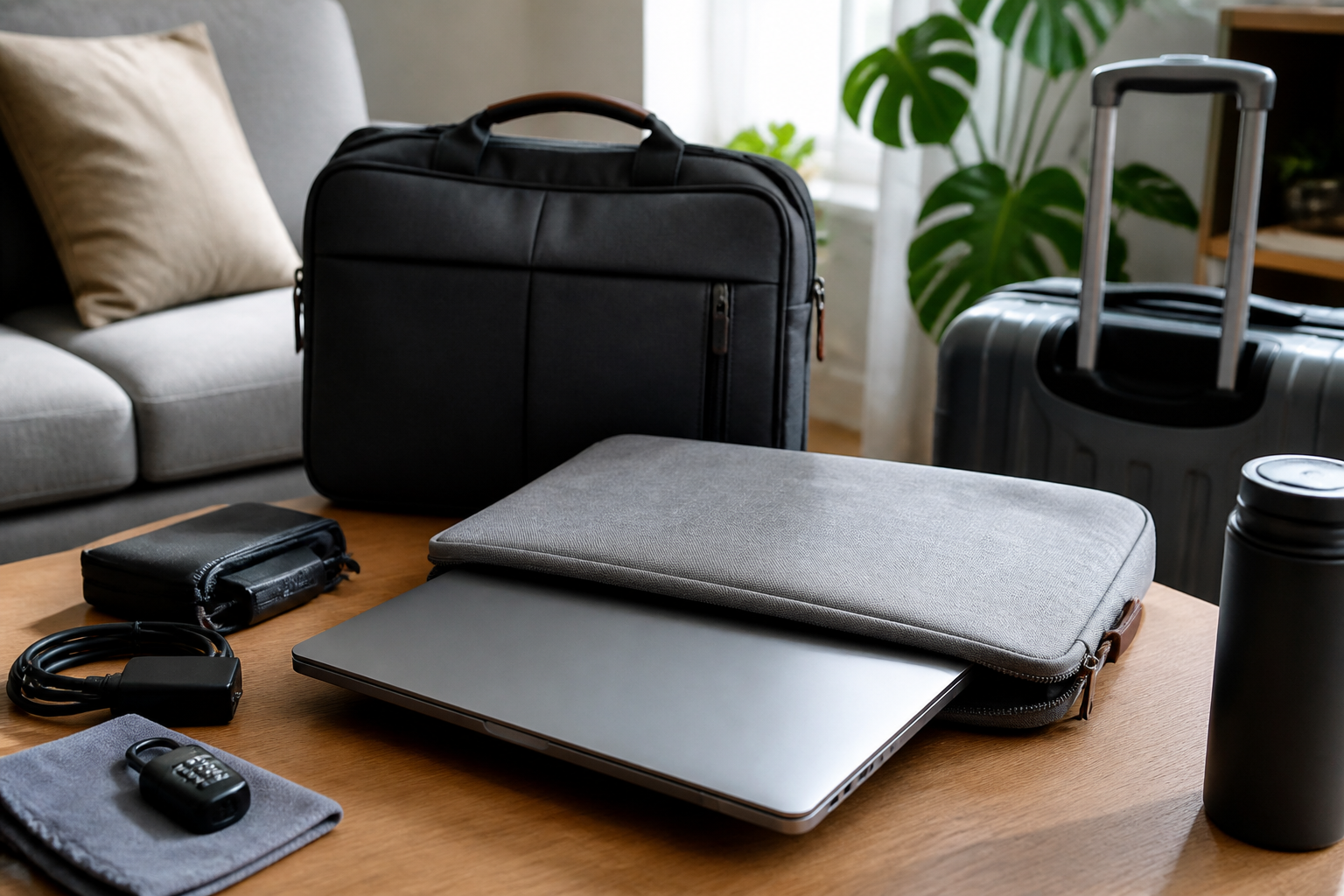
A laptop sleeve or backpack with a padded compartment can help absorb minor bumps and keep the device separated from other items. Padding is important, but structure matters too. A bag that collapses too easily can allow pressure from books, chargers, bottles, or other travel items to press directly against the laptop.
Look for a compartment that matches your laptop size closely. If the device moves around inside the sleeve, it may be exposed to more impact. At the same time, the fit should not be so tight that you have to force the laptop in and out. Repeated squeezing can be inconvenient and may increase the chance of dropping the device.
Water resistance is another useful feature. A bag with some level of water resistance can offer added protection against rain, condensation, and small spills. It is not a replacement for waterproof storage, but it can reduce the chance of minor moisture reaching the laptop if weather changes unexpectedly.
Which type of bag may suit different travelers
A backpack often works well for people who walk, commute, or move through airports because it keeps the weight balanced and leaves both hands free. A briefcase or messenger bag may suit business settings where easy access matters more than carrying comfort. A slim sleeve can be useful if you mostly keep the laptop inside another protected bag, but by itself it may not offer enough protection for rough travel.
Travelers who carry multiple electronics may prefer a laptop backpack with separate sections for power banks, tablets, cables, and documents. This helps reduce clutter and lowers the chance that hard objects press against the laptop screen or corners.
Pack the Laptop Correctly
Even a strong bag will not help much if the laptop is packed poorly. The goal is to keep pressure off the screen and corners, reduce movement, and place the device where it is less likely to be crushed or dropped.
Use layers and separation
Place the laptop in its dedicated compartment whenever possible. If that is not available, use a padded sleeve and position the laptop so it lies flat against the back panel of the bag rather than floating between other items. Avoid placing heavy books, water bottles, cameras, or metal objects directly against the laptop.
If you carry cables, chargers, and adapters, store them in a separate pouch. Loose accessories can scratch the finish of the laptop or put pressure on the screen during travel. Keeping accessories organized also makes security checks and hotel unpacking easier.
Protect vulnerable areas
Laptop corners, hinges, and screens are especially sensitive. A hard knock to a corner can lead to internal damage even if the outside looks fine. A screen can also crack if something presses on the lid while the bag is packed. Before you travel, close the laptop fully and make sure there are no small objects, paper clips, pens, or earbuds sitting on the keyboard that could imprint or damage the display.
If your laptop has a removable charger brick or USB device plugged in, disconnect it before packing. Any accessory that sticks out increases the chance of strain on the port or pressure on the case.
Reduce Theft Risk While on the Move
Laptop protection is not only about physical damage. Theft is one of the biggest risks during travel, especially in crowded stations, airports, cafes, and hotel lobbies. A stolen laptop means more than losing hardware; it can also mean losing files, access to accounts, and personal information.
Keep the laptop with you
The safest choice is to keep your laptop within sight and within reach at all times. Avoid checking it into baggage if possible, since luggage handling can be rough and bags may be misplaced. In shared transport or public places, keep the bag on your body or directly beside you rather than placing it on the floor or overhead where it is easy to forget.
When you stop to eat, work, or rest, do not leave the laptop unattended on a table or chair. If you need to step away briefly, take it with you or ask someone you trust to watch it. Opportunistic theft often happens in short windows when people assume their belongings are safe.
Make the bag less attractive to thieves
Low-profile bags are often a practical choice because they do not advertise what is inside. A bag that looks expensive or has a visible laptop logo may draw attention. Neutral designs can be helpful if you want to blend in while moving through public places.
Some travelers also use a small cable lock or locking compartment when staying in one place for a while. This may be more relevant in shared workspaces, dorms, or hotel rooms than in transit. While no lock guarantees security, visible deterrents can make casual theft less likely.
Protect the Laptop from Weather and Spills
Weather is easy to underestimate when traveling. A short walk in light rain, a sudden spill in a cafe, or condensation after moving between cold and warm spaces can affect an unprotected laptop.
Plan for moisture
If rain is possible, carry the laptop inside a bag with a water-resistant exterior or place it inside a protective sleeve before putting it in your main bag. This extra layer can be useful if the outer bag gets wet. Avoid setting the laptop down on damp surfaces, even briefly.
When moving from cold air conditioning into humid outdoor air, let the laptop adjust gradually when possible. Rapid temperature changes can create condensation on or inside the device. While this is not always avoidable, it is one reason to keep the laptop closed and protected until you are ready to use it.
Be cautious with drinks and food
It is tempting to work with coffee or water nearby during travel, but spilled liquids can do serious damage. If you need to keep a drink near the laptop, use a covered bottle or keep it on a separate surface. In tight spaces such as airplane trays, trains, or packed cafe tables, it is often better to put the drink away while the laptop is open.
Even small spills can be a problem if they reach the keyboard or ports. A quick clean-up may not be enough, so prevention is the safest approach.
Secure Your Data Before You Travel
Physical protection is only part of the equation. If your laptop is lost or stolen, data security becomes just as important. Preparing your files before the trip can help limit the damage if the worst happens.
Back up important files
Before traveling, back up the documents, photos, and work files you cannot afford to lose. A cloud backup, an external drive, or both can be useful depending on your setup. The point is to ensure that your most important information is available even if the laptop is damaged or missing.
If possible, confirm that the backup is current. A backup from weeks ago may not help much if you have recent travel documents or work files that you need while away.
Use basic device security
Set a strong password, PIN, or biometric login if your laptop supports it. This adds a barrier if someone gains access to the device. It is also sensible to keep your software updated before you leave so that your system has the latest security and stability improvements available at the time of travel.
For extra protection, consider enabling device tracking or remote lock features if your operating system offers them. These tools may help you locate the laptop or secure it remotely if it disappears. Their effectiveness can vary by device and connection status, but they are worth setting up in advance rather than trying to configure them after a loss.
Handle Airport and Transit Security Carefully
Many travelers are most vulnerable when moving through security checkpoints. You may need to remove the laptop from the bag, repack quickly, and stay alert while handling multiple items at once.
Stay organized before the checkpoint
Keep the laptop easy to access so you can remove it quickly without unpacking the entire bag. Separate it from chargers, headphones, and loose accessories. A tidy layout helps reduce stress and lowers the chance that you leave something behind on the tray.
When repacking, pause long enough to confirm that the laptop and all related accessories are back in the bag before walking away. Many travelers lose items during this exact step because they are focused on the line moving forward rather than the tray behind them.
Avoid rushed handling
Rushing is a common cause of drops and bumps. If you are moving through security, boarding, or changing transport, take a few extra seconds to close the laptop fully, secure zippers, and hold the bag by a firm handle or both straps before moving. This is especially important if the laptop is expensive, fragile, or carrying critical work files.
Useful Accessories That Can Help
You do not need a large collection of accessories, but a few carefully chosen items can make laptop travel easier and safer.
Helpful add-ons to consider
- Padded sleeve: adds a layer of shock protection inside another bag.
- Cable organizer: keeps chargers and small accessories from scratching the laptop.
- Water-resistant bag or cover: offers extra protection during unpredictable weather.
- Portable power bank: can reduce the need to hunt for outlets in public places.
- Privacy screen filter: may help limit shoulder-surfing in crowded areas.
- Cable lock or secure storage option: can help in shared rooms or office environments.
Choose accessories based on your actual travel habits rather than buying everything at once. A commuter may need different protection than someone flying with checked luggage or working from hotels for several weeks.
Common Mistakes to Avoid
Many laptop travel problems come from small habits that seem harmless in the moment. Avoiding these mistakes can make a meaningful difference.
Placing the laptop in checked baggage
Checked luggage is exposed to rough handling and may also be less secure. If you can avoid it, keep the laptop in carry-on luggage or in a bag that stays with you.
Overpacking the bag
Stuffing too many items around the laptop can create pressure on the screen and case. It can also make the bag heavier and harder to manage, which increases the chance of drops or shoulder strain.
Leaving the laptop visible in public
A laptop left in plain sight can attract attention. Even a brief moment of distraction can be enough for someone to take it. Keep it covered or in a bag when not in use.
Forgetting to secure accounts
Some travelers protect the device but forget the information stored on it. Weak passwords, no backup, and no remote lock setup can create unnecessary risk if the laptop is lost.
Who These Tips May Suit
These laptop travel practices are useful for a wide range of people. Business travelers may value quick access, a professional-looking bag, and strong data security. Students may care more about durability, comfort, and an organized backpack that can handle books and chargers. Remote workers may need a balance of protection and portability, especially if they move between coworking spaces, cafes, and hotels.
Frequent flyers may want a setup that is easy to pass through airport security and comfortable to carry for long periods. Occasional travelers may benefit from a simple checklist and a protective sleeve rather than a full travel system. In every case, the best setup is the one you can use consistently without making travel more complicated than it needs to be.
Frequently Asked Questions
Is a laptop sleeve enough for travel?
A sleeve can be helpful, but on its own it may not be enough for rough travel or crowded bags. It works best as part of a larger system, such as inside a backpack or briefcase with additional padding and structure.
Should I carry my laptop in my backpack or a separate case?
Either can work. A backpack is often better for comfort and mobility, while a separate case may suit situations where you need quick access. The most important factor is whether the laptop is well padded and protected from pressure.
How can I protect my laptop from theft in airports?
Keep it with you, avoid leaving it unattended during security checks or meals, use a low-profile bag, and stay organized so you do not set it down and forget it. A strong device password and backup plan also help if the laptop is lost.
What should I do before traveling with a laptop?
Back up your files, update software, charge the battery, check your bag and sleeve for fit, and make sure your passwords and tracking options are set. A few minutes of preparation can prevent bigger problems later.
Can weather damage a laptop while traveling?
Yes. Rain, spills, and condensation can all be risky. Use a protective bag or sleeve, keep the laptop away from liquids, and avoid exposing it to sudden temperature changes when possible.
Conclusion
Protecting your laptop while traveling is mostly about preparation and everyday habits. The right bag, thoughtful packing, basic theft prevention, and strong data security can help reduce many of the risks that come with being on the move. You do not need elaborate gear to do it well, but you do need to pay attention to how the laptop is stored, carried, and used throughout the trip.
If you travel often, it may help to create a simple routine: back up your files, check your bag, pack accessories separately, keep the laptop close, and avoid leaving it visible or unattended. That approach is practical, affordable, and easy to repeat. With a little planning, your laptop can stay protected whether you are heading across town, across the country, or onto a long-haul flight.


