
Introduction
Working on a laptop all day is convenient, but it can also be physically and mentally tiring if your setup is not designed for long sessions. A laptop combines the screen, keyboard, and trackpad into one compact device, which is excellent for portability but not always ideal for comfort, posture, or productivity during extended workdays. That is why many people add accessories to create a more usable workstation.
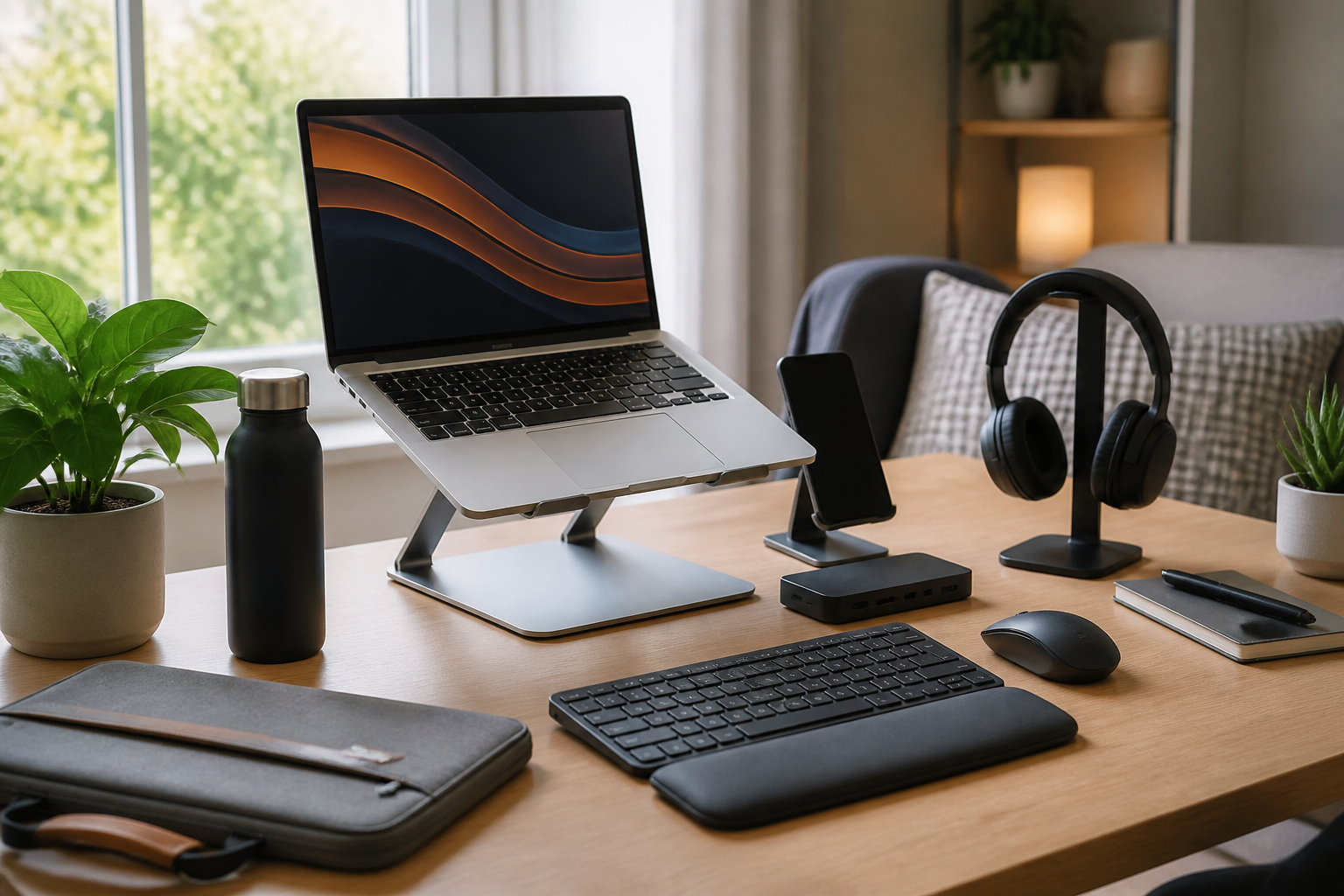
The right accessories can help you build a setup that feels less cramped, more organized, and easier to use over time. Some items improve ergonomics, such as a laptop stand or external keyboard. Others reduce clutter, protect your equipment, or support focus, like a docking station, monitor, or cable organizer. There are also accessories that simply make long hours more comfortable, such as a wrist rest, mouse, or laptop sleeve for moving between workspaces.
This guide focuses on useful accessories for people who work on a laptop all day. It is designed to help you understand what each accessory does, who it may suit, and what to look for before you buy. Instead of chasing trends or buying everything at once, the goal is to choose a few practical items that match the way you actually work.
Why laptop users often benefit from accessories
Even a good laptop has limitations when it is used as the main work device for many hours. The screen is usually low relative to eye level, the keyboard is fixed, and the pointing device can be small for extended use. Over time, these limitations may make your workspace feel less efficient than it could be.
Accessories help solve specific problems. A stand can lift the screen closer to eye level. A separate keyboard lets you position your hands more naturally. An external mouse can make clicking and navigation easier. A monitor can give you more visual space for documents, spreadsheets, creative work, or multitasking. When your setup better matches your workflow, you often spend less effort adjusting your position and more time focusing on the task itself.
For people who work from home, split time between office and home, or frequently move between locations, accessories can also make a portable laptop setup more flexible. The best additions are not necessarily the most expensive ones. They are the accessories that remove friction from your daily routine.
Essential ergonomic accessories
Ergonomics is often the first category to consider because it affects how comfortable a long laptop day feels. Small adjustments can make a noticeable difference in how your desk setup functions.
Laptop stand or riser
A laptop stand lifts the screen higher, which can help you view it more naturally when paired with an external keyboard and mouse. This is one of the most practical accessories for all-day laptop work because it improves screen positioning and creates a more organized desk layout.
When shopping for a stand, consider height adjustability, stability, portability, and whether it folds flat for storage or travel. Some stands are minimal and lightweight, while others are heavier and better suited to a fixed desk. If you use your laptop in several locations, a foldable model may be more convenient. If you keep one workstation, a sturdier stand may be better.
Who it may suit: remote workers, students, writers, analysts, designers, and anyone who uses a laptop at a desk for long periods.
External keyboard
An external keyboard allows you to type without having to keep your laptop close to your hands. This is especially useful when the laptop is raised on a stand. It can also help your desk feel less cramped and can give you access to a keyboard layout that suits your typing habits.
When comparing keyboards, look at size, key feel, wireless or wired connection, and whether it includes useful shortcuts or a number pad. A compact keyboard saves space, while a full-size keyboard may be better for frequent data entry. Some people prefer low-profile keys similar to laptop keyboards, while others want a deeper key press.
Who it may suit: people who type a lot, enter numbers regularly, or want a more comfortable posture while working.
Mouse or trackball
An external mouse can be more comfortable and accurate than a built-in trackpad for many kinds of work. This matters when you spend hours selecting text, editing documents, moving between windows, or working in apps that require frequent pointing and dragging.
Look for shape, size, button placement, connection type, and whether the mouse supports your working surface. If you have limited desk space or hand discomfort from repetitive movement, a trackball may be worth considering. A vertical mouse is another option for users who want a different hand position. The best choice depends on your workflow, hand size, and preference for familiar or alternative designs.
Who it may suit: office workers, creative professionals, spreadsheet users, and anyone who finds trackpad use tiring over a full day.
Wrist rest
A wrist rest can help support your hands when typing or using a mouse, but it should be chosen carefully. It should not force your wrists into an awkward angle or encourage you to press down heavily while working. The main purpose is to provide a soft, stable surface during pauses and light use.
Materials vary widely, including memory foam, gel, and fabric-covered designs. Consider height, firmness, and size relative to your keyboard or mouse area. A wrist rest is often most useful when paired with a well-arranged desk rather than used as a standalone fix.
Who it may suit: laptop users who spend long periods typing and want a more comfortable hand position.
Accessories that improve display comfort and workflow
Once you have addressed the physical basics, the next step is often to improve your viewing setup and productivity. Laptop accessories in this category can make it easier to manage multiple tasks and reduce visual clutter.
External monitor
An external monitor is one of the most helpful accessories for people who work on a laptop all day. It adds more screen space, which can be valuable for comparing documents, keeping communication tools open, working across several tabs, or reducing the need to constantly switch windows.
When choosing a monitor, consider size, resolution, adjustability, and how it will fit your desk. A larger screen is not always better if your workspace is small. It is often more useful to choose a monitor that gives you enough space without overwhelming the desk. Adjustable height and tilt are important because monitor placement affects comfort and viewing angle.
Who it may suit: remote workers, hybrid workers, multitaskers, editors, coders, researchers, and anyone who needs a more efficient desktop-style setup.
Laptop dock or docking station
A docking station helps connect your laptop to multiple peripherals with less plugging and unplugging. This is useful if you switch between working on the go and working at a desk. It can simplify the process of connecting a monitor, keyboard, mouse, external storage, and other accessories.
Before buying, check compatibility with your laptop model, the types of ports offered, and whether the dock supports your monitor needs. Some users only need a simple USB hub, while others want a more complete docking solution with charging and video output. The right choice depends on how many devices you connect regularly.
Who it may suit: people who move between workspaces, office workers with a fixed desk, and users who want a cleaner plug-and-play workstation.
Portable monitor
A portable monitor can be a good option for people who work in multiple locations but still want extra screen space. It is slimmer and easier to move than a traditional monitor, which makes it appealing for travel, shared offices, and temporary work setups.
Important features include size, weight, stand or cover design, power requirements, and connection options. A portable monitor should be easy to carry and quick to set up. If your work is highly mobile, convenience may matter more than maximum display size.
Who it may suit: frequent travelers, digital nomads, field workers, and people who want dual-screen capability without a permanent desk setup.
Accessories for organization and cable management
A clutter-free workspace can make it easier to stay focused. Even if your laptop is the central device, accessories often add cables, chargers, adapters, and storage devices. Good organization helps everything feel more manageable.
Cable organizer or cable clips
Cable clutter can make even a clean desk feel messy. Cable organizers and clips help keep charger cords, monitor cables, and accessory wires in place. This can be especially useful if you frequently disconnect and reconnect items during the day.
Look for easy installation, secure grip, and a layout that matches the shape of your desk. Some people prefer adhesive clips for a simple setup, while others want cable sleeves or trays for larger collections of cords. The best solution is usually the one that fits the number of cables you actually use.
Who it may suit: anyone who works at a desk with several devices or wants a more visually organized workspace.
Laptop bag or sleeve
A laptop bag or sleeve is a practical accessory for people who carry their work setup between home, office, or coworking spaces. It protects the laptop from scratches and makes it easier to transport chargers, notebooks, and other small accessories.
Consider padding, size fit, material, storage pockets, and how you plan to carry it. A slim sleeve may be enough for users who only need basic protection, while a larger bag may work better if you bring a mouse, dock, cables, and documents. It is important to choose a size that fits your actual device rather than assuming all laptop sleeves are interchangeable.
Who it may suit: commuters, students, hybrid workers, and anyone who transports their laptop regularly.
Desk storage accessories
Small desk organizers, drawer inserts, and storage trays can be helpful if you keep charging cables, notebooks, pens, adapters, or memory cards near your laptop. These accessories do not directly improve the laptop itself, but they can make a workstation easier to use.
Useful buying considerations include size, material, and how well the storage matches your routine. If you only use a few items daily, a simple tray may be enough. If your desk tends to collect paperwork or accessories, a more structured organizer may be better.
Who it may suit: people who like tidy workspaces and want less time spent searching for small items.
Accessories that support comfort during long work sessions
Long laptop days are not only about performance. Comfort matters too, especially when your work requires sustained concentration. Some accessories are designed to make the experience more pleasant without changing your setup dramatically.
Desk lamp
Good lighting can reduce visual strain and make a workspace feel more comfortable. A desk lamp is helpful if your room lighting is uneven, if you work early or late, or if you want more control over brightness near your screen.
Look for adjustable brightness, color temperature options, and a design that directs light where you need it without causing glare on your screen. A well-placed lamp can make reading notes, writing, and reviewing details easier throughout the day.
Who it may suit: people working in low-light rooms, shared spaces, or rooms with inconsistent natural light.
Headphones or headset
Headphones or a headset are useful if your workday involves video calls, focused listening, or background noise. They can help create a clearer communication setup and reduce distractions in busy environments.
When comparing options, think about comfort, microphone quality, wired versus wireless use, and battery life if applicable. Comfort matters a great deal for all-day use, especially if you wear them for long meetings. Lightweight models are often better for extended sessions.
Who it may suit: remote workers, customer support staff, managers, and anyone who spends significant time on calls or calls in shared spaces.
Footrest
A footrest can help some users feel more supported at a desk, particularly if the chair height and desk height do not line up perfectly. It is not necessary for everyone, but it can make a workstation more comfortable if your feet do not rest naturally on the floor.
Look for adjustable angle, stable construction, and a size that matches your seating position. If you use a standing desk part of the day and sit the rest, a footrest may still be useful during seated work.
Who it may suit: users with desks that are slightly too high, smaller users, or anyone who wants a more supported seated position.
Useful accessories for power and portability
People who work on a laptop all day often need reliable power management. These accessories are especially useful if you move around or depend on your laptop for most tasks.
USB-C charger or spare power adapter
If your laptop supports USB-C charging, having an additional charger can reduce the hassle of moving one power brick between different rooms or bags. A spare charger can also be helpful for travel or for keeping a dedicated charger at your desk.
Before buying, make sure the charger matches your laptop’s power needs and connection standard. Not every charger is suitable for every device, and power output matters. A well-matched charger is more important than simply choosing one with the most features.
Who it may suit: hybrid workers, commuters, and anyone tired of carrying a charger back and forth.
Power strip or surge protector
A power strip or surge protector can make a desk setup more practical if you need to connect a laptop charger, monitor, dock, lamp, and other devices. It helps centralize power in one place and can reduce the number of wall outlets you need.
Look for enough outlets, a cord length that suits your desk placement, and a form factor that fits under or beside your workstation. If your devices are valuable or sensitive, many users prefer a surge protector for added peace of mind.
Who it may suit: desk-based laptop users with several accessories and limited wall outlets.
Portable mouse pad or desk mat
A mouse pad or desk mat may seem simple, but it can improve mouse tracking, create a smoother work surface, and make a laptop station feel more defined. A larger desk mat can also help visually organize your workspace by creating one unified surface for the keyboard, mouse, and laptop base.
When buying, consider size, surface texture, and ease of cleaning. A desk mat can also help protect the desk surface from everyday wear. If you work from different locations, a smaller mouse pad may be more portable.
Who it may suit: anyone who wants a more stable mouse surface or a tidier-looking desk setup.
How to choose the right accessories for your setup
The best laptop accessories depend on your actual work habits, not on how many items a setup video includes. Start by identifying the problems you experience most often.
- If your neck or shoulders feel strained: prioritize a laptop stand, external monitor, and separate keyboard.
- If your hands feel cramped: consider an external mouse, keyboard, or wrist rest.
- If your desk is cluttered: focus on cable management, storage organizers, and a dock.
- If you move around often: look for a portable stand, laptop sleeve, portable monitor, or compact charger.
- If calls are a big part of your day: headphones or a headset may be more valuable than desk accessories.
It is also worth thinking about compatibility. Some accessories are universal, while others depend on your laptop’s ports, charging standard, operating system, or available desk space. Measuring your work area before buying can prevent frustration later.
Common buying mistakes to avoid
People shopping for laptop accessories often make the mistake of buying items that look helpful but do not match their routine. A common example is buying a monitor stand without enough desk depth, or choosing a keyboard that feels too large for the available space.
Another mistake is buying too many accessories at once. It is usually better to solve the most noticeable problem first. If your laptop setup is uncomfortable, begin with ergonomics. If your desk is disorganized, start with cable management or a dock. A gradual approach helps you learn what really improves your workflow.
It is also easy to overlook portability. Some accessories are excellent at a fixed desk but inconvenient to carry. If you work in multiple places, choose items that are quick to set up, easy to store, and light enough to transport.
Finally, do not assume that a more complex accessory is automatically better. A simple stand or mouse may be more useful than a feature-heavy product that you rarely use. Practicality should lead the decision.
Practical tips for building a better laptop workstation
To get the most value from your accessories, think of your workstation as a system rather than a collection of separate products. Start with the basics: screen height, keyboard position, input comfort, and cable flow. Once those areas are in place, add accessories that solve the remaining problems in your daily routine.
If you work from home, consider creating a dedicated desk setup so you do not have to rebuild everything every day. If you travel frequently, keep a portable version of your essentials in one bag. A consistent arrangement can reduce setup time and make your workday feel more predictable.
Try to choose accessories that are easy to use together. A stand should leave room for an external keyboard and mouse. A dock should support the peripherals you actually connect. A monitor should fit your desk and work style. The most useful setup is not the most elaborate one; it is the one that supports the way you already work.
Frequently asked questions
What are the most useful accessories for working on a laptop all day?
For many people, the most useful items are a laptop stand, external keyboard, external mouse, and a monitor. These accessories directly affect comfort and productivity during long work sessions. From there, cable organizers, a dock, and a good headset can make the setup even more practical.
Do I need a laptop stand if I already have an external keyboard?
Not always, but a stand can improve screen position by raising the display closer to eye level. If your laptop stays flat on the desk and feels comfortable to use, you may not need one. If the screen feels too low, a stand can be a valuable addition.
Is a monitor worth it for laptop work?
For many users, yes. A monitor adds more screen space and can make multitasking easier. It is especially helpful if you work with multiple windows, compare documents, or spend long hours in front of the screen. If your desk is small or your work is highly mobile, a portable monitor may be a better fit.
What if I work in different places every day?
Focus on portable accessories such as a foldable stand, compact keyboard, lightweight mouse, laptop sleeve, and optional portable monitor. You want items that are easy to carry and quick to set up, so your workstation can adapt to different environments without much effort.
Should I buy accessories before I know what problem I want to solve?
It is usually better to identify a problem first. If you are uncomfortable, start with ergonomics. If you are disorganized, start with cable management or storage. If you need more screen space, begin with a monitor or portable display. Problem-first shopping usually leads to better results.
Conclusion
Useful accessories for people who work on a laptop all day are the ones that make long sessions easier, more comfortable, and more efficient. The best place to start is usually with the basics: a stand, keyboard, mouse, or monitor. After that, you can add accessories that improve organization, power management, portability, or call quality.
There is no single setup that works for everyone. A remote worker with a dedicated desk may benefit most from a dock and monitor, while a frequent traveler may need a compact mouse, foldable stand, and protective sleeve. The key is to build around your actual workflow instead of buying accessories because they are popular.
If you choose carefully, even a simple laptop can become the center of a much better workstation. With the right accessories, long workdays can feel more organized, less cramped, and more suited to the way you need to work.


