
Introduction
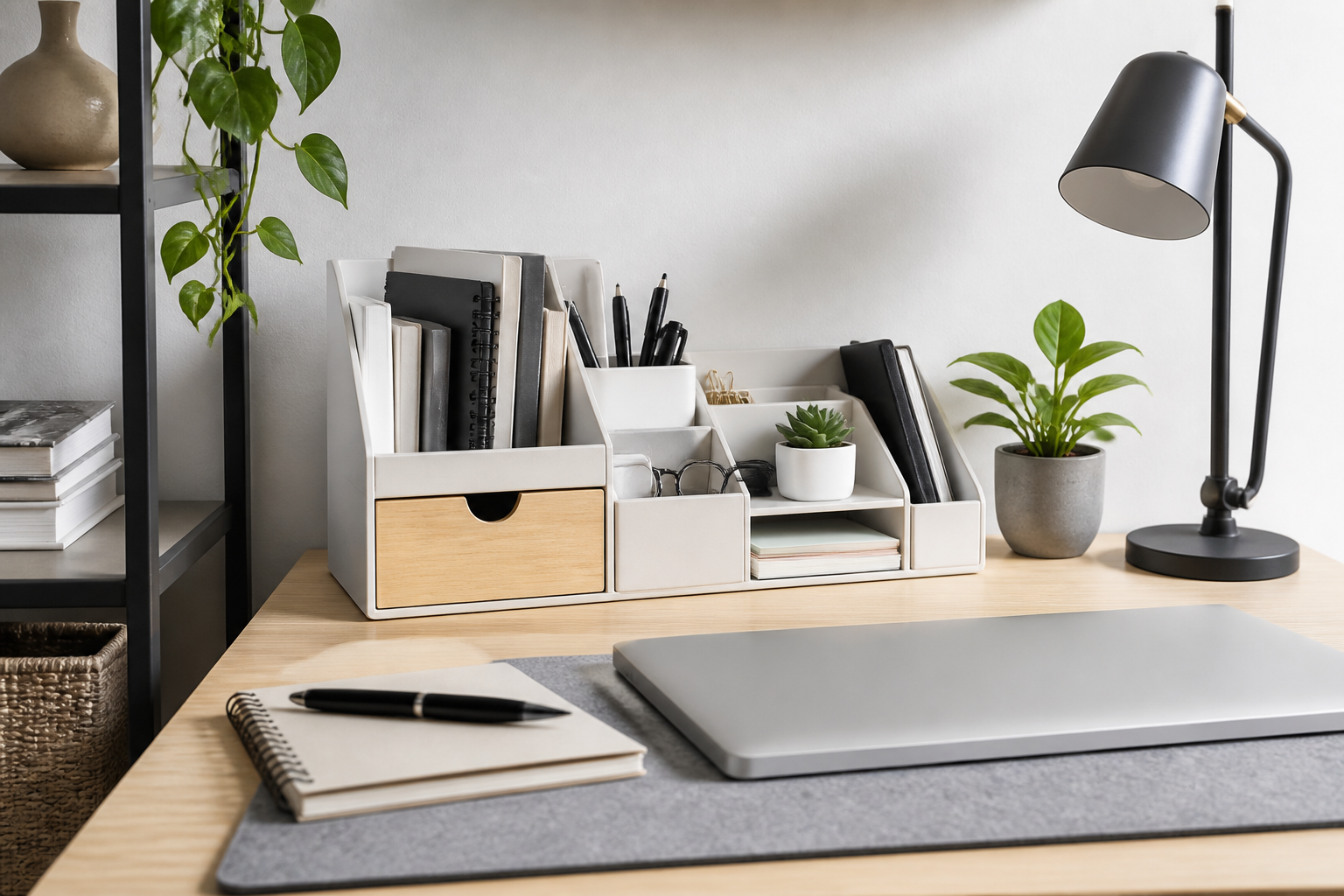
A small workspace has one job: help you stay focused without letting clutter take over. When every inch matters, the right desk organizers can make a noticeable difference in how your desk looks and functions. The best options do more than hold pens or papers. They create a simple system that keeps essentials within reach, reduces visual noise, and helps you use vertical and hidden space more effectively.
Choosing useful desk organizers for small workspaces is less about buying the most pieces and more about picking the right ones. A compact tray, a monitor riser with storage, a drawer insert, or a small file organizer can often do more for organization than a large desktop caddy full of compartments. The goal is to support your routine, not crowd it.
This guide walks through the most practical desk organizer types for small workspaces, the features that matter most, common mistakes to avoid, and how to match organizers to your work style.
Why desk organizers matter in a small workspace
In a larger office, clutter can spread out. In a small workspace, clutter quickly becomes distracting. Desk organizers help contain the items you use most often so your surface stays usable for actual work. Even modest changes can improve how a desk feels: cables look tidier, papers stop piling up, and frequently used tools become easier to find.
The main advantage of a good organizer is not just neatness. It is efficiency. If you spend less time searching for a pen, untangling a charger, or sorting loose notes, your workspace becomes more practical. For remote workers, students, hobbyists, and anyone working from a corner desk or shared area, that efficiency matters even more.
Useful desk organizers for small workspaces should support three things: accessibility, space-saving design, and a simple maintenance routine. If an organizer is hard to use or too large for the desk, it will probably end up becoming part of the clutter.
Best types of desk organizers for small workspaces
1. Vertical file organizers
Vertical file organizers are one of the most practical choices when desktop space is limited. Instead of spreading papers flat across the desk, they store folders, notebooks, mail, and active documents upright. This makes them especially useful for people who work with printed references, bills, schoolwork, or project sheets.
Look for a file organizer with a narrow footprint and a stable base. Wire, metal, acrylic, and sturdy plastic versions are common. A simple one- or two-slot organizer may be enough for a very small setup, while a tiered version can help separate current work from archive papers.
2. Drawer inserts and trays
If your desk has drawers, inserts and trays can be more valuable than surface accessories. They divide a drawer into zones for stationery, cables, sticky notes, paper clips, and small tools. This keeps the desktop clear while still putting items within easy reach.
For small workspaces, adjustable drawer organizers are often the best choice because they can fit different drawer sizes and adapt to changing needs. Shallow trays tend to work better than deep bins because they prevent small items from disappearing underneath larger ones.
3. Monitor risers with storage
A monitor riser does more than elevate a screen. Many models include shelves, pull-out drawers, or open storage underneath. That extra vertical space can hold notebooks, a keyboard when not in use, or everyday accessories without taking up more desktop area.
This category is especially useful for compact desks where the monitor base otherwise uses valuable surface area. A riser can also help define zones on the desk, making it easier to keep your working surface uncluttered. Choose one that matches the size of your monitor and leaves room for airflow and cable routing.
4. Pen cups and compact desktop caddies
For basic everyday tools, a pen cup or small caddy can be enough. The key is restraint. In a small workspace, large multi-compartment caddies can consume more room than they save. A compact holder with only the sections you actually need is usually the better option.
Consider storing only high-use items in the caddy, such as pens, a highlighter, scissors, or a ruler. If a desktop organizer starts collecting random items, it can quickly become a clutter magnet.
5. Cable management organizers
Cables are one of the fastest ways a small desk becomes messy. Cable clips, sleeves, under-desk trays, adhesive holders, and cord boxes can make a workspace look much cleaner while also making devices easier to connect and disconnect.
When choosing cable organizers, think about what you are actually managing. A charging cable may only need a clip. A workstation with a monitor, laptop, lamp, and dock may benefit more from a tray or cord box that keeps power strips and excess cable length out of sight.
6. Desktop shelves and stackable risers
When horizontal space is tight, going upward can help. Small desktop shelves and stackable risers create an upper level for supplies, plants, notebooks, or decor while leaving the lower level open for active work. These are useful for people who want storage without adding another full piece of furniture.
The best versions are simple, sturdy, and not too tall. In a very small workspace, a shelf that blocks your view or feels bulky can make the area seem more cramped. A slim shelf that visually lightens the desk is usually a better fit.
What to look for when buying desk organizers
Footprint and dimensions
The first thing to check is size. A desk organizer should fit the space you already have, not force you to rearrange everything around it. Measure the width and depth of available areas before buying, especially for items like monitor risers, file holders, and desktop shelves.
In a small workspace, even a difference of a few inches can matter. It helps to think in zones: one zone for active work, one for storage, and one for items you need to reach quickly. The organizer should support those zones without blocking them.
Storage style: open, closed, or mixed
Open organizers are easy to access and work well for everyday items. Closed organizers hide visual clutter and are helpful for supplies you do not want to see all the time. Mixed designs can offer the best of both, with open slots for active tools and drawers or boxes for extras.
For small spaces, a mixed design is often the most flexible because it reduces the chance that every item ends up exposed on the desk. Still, the best choice depends on your habits. If you need constant access to papers or tools, open storage may be more practical than closed storage.
Material and durability
Material affects both appearance and usability. Metal organizers can be durable and slim. Wood or wood-look organizers may feel warmer and more decorative. Acrylic can look light and visually unobtrusive. Plastic is often affordable and easy to clean.
In a small workspace, materials that feel visually light can help the desk seem less crowded. At the same time, the item needs to be sturdy enough not to shift when you pull out a drawer or remove a stack of papers. A good organizer should feel stable and purposeful, not flimsy.
Ease of cleaning
Small workspaces collect dust and paper fragments quickly because the surface area is concentrated. Choose organizers that are simple to wipe down and do not have too many corners where debris can settle. If you keep snacks, craft materials, or makeup on your desk, easy cleaning becomes even more important.
Trays, smooth surfaces, and removable dividers are often easier to maintain than overly detailed pieces. If something looks attractive but is difficult to clean, you may avoid using it regularly.
Flexibility and modular design
Modular desk organizers are especially useful for changing needs. You can add or remove sections, adjust drawer dividers, or rearrange pieces as your workload changes. This is helpful in small workspaces because your storage needs may shift over time.
A flexible organizer can also reduce the need to replace items later. If you are unsure about your long-term setup, a modular or multipurpose option is often safer than a single-use design.
Visual simplicity
Small workspaces often feel more spacious when the organizer itself is visually simple. Clean lines, neutral colors, and minimal bulk can make a desk feel calmer. This does not mean every organizer has to be plain. It simply means that the design should support the feeling of order instead of adding more visual noise.
If you already have a busy room or a colorful setup, choosing organizers with a restrained design may help balance the overall look.
How to choose the right organizer for your work style
For paper-heavy work
If your desk often fills with documents, invoices, schoolwork, or printed references, prioritize file organizers, paper trays, and inbox-outbox systems. These keep papers from spreading across the desktop and make it easier to separate active items from items waiting for action.
A paper-heavy workspace usually benefits more from sorting systems than from decorative desktop accessories. The simpler the structure, the easier it is to stay consistent.
For digital work
If most of your work is on a laptop or monitor, cable management, monitor risers, and small drawer organizers may matter more than large paper trays. Digital work often creates a different kind of clutter: chargers, earbuds, adapters, pens, sticky notes, and random accessories that do not have a home.
In this setup, a few well-placed organizers can make the desk feel much more open. Focus on keeping the main work surface clear and storing backup accessories out of the way.
For hybrid or shared desks
People who share a workspace or switch between tasks need organizers that are easy to reset. Stackable trays, small bins, and modular dividers work well because they make cleanup fast. Labeling can also help if multiple people use the same desk.
In shared spaces, avoid organizers that are so personalized or specialized that only one routine fits them. The more adaptable the system, the better it will hold up over time.
For creative or craft-based work
If you use your desk for sketching, journaling, sewing, building, or other hands-on tasks, look for organizers that can hold varied tools without tipping over. Compartment trays, lidded boxes, and portable caddies can be better than fixed desktop towers.
Creative work often involves changing materials, so flexible storage is useful. A good organizer should let you spread out when needed and put things away quickly afterward.
Common buying mistakes to avoid
- Buying too many small organizers at once: A collection of tiny containers can look tidy at first but become confusing to manage. Start with a few essentials.
- Choosing size before function: An organizer should fit your routine, not just a corner of the desk. Think about what you need to store every day.
- Ignoring vertical space: Small workspaces often benefit more from stacked or raised storage than from more items sitting flat on the desk.
- Overlooking cable clutter: A neat desktop can still feel messy if cords are uncontrolled. Cable management should be part of the plan.
- Filling every compartment: If an organizer has many slots, it does not mean all of them need to be used. Extra compartments often become catch-alls.
- Choosing style over usability: A beautiful organizer is not helpful if it blocks your workspace or is annoying to maintain.
Practical tips for keeping a small workspace organized
One of the best ways to make an organizer useful is to give it a single, clear purpose. For example, one tray can hold current papers, one cup can hold writing tools, and one drawer can hold small accessories. This keeps the system from becoming random.
It also helps to place organizers based on frequency of use. Items you reach for several times a day should stay within arm’s reach. Less-used supplies can move into drawers, shelves, or bins. This simple rule keeps the active zone clear.
Another helpful habit is to review your setup every few weeks. In a small workspace, a system that worked last month may no longer fit your current projects. Reassessing prevents clutter from slowly rebuilding.
If your desk still feels crowded, remove one item before adding another. This approach makes it easier to keep the workspace balanced. Often, the most effective solution is not a bigger organizer but a better distribution of what you already own.
Frequently asked questions
What type of desk organizer works best for a very small desk?
The best option is usually a compact, vertical, or multipurpose organizer. File holders, monitor risers with storage, and drawer inserts often provide the most benefit without taking too much surface area.
Are desktop organizers better than drawer organizers?
It depends on what you store. Desktop organizers are better for items you use constantly and need to see quickly. Drawer organizers are better for small items you want nearby but not visible. Many small workspaces need a mix of both.
How many desk organizers should I use?
There is no fixed number. Start with the minimum needed to support your routine. Too many organizers can create visual clutter and make cleaning more difficult. A simple system is often the most effective in a small area.
What should I store on the desk and what should I put away?
Keep only the items you use daily on the desk, such as a pen cup, current papers, or a charging station. Store backup supplies, extra cables, old notes, and rarely used tools in drawers, shelves, or boxes.
Do desk organizers really help with productivity?
They can help by reducing friction. When your tools are easier to find and your desk is easier to use, you spend less time dealing with distractions. The effect is usually practical rather than dramatic, but for a small workspace it can be meaningful.
Conclusion
Useful desk organizers for small workspaces are the ones that save space, reduce clutter, and fit the way you actually work. Whether you need a vertical file holder, a compact pen cup, a drawer insert, a cable system, or a monitor riser with storage, the best choice is usually the one that solves a specific problem without adding bulk.
When comparing options, focus on footprint, durability, ease of cleaning, and flexibility. Avoid buying organizers simply because they look tidy in a product photo. Instead, choose pieces that support your daily habits and make the desk easier to maintain.
With a thoughtful setup, even a very small workspace can feel organized, efficient, and comfortable to use. The right organizers do not just store things. They help the desk work better for you.


