
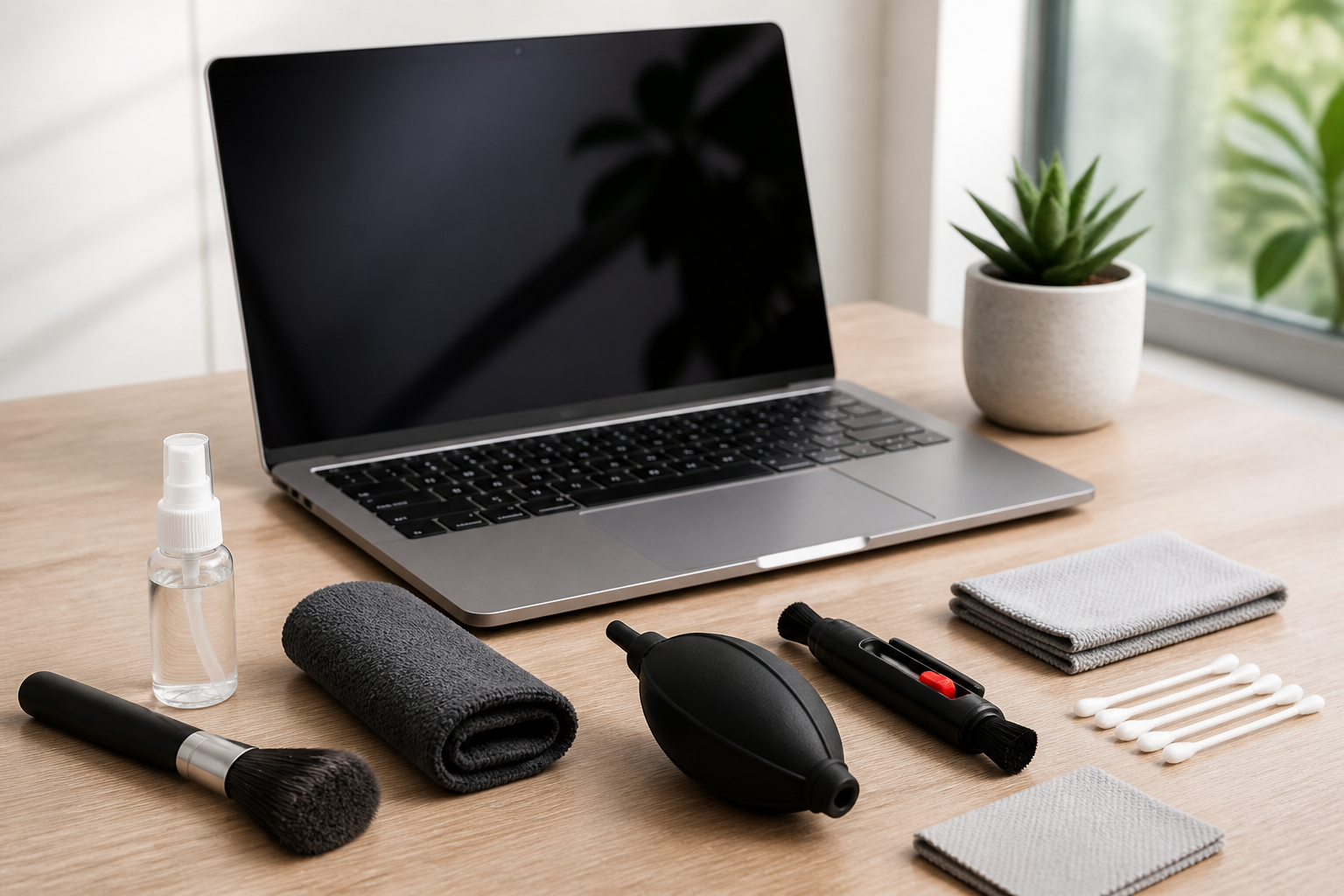
Laptops collect dust, fingerprints, crumbs, and skin oils faster than most people expect. Because they are carried around, opened and closed often, and used in different environments, routine cleaning can make a noticeable difference in how a laptop looks and feels over time. The good news is that everyday laptop maintenance does not require a large kit or complicated routine. A few well-chosen tools are usually enough to keep the screen clear, the keyboard comfortable, and the vents and ports less cluttered with debris.
This guide focuses on useful laptop cleaning tools for everyday maintenance. It explains what each tool does, what to look for before buying, and how to avoid common mistakes that can damage delicate surfaces. Whether you use your laptop for work, school, travel, or home use, a simple cleaning setup can help you stay on top of routine care without overdoing it.
Why everyday laptop cleaning matters
Daily use leaves behind more than visible dust. Keyboards collect crumbs and fine particles between the keys. Touchpads and palm rests pick up oils from your hands. Screens attract fingerprints, smudges, and lint. Vent openings can slowly gather dust that may affect airflow if ignored for long periods. None of this means a laptop is in immediate danger, but it does mean basic maintenance is worth making a habit.
Regular cleaning can also improve comfort. A smudged screen can make reading more tiring. A sticky keyboard feels less pleasant to type on. Clean surfaces simply make a device easier to use. For many buyers, the best laptop cleaning tools are not the most advanced ones; they are the tools that are safe, easy to store, and convenient enough to use regularly.
Core laptop cleaning tools to consider
For most people, a small set of tools covers nearly all routine laptop cleaning tasks. You do not need a large electronics kit to maintain a laptop properly. Instead, focus on tools that are gentle, precise, and easy to use around sensitive components.
Microfiber cloths
A good microfiber cloth is one of the most useful tools for everyday laptop care. It can remove fingerprints, dust, and light smudges from the screen, lid, keyboard deck, and touchpad without being abrasive. Microfiber is popular because it traps particles rather than simply moving them around.
When choosing microfiber cloths, look for soft, lint-free options with a fine weave. It helps to keep at least two cloths on hand: one for screens and polished surfaces, and another for general exterior cleaning. Some buyers prefer multiple small cloths rather than one large one because smaller cloths are easier to store in a laptop bag.
Screen-safe cleaning solution
Many laptops only need a lightly dampened microfiber cloth, but a screen-safe cleaning solution can help with more stubborn marks. The key is to choose a product intended for electronics or delicate displays, and to use it sparingly. A solution should support cleaning, not soak the surface.
Before buying, check that the product is compatible with screens and anti-glare coatings. If you are unsure, follow the laptop manufacturer’s care guidance. In general, a small amount applied to the cloth, not directly to the screen, is the safer approach.
Soft dusting brush
A soft brush is useful for moving dust away from keyboard edges, speaker grilles, and vent openings. A gentle brush can help loosen debris in places a cloth cannot easily reach. For everyday maintenance, a brush with very soft bristles is usually enough.
Brushes designed for electronics are often compact and easy to control. Some come with angled bristles or protective caps, which can make storage easier. The main goal is simple: remove loose dust without pushing it deeper into the device.
Compressed air or a hand blower
Compressed air can help clear debris from between keys and out of ports, but it should be used carefully. A hand blower or a gentle electronics air tool may be a better everyday option for users who want more control. The safest approach is usually to use short, controlled bursts and avoid forcing air into openings at close range.
Buyers should pay attention to nozzle design, pressure control, and overall ease of use. Overly powerful airflow can drive dust further inside or cause unnecessary stress on sensitive parts. For many households, a hand blower is a practical alternative to disposable compressed-air cans.
Keyboard cleaning gel or putty
Keyboard cleaning gel is designed to pick up dust and crumbs from the gaps between keys. It can be helpful for surface-level cleaning when used as directed. This type of tool is especially appealing for people who eat near their laptop or use the keyboard frequently during the day.
Not every keyboard is a good match for every gel or putty product, though. Some formulas may leave residue if misused, and some can be too soft or sticky for certain key layouts. Buyers should look for clear instructions and use the product only as intended. If a product seems difficult to remove cleanly, it may not be ideal for regular use.
Cotton swabs or foam swabs
Swabs are useful for narrow spaces such as around ports, hinges, and key edges. Foam swabs may be especially helpful because they hold shape well and shed less lint than some cotton alternatives. They are not meant for deep cleaning, but they can assist with careful spot cleaning.
Look for low-lint options and avoid oversaturating them with liquid. A lightly dampened swab is often enough for small, targeted tasks. Because laptop openings can be delicate, swabs should be used with restraint and light pressure only.
Cleaning wipes for electronics
Pre-moistened wipes made for electronics can be convenient when you need a quick exterior clean. They are portable, easy to use, and helpful for wiping palm rests, lids, and other non-fabric surfaces. The best versions are designed to be gentle and leave minimal residue.
When comparing wipes, consider packaging and moisture level. Wipes that reseal well tend to stay usable longer. It also helps if the wipe size is appropriate for a laptop rather than oversized for general household cleaning. As with liquid cleaners, the goal is controlled use, not heavy saturation.
What to look for when buying laptop cleaning tools
Different tools serve different tasks, but a few buying considerations apply to nearly all laptop cleaning products. Thinking through these details can help you choose tools that work well together and are less likely to damage your device.
Material safety
Laptops often have coated screens, polished plastics, aluminum shells, or textured finishes. A cleaning tool should be suitable for delicate electronics and not leave scratches, lint, or chemical residue. Soft, non-abrasive materials are usually the safest starting point.
For cloths, microfiber is generally the preferred choice. For brushes, very soft bristles are important. For liquids and wipes, the label should indicate suitability for electronics or screens. If a product is intended for multiple household surfaces but does not mention delicate electronics, it may not be the best choice for routine laptop care.
Ease of use
The best tools are the ones people actually use. For everyday maintenance, convenience matters. A cloth that folds neatly into a sleeve, a brush that fits in a desk drawer, or a blower that feels comfortable in the hand is more likely to become part of a routine.
Consider how much effort each tool requires. If a product needs several steps or careful mixing before every use, it may be less practical for quick daily cleaning. Simple tools are often better for busy users who want a short maintenance routine rather than a detailed cleaning session.
Portability
Many laptop owners clean their devices in more than one place. A student may keep a laptop in a backpack, a remote worker may move between a desk and a coffee shop, and a traveler may need to freshen up a laptop while away from home. Compact tools are easier to carry and more likely to be available when needed.
Small zip pouches, slim cloths, and travel-size wipes can be especially useful. If you plan to maintain a laptop on the go, portability may matter more than having a larger all-in-one cleaning kit.
Residue control
Residual streaks can be just as frustrating as dust. Some cleaning products leave marks if too much is used or if the formula is not suited to screens. Choosing low-residue tools helps keep surfaces cleaner for longer and reduces the need to repeat cleaning immediately afterward.
This is especially important for screens, touchpads, and glossy surfaces. For those areas, the combination of a good microfiber cloth and a minimal amount of proper cleaner is often more effective than a heavier product.
Storage and organization
Everyday tools work better when they are easy to find. A simple storage pouch or case can keep cleaning supplies together and prevent cloths from picking up dust when not in use. Organized storage also reduces the chance of mixing cleaning tools with rough items like pens, chargers, or keys.
For households with multiple devices, storage is even more helpful. Keeping a laptop-cleaning kit separate from general household supplies makes it easier to know which tools are safe for electronics.
How to build a simple everyday cleaning kit
Most users do not need every possible cleaning accessory. A practical laptop cleaning kit can be built around a few essentials. A microfiber cloth, a soft brush, and a screen-safe cleaner or electronics wipe will cover many routine tasks. If you frequently deal with keyboard crumbs, a hand blower or gentle compressed air tool may also be useful.
For people who want an even simpler setup, start with just two items: a microfiber cloth and a soft brush. These can handle dust, smudges, and light debris without much effort. Then add one or two more tools if you notice a specific cleaning need, such as stubborn fingerprints or debris under the keys.
A sensible kit does not need to be expensive or complicated. It only needs to be safe, convenient, and appropriate for the materials on your laptop.
Common buying mistakes to avoid
Many laptop cleaning problems come from choosing the wrong tool or using a suitable tool in the wrong way. Avoiding these mistakes can save time and reduce the risk of damage.
- Using rough cloths: Paper towels, tissues, and coarse fabrics can leave lint or create micro-scratches on delicate finishes.
- Applying liquid directly to the laptop: Spraying cleaner onto the screen or keyboard can increase the risk of moisture getting into openings.
- Choosing overly harsh chemicals: Strong cleaners that are not meant for electronics may damage coatings or leave residue.
- Using too much force: Pressing hard on a screen or scrubbing between keys can stress sensitive areas.
- Ignoring product compatibility: Not every wipe, gel, or cleaner is suitable for every laptop surface.
- Buying a large kit you will not use: A few reliable tools are often better than a cluttered set of specialty items.
Practical cleaning tips for daily maintenance
Useful tools matter most when paired with a simple routine. Daily or near-daily maintenance does not need to take long. In many cases, a quick wipe of the screen and touchpad, plus a light dusting of the keyboard area, is enough to keep a laptop in good condition between deeper cleanings.
It also helps to clean when the laptop is powered off and cool. This makes surfaces easier to inspect and reduces the chance of pressing keys accidentally while cleaning. If you use liquid, apply it to the cloth rather than directly onto the device. Take your time around ports, hinges, and speaker grilles, where debris can collect without being obvious.
Another helpful habit is keeping food and dusty items away from the laptop when possible. Cleaning tools are more effective when they are supporting a cleaner routine rather than compensating for heavy daily mess. Even small changes, such as wiping hands before use or storing the laptop in a sleeve, can reduce how often more intensive cleaning is needed.
Who these tools may suit best
Different users have different maintenance needs. A student carrying a laptop between classes may prefer compact tools that fit in a backpack. A home office user may want a small desk-side kit with cloths, wipes, and a brush. A frequent traveler may value lightweight products that can be packed without taking up much room.
These tools also suit anyone who wants to keep a laptop looking presentable for meetings, shared workspaces, or client-facing use. They can be especially helpful for people who use touchscreens, which tend to show fingerprints more quickly. If you own multiple devices, the same basic tools may also work for tablets, monitors, or accessories, as long as each item is cleaned according to its own care instructions.
Frequently asked questions
How often should a laptop be cleaned?
For everyday maintenance, light cleaning can be done as needed, often every few days or once a week depending on use. Screens and touchpads may need more frequent attention than vents or ports. A quick visual check usually helps decide when a surface needs care.
Is a microfiber cloth enough for most laptop cleaning?
In many cases, yes. A microfiber cloth is often enough for dust, fingerprints, and light smudges. For slightly tougher marks, pairing it with a screen-safe cleaner or electronics wipe can be useful. The most important factor is using the cloth gently and keeping it clean.
Can compressed air damage a laptop?
It can if used carelessly. Short bursts at a sensible distance are generally less risky than blasting air directly into openings. If you are unsure, a hand blower or a soft brush may be a more controlled option for routine cleaning.
Are cleaning gels safe for keyboards?
They can be convenient for surface debris, but they should be used according to the product instructions. Because formulas vary, it is wise to choose products specifically meant for electronics and to test carefully in a small, low-risk area if the directions allow that approach.
What should I avoid using on a laptop screen?
Avoid abrasive cloths, harsh household chemicals, and excess liquid. It is also best to avoid rough scrubbing. Screens and coatings can be more delicate than they look, so gentle tools are usually the safest choice.
Conclusion
The most useful laptop cleaning tools for everyday maintenance are usually the simplest ones: a microfiber cloth, a soft brush, a safe cleaning solution or wipe, and optional tools for keyboard debris. Together, these items can help keep your laptop cleaner, more comfortable to use, and easier to care for over time.
When shopping, focus on material safety, ease of use, portability, and residue control. Choose tools that fit your routine rather than buying a large set you will rarely use. With a small, practical cleaning kit and a few good habits, everyday laptop maintenance becomes quick, manageable, and far less annoying.


